
GA Lite
Analytics AI Tools
GA Lite is a multi-site analytics dashboard that unifies GA4, Search Console, and Bing Webmaster so you can view traffic and search side by side.
- Pricing
- Free
- Category
- Analytics
- Listed
- Jul 18, 2026
- Updated
- Jul 26, 2026
Promoted
 Pixmax.aiPixmax.ai is an all-in-one AI workspace for videos, visual stories, and marketing content.
 RewindType any X/Twitter handle. Get their year back as a narrated video story. Then ask it anything.
 KurodyneSell the tools from your AI side projects. Listing is free.
 Sidrune AI85% off. Stable Claude API for agent developers. Pay as you go. Invoices & refunds available.
 SEOify - Improve your SEO & rankingsBuild links to rank in Google. Improve your DR with links you can start building now.Advertise here270,000+ people visit Dang.ai every month.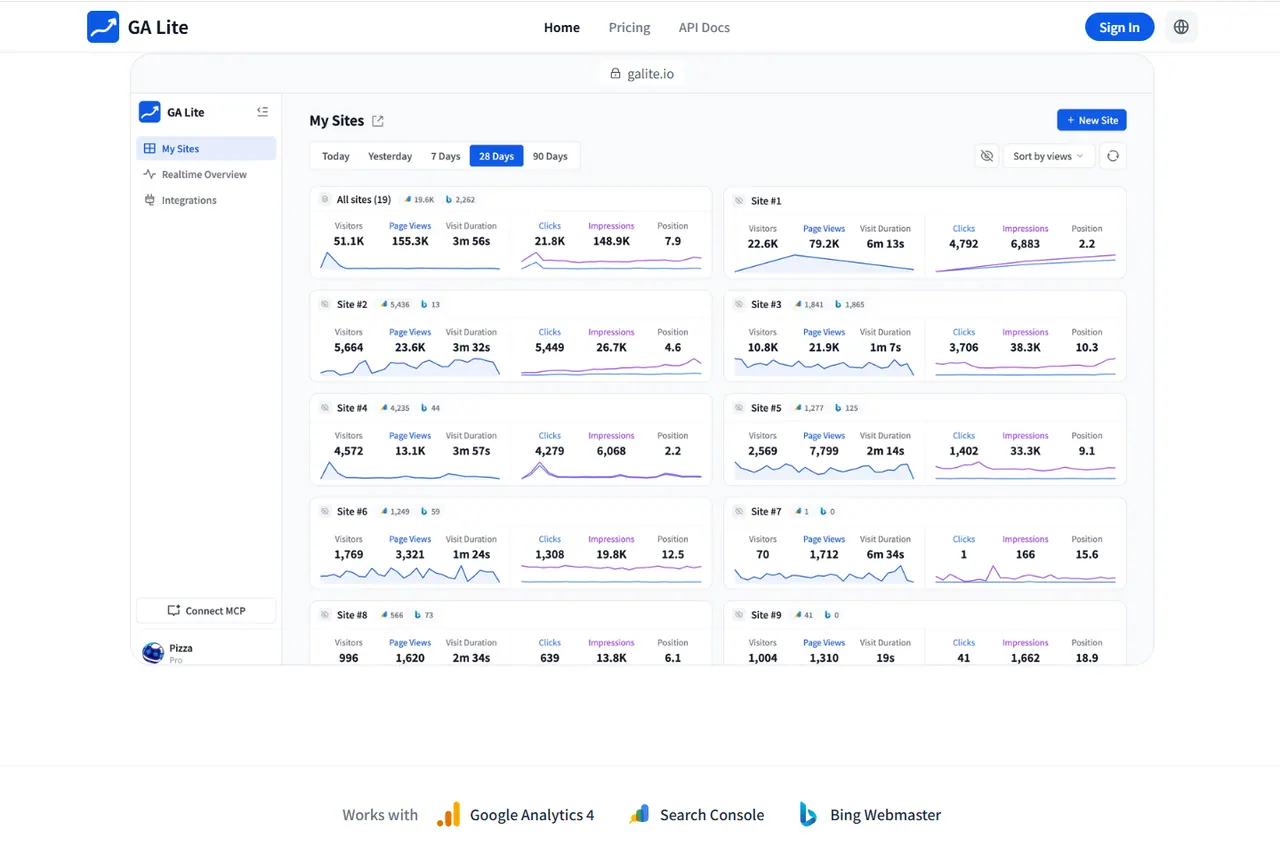
What does GA Lite do?
GA Lite brings Google Analytics (GA4), Google Search Console, and Bing Webmaster into a single, multi-site dashboard—so you can compare performance across your whole portfolio without tab switching. Each site card combines traffic (“Site Data”) and search (“Search Data”) to keep changes in both streams in the same view.
Beyond standard reporting, GA Lite includes a multi-site realtime view, search performance metrics (clicks, impressions, CTR, position, and top queries), and period deltas to quickly spot growth and drop-offs across time ranges. You can also build lightweight funnel reports from page paths or event names available in your connected GA4 property.
For sharing and AI workflows, GA Lite lets you publish a public homepage or share via links with optional anonymous mode and password protection. It also supports MCP access, letting an MCP-aware client read your analytics through a remote endpoint after one browser approval.
What is GA Lite used for?
GA Lite is for viewing multiple sites’ analytics in one place by combining GA4 traffic data with Search Console and Bing Webmaster search performance.
Which data sources can I connect to GA Lite?
You can connect Google Analytics 4, Google Search Console, and Bing Webmaster. GA Lite pulls GA4 properties, Search Console sites, and Bing Webmaster sites into one portfolio view.
Can I see traffic and search performance side by side?
Yes. Each site card shows “Site Data” (traffic) and “Search Data” (search metrics) together so you can compare changes in the same context.
Does GA Lite include realtime analytics?
Yes. GA Lite provides a realtime view that shows active users across all connected sites and where visitors are coming from on a global map, refreshed automatically.
How do funnel reports work in GA Lite?
Funnel reports are built from page or event data already collected in your connected GA4 property, using 2–5 steps to highlight where visitors drop off.
How can AI access my GA Lite analytics?
Add the GA Lite MCP endpoint to an MCP-aware client and approve access once in the browser; after that, your AI can answer questions about traffic, search, realtime, and funnels.
This listing is claimed
Own GA Lite? Sign in with the email used to claim it to manage this listing, or upgrade to Pro for featured-first placement and a newsletter feature.