MarkFlow
AI Markdown Converter
Convert Markdown to .docx instantly with full GFM support, preserving tables, LaTeX, Mermaid, images, and syntax-highlighted code blocks.
Promoted
 Pixmax.aiPixmax.ai is an all-in-one AI workspace for videos, visual stories, and marketing content.
 AI Checker PlusAI detector that highlights which passages AI wrote. Free check, no sign-up. Plagiarism too.
 RewindType any X/Twitter handle. Get their year back as a narrated video story. Then ask it anything.
 KurodyneSell the tools from your AI side projects. Listing is free.
 Sidrune AI85% off. Stable Claude API for agent developers. Pay as you go. Invoices & refunds available.
 SEOify - Improve your SEO & rankingsBuild links to rank in Google. Improve your DR with links you can start building now.Advertise here270,000+ people visit Dang.ai every month.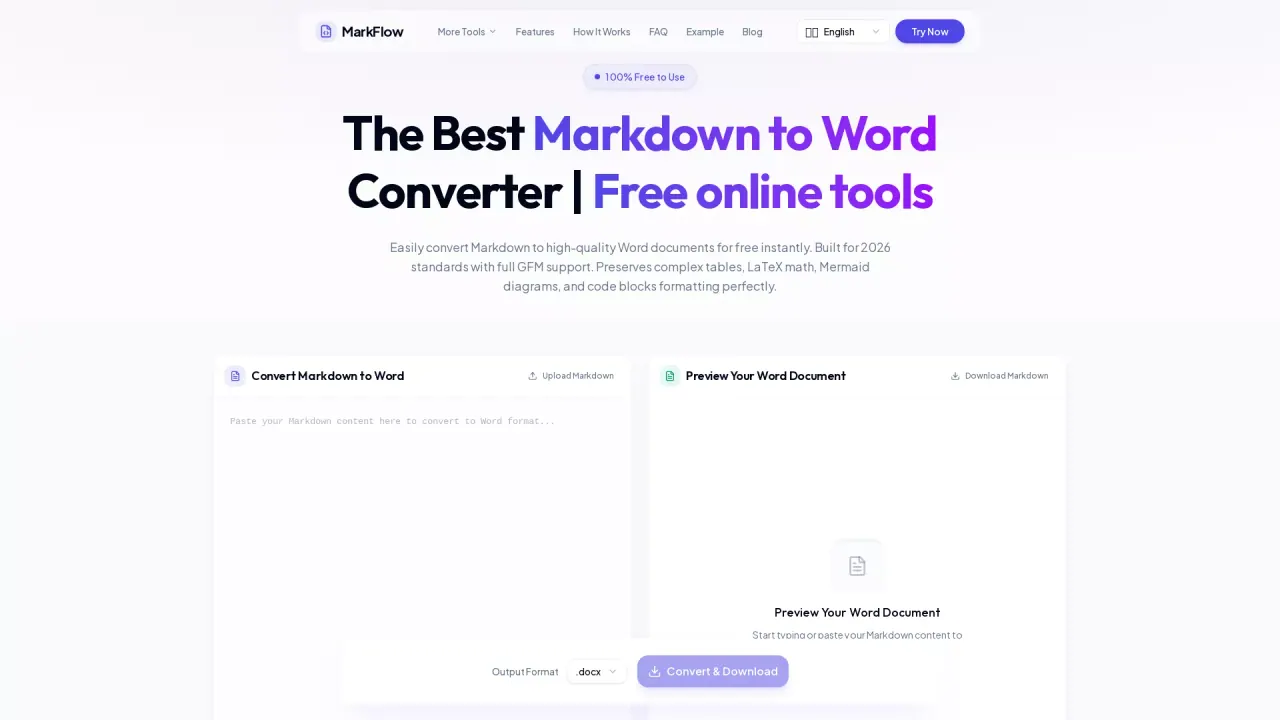
What does MarkFlow do?
MarkFlow is a free online converter that turns Markdown (.md) into high-quality Microsoft Word documents (.docx) in seconds. It’s built for cases where you need formatting to survive the export—especially technical content—so your output stays readable, structured, and presentation-ready.
With full GitHub Flavored Markdown (GFM) support, MarkFlow preserves key elements in the final .docx, including tables, LaTeX math, Mermaid diagrams, and syntax-highlighted code blocks. It also keeps common document structure like headings and lists, along with additional content types such as images and code formatting. You can review everything before downloading.
Use MarkFlow if you write documentation in Markdown but need to share it with people who edit in Word; if you’re preparing academic or engineering materials that include LaTeX equations; or if your notes and diagrams are authored in Markdown and you want a clean DOCX deliverable. The tool offers a live preview while you paste or upload content, so you can catch issues early.
Your files aren’t stored: uploads are used only for conversion and deleted immediately after your download is ready. Supported input files are .md or .markdown up to 10MB, and you can convert by uploading or pasting directly, then downloading the resulting .docx.
What can I convert with MarkFlow?
You can convert Markdown files (.md or .markdown) into Word documents (.docx). MarkFlow also supports full GFM formatting so advanced elements like tables, LaTeX math, Mermaid diagrams, and code blocks are preserved in the output.
Does MarkFlow preserve tables, LaTeX, Mermaid, and code blocks in the Word document?
Yes. Tables, LaTeX equations, Mermaid diagrams, and syntax-highlighted code blocks are converted and preserved in the final .docx so the document structure stays intact.
Can I preview the Word output before downloading?
Yes. MarkFlow includes a real-time preview so you can see how your tables, math, diagrams, and code blocks will look in the Word document before you click Convert & Download.
Is MarkFlow free to use, and do I need to sign up?
MarkFlow is free to start and doesn’t require sign-up for conversion. You can convert and download without paid plans affecting access to the core features.
Is it safe to convert confidential Markdown files online?
MarkFlow uses an encrypted HTTPS connection and processes your content only for conversion. Your files aren’t permanently stored—they’re deleted immediately after your download is ready.
What’s the maximum Markdown file size I can upload?
You can upload .md or .markdown files up to 10MB. If your content is larger, you may need to split it into smaller documents before converting.
This listing is claimed
Own MarkFlow? Sign in with the email used to claim it to manage this listing, or upgrade to Pro for featured-first placement and a newsletter feature.