Craiyon
Free online AI image generator
Craiyon is a free online AI image generator that turns your text prompts into unique images in seconds.
Promoted
 Sidrune AI85% off. Stable Claude API for agent developers. Pay as you go. Invoices & refunds available.
 Pixmax.aiPixmax.ai is an all-in-one AI workspace for videos, visual stories, and marketing content.
 SEOify - Improve your SEO & rankingsBuild links to rank in Google. Improve your DR with links you can start building now.Advertise here270,000+ people visit Dang.ai every month.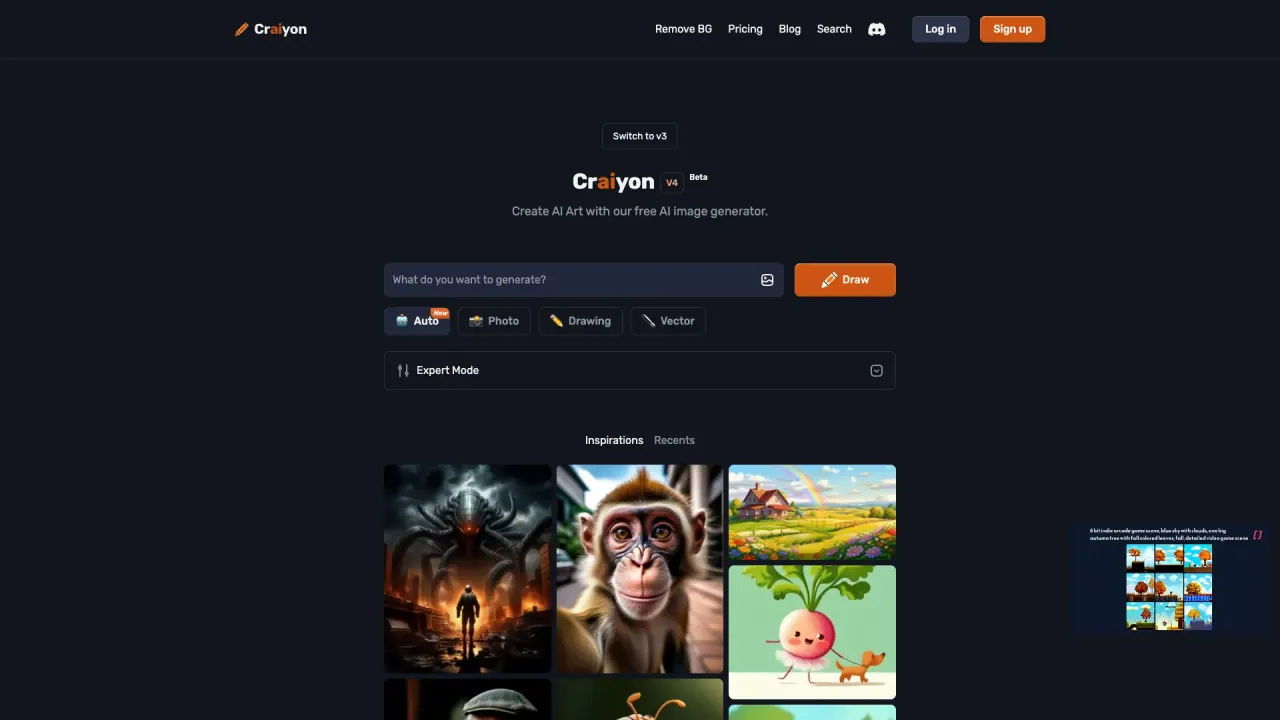
What does Craiyon do?
Craiyon is a text-to-image AI art generator that transforms your descriptions into unique images in seconds. It can create everything from abstract concepts to photorealistic results, and you can steer outcomes by choosing a style, aspect ratio, and prompt details.
Build your image by typing what you want to see, selecting a style preset (Artistic, Photo, Anime, Illustration, Vector, or Raw), and choosing an aspect ratio (square, landscape, or portrait). Then click DRAW, refine, and retry—iterate your prompt to improve results and use the Exclude field to specify what shouldn’t appear (like “people,” “text,” or “blue colors”).
If you want inspiration, explore Search, browse Categories, and click any public image to see the exact prompt used. During peak times, free generation may involve brief waits, while paid tiers include higher-quality models and priority access. You can also use subscription credits to edit images with the highest quality models; generating from text alone doesn’t require credits.
What is Craiyon, and what can it generate?
Craiyon is an AI art generator that turns your text descriptions into unique images. You can create abstract art or photorealistic images by prompting with the details you want.
How do I create an image with Craiyon?
Type a descriptive idea, choose a style (Artistic, Photo, Anime, Illustration, Vector, or Raw), pick an aspect ratio, and hit DRAW. Refine and retry by editing your prompt and using Exclude to remove unwanted elements.
What does the “Exclude” field do?
Exclude lets you specify what you don’t want in the image (for example, “people,” “text,” or “blue colors”). Craiyon will try to avoid including those elements for more precise results.
Why do I see “too much traffic” on Craiyon?
During peak times, free users may experience brief waits or a queue. Paid subscribers get priority access and rarely see that message.
Do I need to pay to generate images?
Free image generation is available to everyone. Free usage includes limited number of images and functionality compared with paid tiers.
How do credits work on Craiyon?
Credits are used to edit images with the highest quality models. Creating images from a text prompt doesn’t require credits; your plan provides monthly editing credits that renew each billing period, and you can top up if needed.
Is this your tool?
Claim Craiyon to manage this listing, or upgrade to Pro for featured-first placement and a newsletter feature.