FinConv
Analytics AI Tools
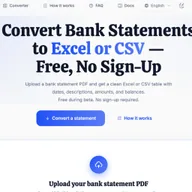
FinConv converts bank statement PDFs, scanned images, and photos into editable Excel, CSV, or JSON spreadsheets without sign-up.
- Pricing
- Free
- Category
- Analytics
- Listed
- Sep 8, 2026
- Updated
- Sep 8, 2026
Promoted
 Sidrune AI85% off. Stable Claude API for agent developers. Pay as you go. Invoices & refunds available.
 Pixmax.aiPixmax.ai is an all-in-one AI workspace for videos, visual stories, and marketing content.
 SEOify - Improve your SEO & rankingsBuild links to rank in Google. Improve your DR with links you can start building now.Advertise here270,000+ people visit Dang.ai every month.
What does FinConv do?
FinConv is an online bank statement converter that turns your statement file (PDF, JPG, or PNG) into a structured table of transactions. After upload, you can preview extracted rows—like date, description, debits, credits, and balance—before downloading.
Choose the format that fits your workflow: export to Excel (XLSX) for an editable spreadsheet, CSV for raw data you can import into accounting tools or spreadsheets, or JSON for scripts and apps. Output is based on what appears on your original statement, so columns may vary by bank and statement type.
Privacy and file handling are built into the workflow: your uploaded file is processed to extract transactions and isn’t stored by FinConv. The converter supports scanned statements and password-protected PDFs up to 50MB, and works on desktop or mobile in your browser—no software to install.
What file types can I convert with FinConv?
You can upload bank statement PDFs, as well as JPG and PNG images of statements. Conversion supports scanned statements and common statement layouts.
Can I convert password-protected bank statement PDFs?
Yes—password-protected bank statement PDFs up to 50MB are supported. You can upload and convert without needing to re-save the file first.
What transaction fields does FinConv extract?
FinConv reads the statement’s transaction table and exports one row per transaction. Typical columns include Date, Description, Check No., Debit, Credit, and Balance, with the exact set depending on your statement layout.
How is Excel output different from CSV output?
Excel (XLSX) is a formatted, ready-to-edit spreadsheet, while CSV is plain raw data commonly used for imports and downstream analysis. Both exports contain the same extracted transactions.
Does FinConv store my uploaded statements after conversion?
Uploaded files are processed for extraction and FinConv does not intentionally persist uploaded statement files after the conversion workflow. Extracted data may be held temporarily so you can preview and download it.
Can I try the results before downloading?
Yes. You can upload your statement and preview the extracted rows first, then sign in when you’re ready to download the full Excel, CSV, or JSON output. Always review the extracted transactions before using them.
This listing is claimed
Own FinConv? Sign in with the email used to claim it to manage this listing, or upgrade to Pro for featured-first placement and a newsletter feature.