DesignMD
AI Development Tools
DesignMD turns any public website into an AI-ready Design.md pack with tokens, components, motion rules, and prompts for coding agents.
- Pricing
- Free
- Category
- Development
- Listed
- Aug 15, 2026
- Updated
- Aug 15, 2026
Promoted
 Sidrune AI85% off. Stable Claude API for agent developers. Pay as you go. Invoices & refunds available.
 Pixmax.aiPixmax.ai is an all-in-one AI workspace for videos, visual stories, and marketing content.
 AI Checker PlusAI detector that highlights which passages AI wrote. Free check, no sign-up. Plagiarism too.
 RewindType any X/Twitter handle. Get their year back as a narrated video story. Then ask it anything.
 KurodyneSell the tools from your AI side projects. Listing is free.
 SEOify - Improve your SEO & rankingsBuild links to rank in Google. Improve your DR with links you can start building now.Advertise here270,000+ people visit Dang.ai every month.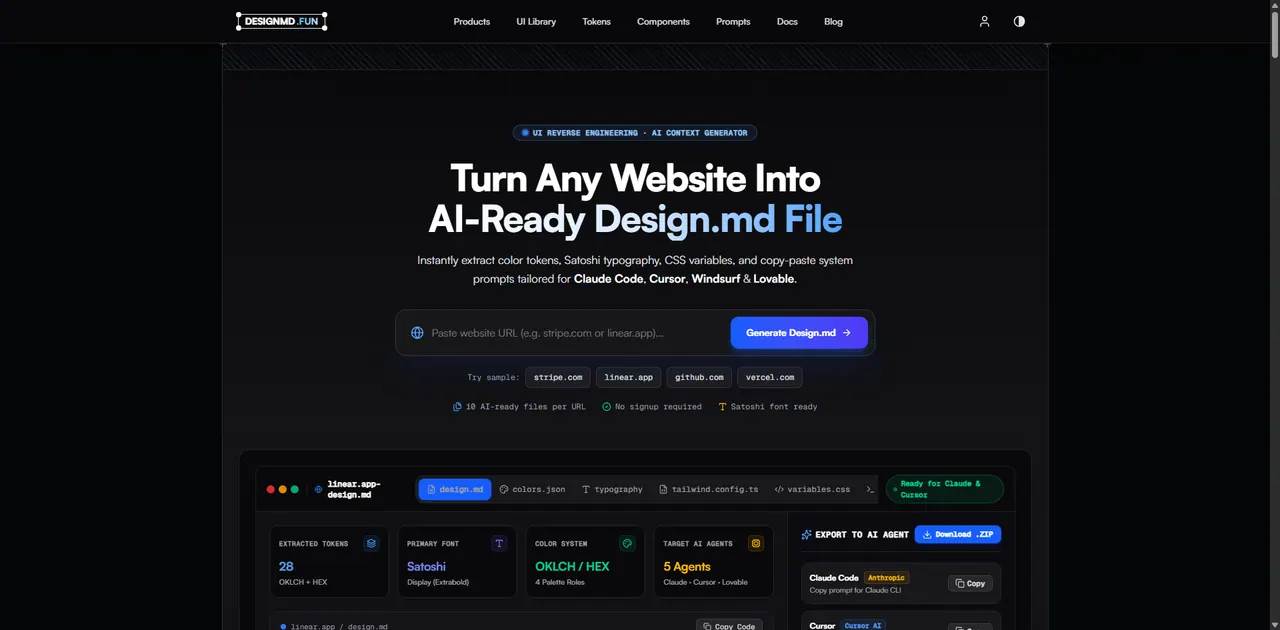
What does DesignMD do?
DesignMD is a UI reverse-engineering and AI context generator that converts a public website into a structured, machine-readable Design.md file.
Paste a public URL to extract a design system from the rendered page—covering color tokens (OKLCH/HEX roles), typography (including Satoshi), CSS variables, spacing rhythm, layout patterns, UI components, border/shadow styles, and motion/animation rules. The result is organized as clear Markdown design specifications your tools can read before writing UI.
In addition to Design.md, you can download a 1-click ZIP export bundle that includes multiple cross-referenced files (including JSON token files, Tailwind configuration, CSS variables, components documentation, animations/motion specs, and AI prompt instructions tailored for Claude Code, Cursor, Windsurf, and Lovable). Use the outputs to reduce guesswork and keep generated UI aligned to a specific interface’s visual language.
Designed for developers, designers, indie hackers, SaaS founders, agencies, and anyone rebuilding or studying real-world UI systems with AI.
What is DesignMD’s “Design.md” output used for?
It’s a machine-readable design specification that captures a website’s design system—colors, typography, spacing, components, motion rules, and AI prompt instructions—so your AI coding workflow can generate UI aligned to that system.
Can I analyze any public website URL?
Yes—enter a public website domain or page URL and DesignMD renders the page as a visitor sees it, then extracts the design system into AI-ready files.
What files do I get when I export a URL?
Exports include a Design.md plus a cross-referenced set of design context files such as colors/tokens in JSON, typography/spacing/shadows/components/animations documentation, Tailwind configuration, CSS variables, and agent prompts, bundled in a 1-click ZIP.
Which AI development tools and IDE assistants are the prompts tailored for?
The extracted agent prompts are tailored for tools including Claude Code, Cursor, Windsurf, and Lovable (with other supported workflows also referenced alongside these targets).
Does DesignMD include raw tokens like CSS variables and token formats?
Yes. The export bundle is designed to include machine-readable tokens such as CSS variables and JSON token files, alongside human-readable documentation like components and motion/animations specs.
How does DesignMD help prevent AI tools from inventing wrong UI styling?
By converting the website’s rendered visual system into structured token roles and consistent rules (colors, typography, spacing, components, and motion), your agent can follow the extracted system instead of relying on defaults or guesses.
This listing is claimed
Own DesignMD? Sign in with the email used to claim it to manage this listing, or upgrade to Pro for featured-first placement and a newsletter feature.