Camisual
Design Tool
Camisual is a cloud-based canvas design tool with advanced layers, vector shapes, precision tools, and AI-assisted enhancements.
Promoted
 Sidrune AI85% off. Stable Claude API for agent developers. Pay as you go. Invoices & refunds available.
 Pixmax.aiPixmax.ai is an all-in-one AI workspace for videos, visual stories, and marketing content.
 RewindType any X/Twitter handle. Get their year back as a narrated video story. Then ask it anything.
 KurodyneSell the tools from your AI side projects. Listing is free.
 SEOify - Improve your SEO & rankingsBuild links to rank in Google. Improve your DR with links you can start building now.Advertise here270,000+ people visit Dang.ai every month.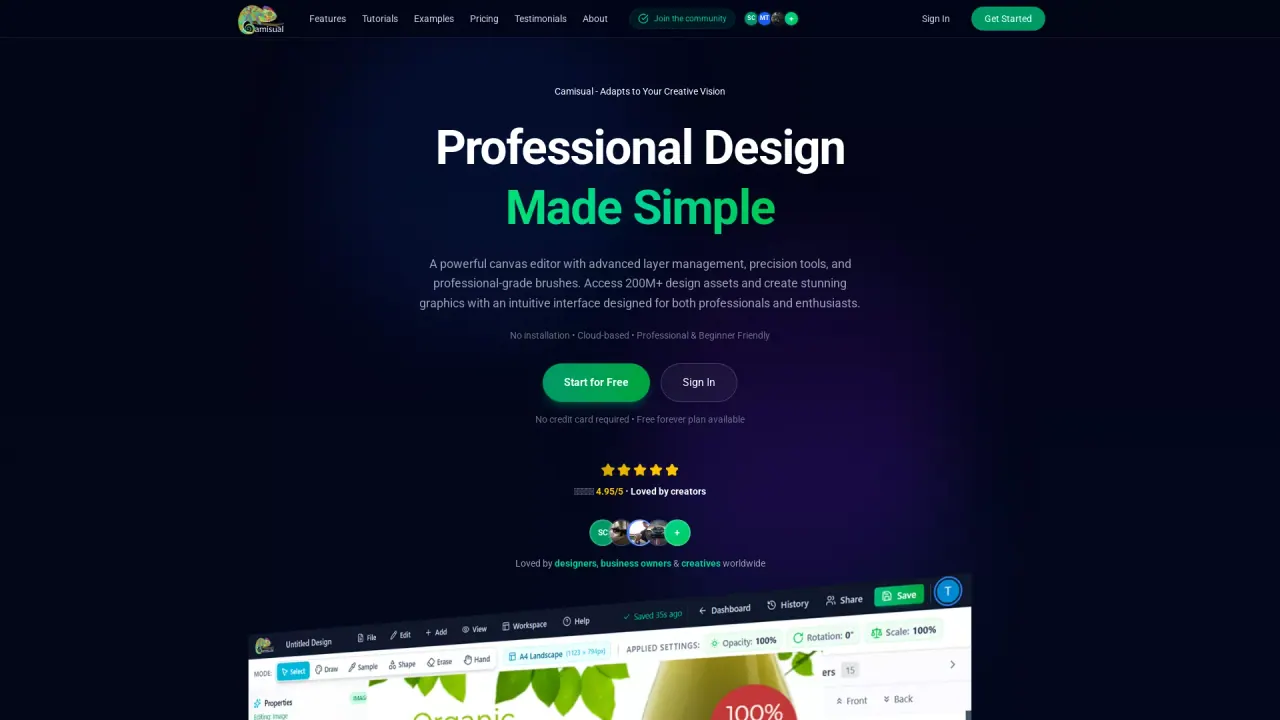
What does Camisual do?
Camisual is an all-in-one, cloud-based design platform for creating graphics, social content, and polished visuals directly in your browser—no downloads or installations. It combines a canvas editor with pro-grade controls like advanced layer management, vector shapes with Beziers, precision tools, and professional text and transform options.
The workflow is built to help you move faster without bouncing between apps. Camisual includes AI-assisted features such as one-click background removal with precision edge detection, image enhancement (including brightness/contrast/color adjustments), and AI upscaling/super resolution to improve image quality. There’s also AI-guided object removal where you paint over unwanted elements and let smart detection handle clean, natural-looking results.
For drawing and creative finishing, Camisual offers custom brushes with pressure-sensitive, responsive behavior, plus design features that work alongside painting—so sketch ideas, textures, and final details stay in the same workspace. It also includes organization and workspace support such as a folder system, presets (social/media/print/web), and cloud sync across devices.
Camisual is designed for beginners and enthusiasts who want intuitive creation, as well as professional designers and business owners who need speed, precision, and team workflows. Pricing includes a free plan (no credit card required) and a Pro option; the lowest paid price shown is $4.99/month.
Is Camisual free to use?
Yes—there’s a free forever plan available with core tools and no credit card required.
Do I need to download or install anything?
No. Camisual runs cloud-based in your browser, so you can start creating instantly from any device.
Can I remove image backgrounds?
Yes. You can use AI-assisted background removal with one-click results and precision edge detection.
Is Camisual beginner-friendly if I have no design experience?
Yes. The interface is designed for beginners with an intuitive workflow, templates/presets, and tools that scale up to professional needs.
What kinds of editing and enhancement can I do in one place?
You can adjust exposure, contrast, saturation, and more, apply filters, enhance images, and use AI upscaling/super resolution—then continue refining on your canvas.
What file formats can I export?
Camisual supports PNG, JPG, SVG, and PDF exports, including high-DPI export.
This listing is claimed
Own Camisual? Sign in with the email used to claim it to manage this listing, or upgrade to Pro for featured-first placement and a newsletter feature.