SparkPoster
AI Quote Image Creator
SparkPoster turns your quotes and affirmations into ready-to-post social graphics with AI-matched backgrounds and correct sizes.
Promoted
 Sidrune AI85% off. Stable Claude API for agent developers. Pay as you go. Invoices & refunds available.
 Pixmax.aiPixmax.ai is an all-in-one AI workspace for videos, visual stories, and marketing content.
 SEOify - Improve your SEO & rankingsBuild links to rank in Google. Improve your DR with links you can start building now.Advertise here270,000+ people visit Dang.ai every month.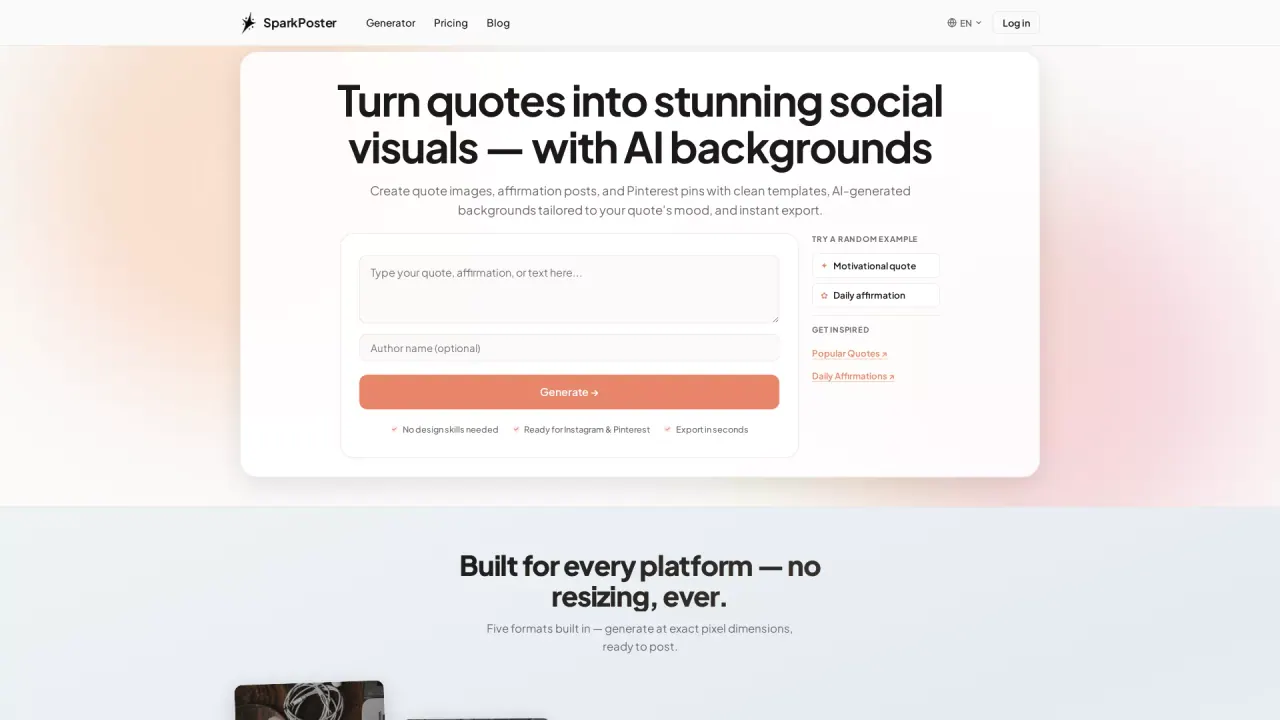
What does SparkPoster do?
SparkPoster is an AI quote image maker that helps you convert short text—like quotes, affirmations, and captions—into polished visuals without needing design skills. Instead of starting from a blank canvas, you begin with your words and get a quote graphic you can download and share.
A core feature is AI-matched backgrounds. SparkPoster analyzes the mood, theme, and tone of your text to generate a background that fits your quote, helping the final image feel intentional rather than generic. You can also use curated library styles such as nature, abstract, minimal, and dark to quickly match a vibe.
SparkPoster also focuses on ready-to-publish formats. Choose the platform you’re posting to (like Instagram Stories, Pinterest pins, Instagram posts, square posts, or YouTube thumbnails) and export with correct aspect ratios and dimensions—so you avoid manual resizing and crop math.
It’s a good fit for creators, bloggers, marketers, and social teams who publish quote-based content regularly and want a faster workflow. SparkPoster includes both single-image creation and a Bulk Generator for creating many quote images at once for calendars, series, and daily posting.
What can I create with SparkPoster?
You can create quote images for social media and short text graphics like affirmations, Instagram Stories and Posts, Pinterest pins, thumbnails, and other text-first designs.
How does the AI background feature work?
SparkPoster analyzes your quote’s mood, theme, and tone, then generates a matching background. You can also pick from curated background styles like nature, abstract, minimal, and dark.
Does SparkPoster support ready-to-post sizes for different platforms?
Yes. Choose formats such as Instagram Story (9:16), Pinterest Pin (2:3), Instagram Post (4:5), square posts (1:1), and YouTube thumbnails (16:9) to export with the right dimensions.
Can I create multiple quote images at once?
Yes. Use the Bulk Generator workflow to batch-create many quote images for posting calendars, series, and high-volume content.
Do I need design skills to use SparkPoster?
No. You start with your text, select a format and background, then generate and download in seconds without learning a design tool.
Is SparkPoster only for Instagram and Pinterest?
No. While it’s ready for Instagram and Pinterest, it also supports other formats like Stories/Reels-style layouts and 16:9 thumbnails for use cases such as YouTube thumbnails and other placements that match the available dimensions.
This listing is claimed
Own SparkPoster? Sign in with the email used to claim it to manage this listing, or upgrade to Pro for featured-first placement and a newsletter feature.