
Audio To Text Converter
Verified
AI Transcription Software Tools
Convert audio to accurate, searchable text with AI transcription, summaries, and subtitle-ready exports in multiple formats.
- Pricing
- Freemium
- Category
- Transcription
- Listed
- Jun 29, 2026
- Updated
- Jun 29, 2026
Promoted
 Pixmax.aiPixmax.ai is an all-in-one AI workspace for videos, visual stories, and marketing content.
 RewindType any X/Twitter handle. Get their year back as a narrated video story. Then ask it anything.
 KurodyneSell the tools from your AI side projects. Listing is free.
 Sidrune AI85% off. Stable Claude API for agent developers. Pay as you go. Invoices & refunds available.
 SEOify - Improve your SEO & rankingsBuild links to rank in Google. Improve your DR with links you can start building now.Advertise here270,000+ people visit Dang.ai every month.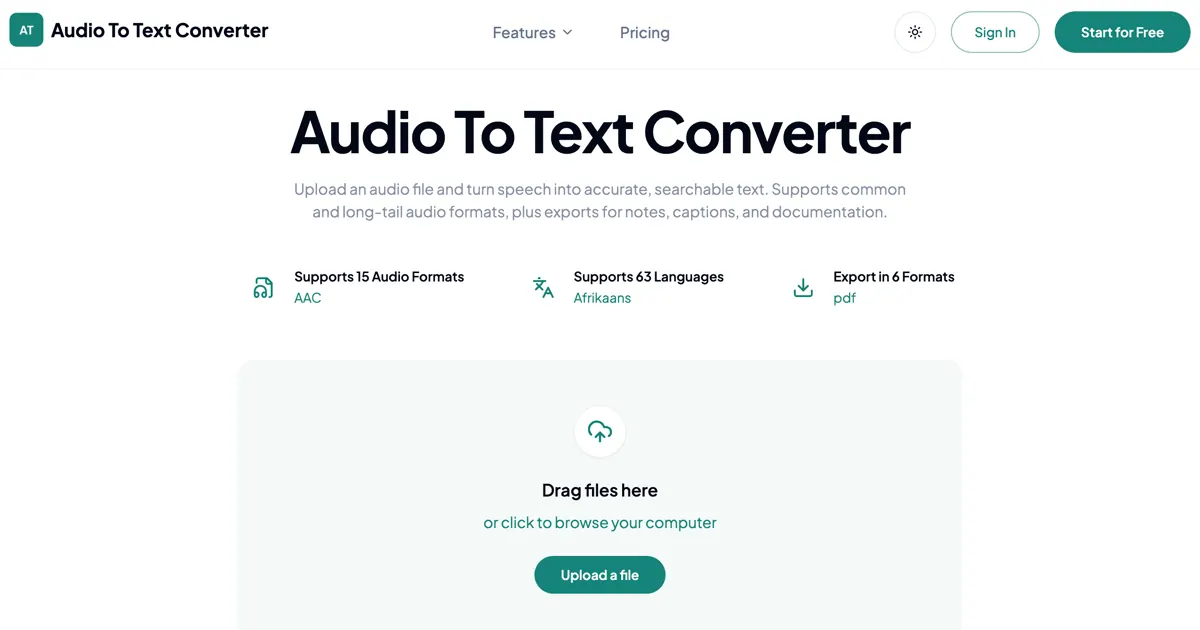
What does Audio To Text Converter do?
Audio To Text Converter turns uploaded audio into editable, searchable text. It supports a wide range of common and long-tail audio formats and can transcribe speech from recordings like interviews, lectures, voice memos, and meetings.
After transcription, you can export your results in multiple formats for different workflows. Choose from TXT, PDF, DOCX, SRT, VTT, and CSV, including subtitle formats for captions and documentation.
For longer recordings, Audio To Text Converter also helps you extract faster takeaways with summaries, mind maps, and key points so you can review more efficiently.
Which audio formats are supported?
Supported formats include 3GP, AAC, AMR, AWB, FLAC, M4A, MKA, MKV, MOV, MP2, MP3, MP4, MPG, OGA, OGG, OPUS, TS, WAV, WEBA, WEBM, WMA, and more.
What transcript export formats can I download?
You can export transcripts as TXT, PDF, DOCX, SRT, VTT, and CSV for notes, subtitles/captions, and documentation.
Can I generate subtitles from the transcript?
Yes—export your transcript in SRT or VTT formats, which are designed for subtitle and caption workflows.
Does it include summaries along with the transcript?
Yes. You can get summaries, mind maps, and key points to make long recordings easier to review.
Is there a free option to start?
You can start for free with free credits, then upgrade when you need longer audio files or more transcription time.
How do I convert audio to text?
Upload your audio file, start AI transcription to generate the transcript, then download it in your preferred export format.
This listing is claimed
Own Audio To Text Converter? Sign in with the email used to claim it to manage this listing, or upgrade to Pro for featured-first placement and a newsletter feature.