
ThumbnailCreator
Verified
AI Thumbnail Generator
ThumbnailCreator uses AI to generate click-worthy YouTube thumbnails from your video link—fast, with easy customization and downloads.
- Pricing
- Free trial
- Category
- Design
- Listed
- Jan 28, 2026
- Updated
- Oct 16, 2026
Promoted
 Sidrune AI85% off. Stable Claude API for agent developers. Pay as you go. Invoices & refunds available.
 Pixmax.aiPixmax.ai is an all-in-one AI workspace for videos, visual stories, and marketing content.
 SEOify - Improve your SEO & rankingsBuild links to rank in Google. Improve your DR with links you can start building now.Advertise here270,000+ people visit Dang.ai every month.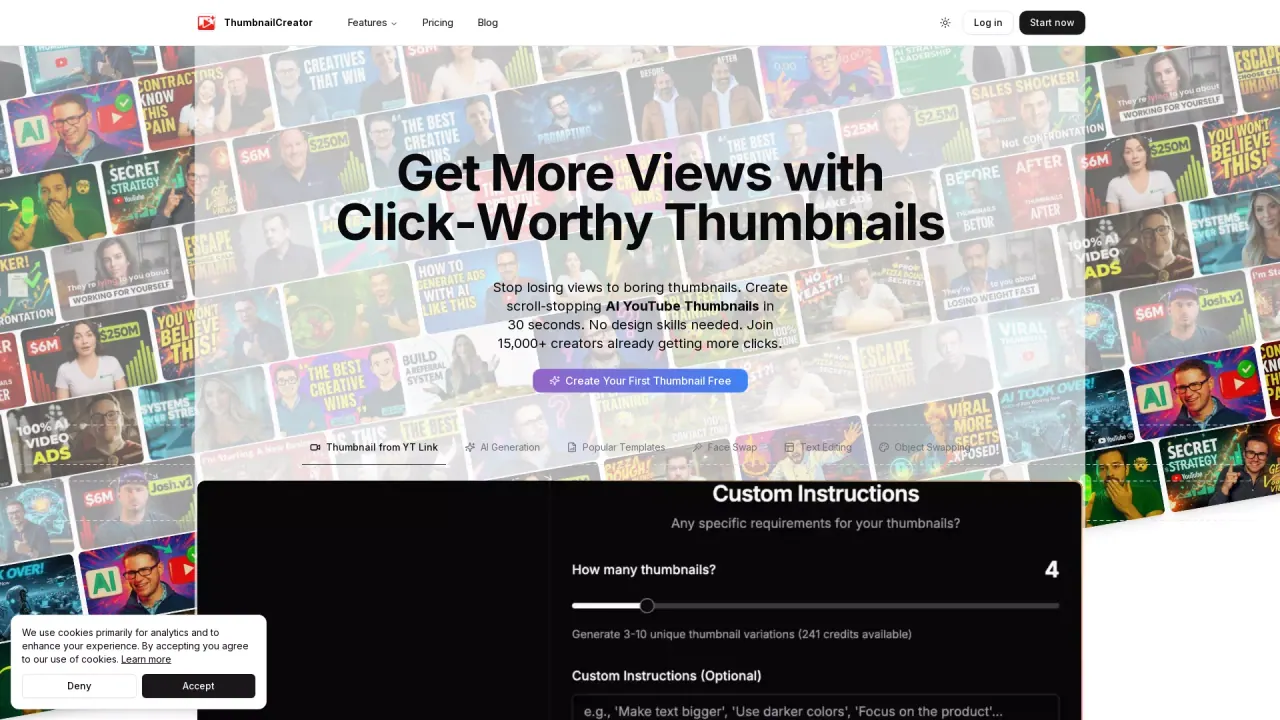
What does ThumbnailCreator do?
ThumbnailCreator helps YouTube creators design scroll-stopping thumbnails without needing design skills. Paste a YouTube video URL and the AI analyzes your video to extract a strong thumbnail moment—then generates multiple cinematic thumbnail options in under 30 seconds.
Beyond generation, you can customize the results until they’re ready to publish. Use the built-in editor to fine-tune your thumbnail, add or adjust text, swap faces, or regenerate specific elements. If you want your thumbnails to match your look across uploads, you can also use style cloning to keep a consistent brand feel.
ThumbnailCreator is built for anyone who publishes regularly and wants better thumbnail speed and quality—whether you’re creating thumbnails yourself, testing different creatives, or supporting a team or channel with a faster workflow. It’s also positioned as an option for agencies and creators who want to streamline the thumbnail process rather than spending hours per upload.
Pricing is available via a free trial: start a 7-day free trial (with “cancel anytime” stated) and you can start with your first 10 thumbnails for free. A dedicated API is also offered for AI agents, with an API reference available on the site.
What does ThumbnailCreator do?
It generates AI YouTube thumbnail options from a video URL, then lets you edit, customize (including text and face swaps), and download in YouTube-ready resolution.
How fast can I create a thumbnail with ThumbnailCreator?
You can paste a YouTube link and get thumbnail options built from your video in under 30 seconds.
Can I use ThumbnailCreator if I’m not good at design?
Yes—thumbnail creation is designed to work without design skills. You generate options from your video, then fine-tune using the editor.
Can I include my face in the thumbnails?
Yes. ThumbnailCreator includes a face swap feature so you can put your face into the generated thumbnail options.
Is there a free trial or free option?
You can start a 7-day free trial (cancel anytime). There’s also a free option for your first 10 thumbnails.
Where do I get my finished thumbnails after editing?
After customizing, you can export/download your thumbnail in YouTube-optimized resolution, already sized and compressed for upload.
This listing is claimed
Own ThumbnailCreator? Sign in with the email used to claim it to manage this listing, or upgrade to Pro for featured-first placement and a newsletter feature.