
Sugarbug
Verified
AI Workflow Intelligence Tool
Sugarbug connects your tools into a living knowledge graph so meeting prep, status updates, and summaries are ready before you need them.
- Pricing
- Freemium
- Category
- Project Management
- Listed
- Mar 8, 2026
- Updated
- Oct 22, 2026
Promoted
 AI Checker PlusAI detector that highlights which passages AI wrote. Free check, no sign-up. Plagiarism too.
 RewindType any X/Twitter handle. Get their year back as a narrated video story. Then ask it anything.
 KurodyneSell the tools from your AI side projects. Listing is free.
 Sidrune AI85% off. Stable Claude API for agent developers. Pay as you go. Invoices & refunds available.
 Pixmax.aiPixmax.ai is an all-in-one AI workspace for videos, visual stories, and marketing content.
 SEOify - Improve your SEO & rankingsBuild links to rank in Google. Improve your DR with links you can start building now.Advertise here270,000+ people visit Dang.ai every month.
What does Sugarbug do?
What does Sugarbug do?
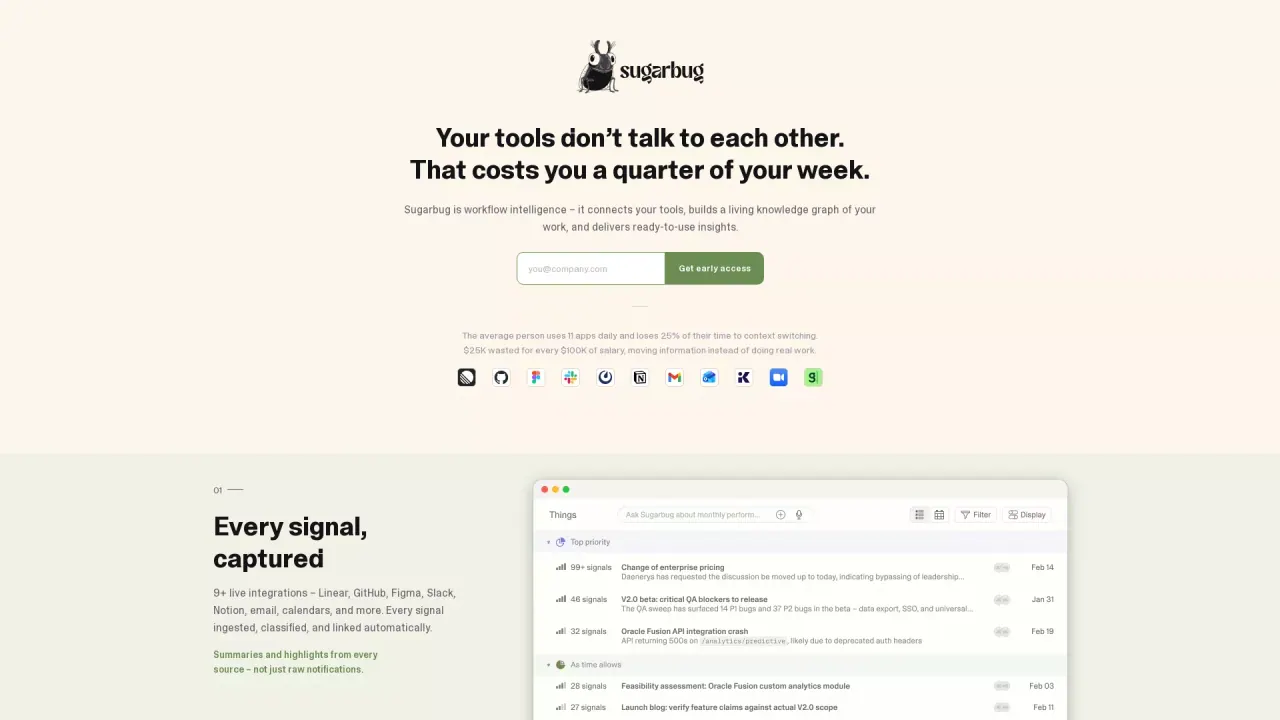
Sugarbug builds and maintains the working context your people need across the tools you already use. It securely connects apps like Linear, GitHub, Figma, Slack, Notion, email, calendars, and more, then pulls signals from across them to show how your work fits together.
How it works
Instead of acting like another notification feed, Sugarbug creates a “full picture” by mapping threads, people, and relationships over time. The context doesn’t reset between sessions, so it gets sharper the longer it runs—carrying forward what it learns about your ongoing work.
It also generates deliverables from cross-tool data, including meeting prep, status updates, and summaries. By the time you need them, they’re already drafted, helping you spend less time triaging and stitching information across many tabs.
Key features
- Every source connected: plugs into multiple tools to unify signals in one context layer.
- Intelligence that compounds: continuously builds relationships and context over time.
- People in context: interactions (meetings, messages, code reviews, decisions) contribute to a profile so you know who’s worked on what and where things stand.
- Provider-agnostic AI: designed to work with a user-chosen LLM, with an abstraction layer that supports swapping providers.
Who it’s for
Sugarbug is for people and teams who operate across many tools and want a persistent, privacy-focused context layer that AI assistants can draw on through MCP.
What does Sugarbug mean by a “living knowledge graph”?
Sugarbug connects signals from your tools and maps how tasks, people, and relationships connect. As new activity comes in, the context builds and persists instead of starting over each session.
Which apps can I connect to Sugarbug?
Sugarbug can plug into tools like Linear, GitHub, Figma, Slack, Notion, email, calendars, and more. Once connected, it links the information coming from those sources into a unified context view.
How does Sugarbug help with meetings and status updates?
It pulls from activity across your connected tools to draft meeting prep, surface status updates, and create summaries. The goal is to have briefs ready before you need to prepare.
Does Sugarbug just surface notifications?
No—Sugarbug focuses on context and relationships. It’s designed to generate cross-tool deliverables and keep a persistent picture of your work rather than acting as a notification feed.
Does Sugarbug use a specific AI model provider?
Sugarbug is provider-agnostic, so you can bring your own LLM. The architecture supports swapping providers without changing application code.
Can Sugarbug be used by different AI assistants?
Yes. Sugarbug is a context layer that assistants can draw on through MCP, so it’s available to the tools you use.
This listing is claimed
Own Sugarbug? Sign in with the email used to claim it to manage this listing, or upgrade to Pro for featured-first placement and a newsletter feature.