
ExportToFigma
AI Website to Figma Export
Export any website or AI-generated UI into fully editable Figma layers with a fast Chrome extension.
Promoted
 AI Checker PlusAI detector that highlights which passages AI wrote. Free check, no sign-up. Plagiarism too.
 RewindType any X/Twitter handle. Get their year back as a narrated video story. Then ask it anything.
 KurodyneSell the tools from your AI side projects. Listing is free.
 Sidrune AI85% off. Stable Claude API for agent developers. Pay as you go. Invoices & refunds available.
 Pixmax.aiPixmax.ai is an all-in-one AI workspace for videos, visual stories, and marketing content.
 SEOify - Improve your SEO & rankingsBuild links to rank in Google. Improve your DR with links you can start building now.Advertise here330,000+ people visit Dang.ai every month.
What does ExportToFigma do?
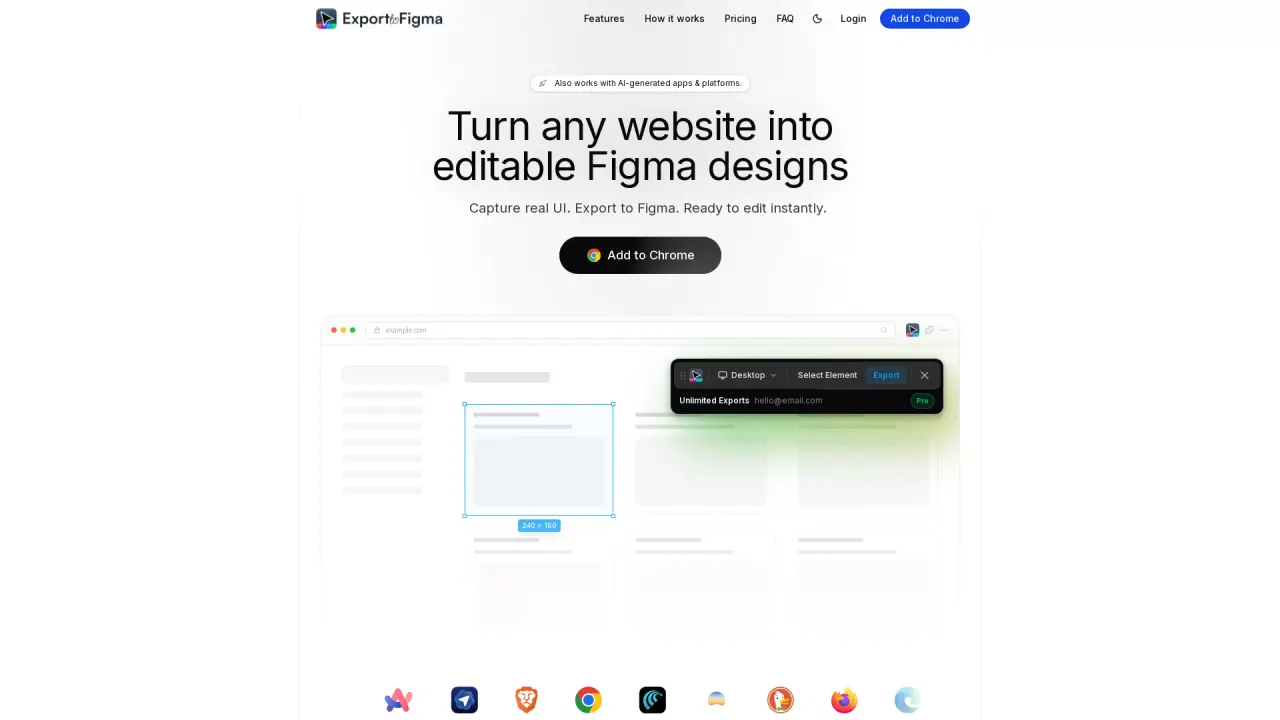
Export to Figma is a browser extension that captures any website (including modern and AI-generated apps) and pastes it into Figma as editable layers. Instead of rebuilding layouts from screenshots, you can export what you’re seeing and start editing right away—fonts, colors, spacing, and structure included.
Capture full pages or select elements with one click. The export preserves layer hierarchy and naming to make the resulting Figma file easier to work with. Styles are carried over with pixel-precise accuracy, including typography details like font families, sizes, weights, and line heights. Images are extracted and embedded at their original quality, and responsive design properties and auto-layout constraints are supported.
It’s designed for fast, modern workflows across common use cases: UI design, design systems work, and iterating on real interfaces. UI designers can recreate layouts in seconds, developers can inspect and redesign live UI more efficiently, and product teams can iterate on existing product screens directly in Figma. Freelancers can also speed up client work by capturing real UI in one step.
Export to Figma offers a Free plan forever with 10 exports per month. There’s also a Pro plan priced at $1/month (introductory launch price), which includes unlimited exports and everything in Free.
How does Export to Figma work?
Install the extension, open any website, and click Export to capture a page or selected element. Then paste into Figma to get editable layers with styles, spacing, and structure preserved.
Do I need a Figma account to use it?
You’ll need Figma to paste the exported result, but the tool itself is a browser extension that captures what’s on the screen and prepares it for Figma editing.
What can I capture: full pages or specific elements?
You can capture full pages or select specific elements on a page, then export them into Figma.
Are the exported designs fully editable in Figma?
Yes—exports are created as fully editable Figma layers, including preserved layer structure and typography details like fonts, sizes, weights, and line heights.
Is there a limit on exports?
On the Free plan, you get 10 exports per month. On Pro, you can use unlimited exports with no usage limits.
Does it handle responsive layouts and modern/AI-generated apps?
It supports responsive layouts by capturing responsive properties and auto-layout constraints. It also works with modern web UI and AI-generated apps and platforms available in your browser.
This listing is claimed
Own ExportToFigma? Sign in with the email used to claim it to manage this listing, or upgrade to Pro for featured-first placement and a newsletter feature.