
ImageFx
Ai Photo Editing Tool
ImageFX is a free AI image editor and generator that turns text or images into HD visuals with editing, upscaling, and video features.
Promoted
 Pixmax.aiPixmax.ai is an all-in-one AI workspace for videos, visual stories, and marketing content.
 AI Checker PlusAI detector that highlights which passages AI wrote. Free check, no sign-up. Plagiarism too.
 RewindType any X/Twitter handle. Get their year back as a narrated video story. Then ask it anything.
 KurodyneSell the tools from your AI side projects. Listing is free.
 Sidrune AI85% off. Stable Claude API for agent developers. Pay as you go. Invoices & refunds available.
 SEOify - Improve your SEO & rankingsBuild links to rank in Google. Improve your DR with links you can start building now.Advertise here270,000+ people visit Dang.ai every month.
What does ImageFx do?
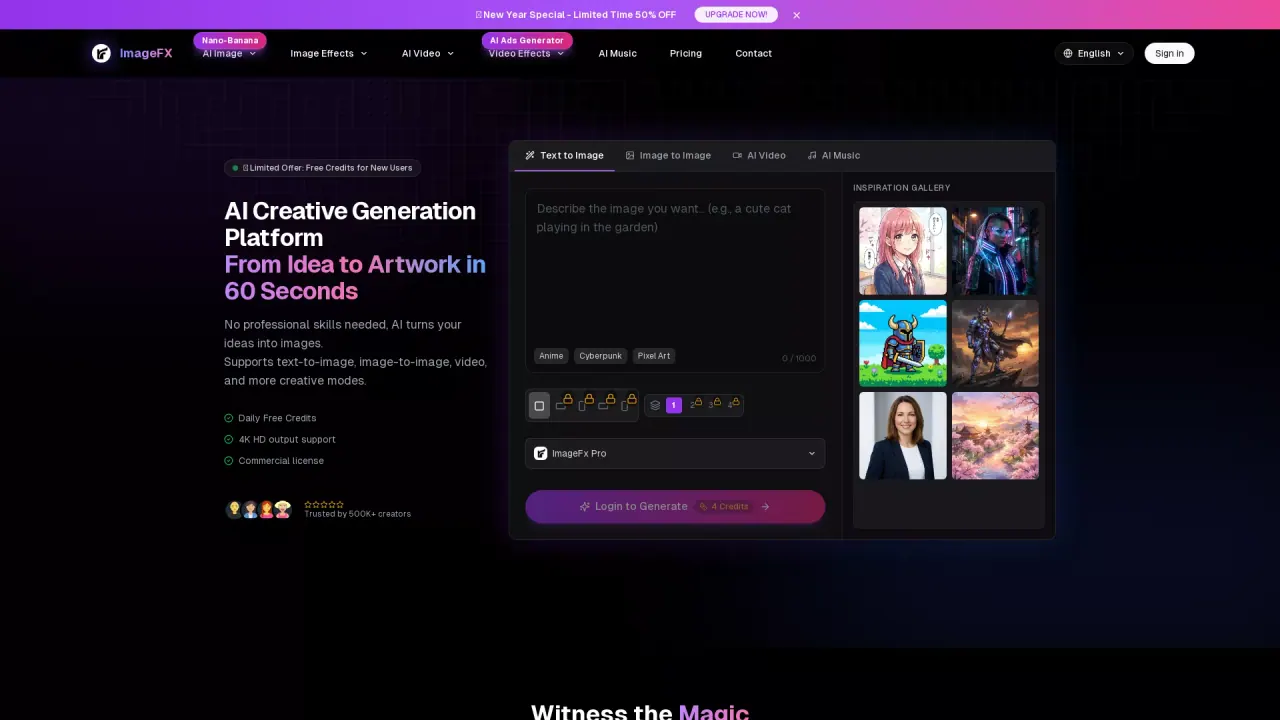
ImageFX is an all-in-one AI image and visual editing platform built to help you create high-quality content quickly. Generate images from text prompts or transform existing images using tools like style transfer, enhancement, upscaling, and more. You can also convert static images into dynamic videos and generate AI music for creative workflows.
The platform focuses on a streamlined process: upload an image or enter text, choose an AI processing effect (such as style transfer, upscaling, upscaling to high-resolution, or image animation), then download your finished HD work. Real-time preview helps you see results as you tweak options, and export supports high-resolution formats for sharing or production use.
ImageFX is designed for creators and teams who need faster visual production—such as marketers, ecommerce teams, and other content-focused professionals. It also offers product showcase generation for e-commerce use, plus features like image animation and image-to-video to expand a single idea into multiple formats.
For plans and trials, ImageFX offers a “Start Free” option and a limited new-user launch credit flow. New users can sign in, complete a daily check-in to claim credits, and use them for HD exports, saved history, and Pro models, including “commercial-ready downloads.”
What can I create with ImageFX?
You can generate images from text (text-to-image) and create AI video and other creative outputs like image animation. You can also edit photos with style transfer and enhancement tools.
Do I need design skills to use ImageFX?
No. The workflow is upload or enter text, select an effect, then download HD results. Presets and real-time preview help you iterate without advanced editing knowledge.
Can I use ImageFX outputs for commercial projects?
Yes—generated downloads are described as “commercial-ready.” You can also create product showcase images for e-commerce and product marketing.
What editing and transformation tools are available?
ImageFX includes AI image style transfer (filters/effects), image upscaling (AI super-resolution up to high-resolution outputs), image animation, and AI image enhancement. You can also convert images into video.
How does the free daily credit check-in work?
Sign in and complete the daily check-in to claim credits. New users start with 10 credits, and credits can be used for HD exports, saved history, and Pro models.
What input formats does ImageFX support?
It supports common image formats like JPG and PNG and can also use camera capture. For text-to-image, it accepts prompts in Chinese and English.
This listing is claimed
Own ImageFx? Sign in with the email used to claim it to manage this listing, or upgrade to Pro for featured-first placement and a newsletter feature.