EZArt
Ai Creative Workspace
EZArt is an all-in-one AI creative workspace for cinematic videos, photorealistic images, voice cloning, and lip-synced avatars.
Promoted
 Sidrune AI85% off. Stable Claude API for agent developers. Pay as you go. Invoices & refunds available.
 Pixmax.aiPixmax.ai is an all-in-one AI workspace for videos, visual stories, and marketing content.
 SEOify - Improve your SEO & rankingsBuild links to rank in Google. Improve your DR with links you can start building now.Advertise here270,000+ people visit Dang.ai every month.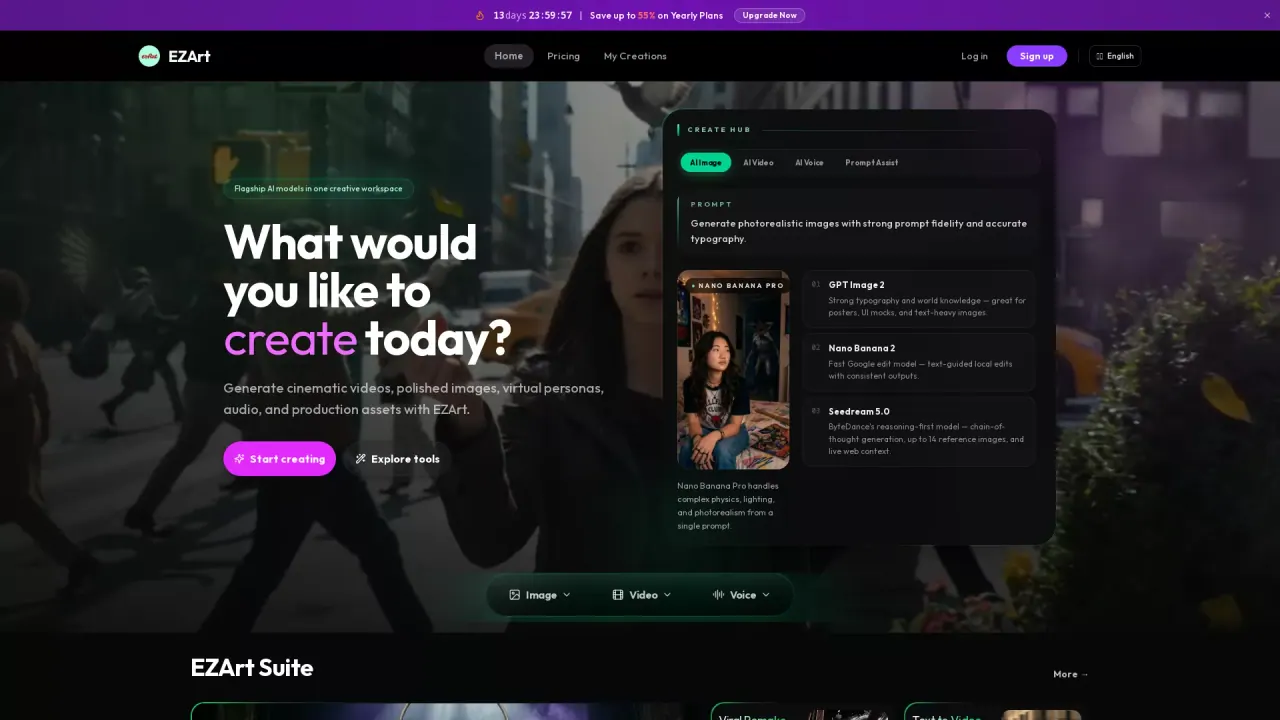
What does EZArt do?
EZArt is a multimodal AI creative workspace that helps you generate images, videos, voice, and talking avatars from one platform. Instead of choosing among separate tools, you pick a workflow—like photorealistic image generation, text-to-video, lip-sync, or voice cloning—and EZArt produces finished assets.
With EZArt, you can create polished visuals and cinematic clips using tools such as Create Image, AI Video, Image to Video, Text to Video, Edit Video, Motion Transfer, Multi-Shot Video, and Stylized Video. For text-focused design, it includes “Design with Typography” to generate still images with accurate typography for posters, info graphics, and UI mockups. You can also animate a reference image into a short clip, edit existing visuals with instructions, and transfer motion from a reference video into a new scene.
EZArt also supports virtual personas and audio production. Use Voice Clone to clone a voice from a short sample, then generate talking-head output with Lip-Sync by driving a still image with an audio track. This workflow helps turn portraits and product stills into engaging short-form deliverables.
EZArt is built for content creators, marketing teams, indie developers and product builders, and agencies that need end-to-end creative production across multiple modalities. Pricing includes free trial credits on signup, and paid plans are available with up to 55% savings on yearly subscriptions.
What can I create in EZArt?
You can generate photorealistic images and cinematic videos, plus create virtual personas with voice cloning and lip-synced talking avatars. EZArt also includes tools for editing images and video, typography-focused design, and motion transfer.
Do I need separate accounts for images, videos, and voice?
No—EZArt is set up so you can work across image, video, and voice within one EZArt account and one credit pool.
What workflow should I use to turn a text prompt into a short video?
Use Text to Video to generate a short video clip from a text prompt. If you want multiple story beats with consistent output, you can also use Multi-Shot Video.
Can I create a talking-head video from an image and audio?
Yes. Use Voice Clone to generate new speech in a cloned voice, then use Lip-Sync to drive a still image with that audio to produce a talking video.
Can EZArt edit existing images or videos without starting over?
Yes. Use Edit Image to update an existing image with text instructions or a reference image, and use Edit Video to modify or retake sections of an existing clip without redoing the entire render.
How does EZArt pricing work?
EZArt offers free trial credits upon signup. Paid plans are available, including options with up to 55% savings on yearly subscriptions.
This listing is claimed
Own EZArt? Sign in with the email used to claim it to manage this listing, or upgrade to Pro for featured-first placement and a newsletter feature.