TryOn
AI Tattoo Design Generator
Create tattoo designs with AI, preview them on your body, and generate artist-ready references before you book.
Promoted
 RewindType any X/Twitter handle. Get their year back as a narrated video story. Then ask it anything.
 KurodyneSell the tools from your AI side projects. Listing is free.
 Sidrune AI85% off. Stable Claude API for agent developers. Pay as you go. Invoices & refunds available.
 Pixmax.aiPixmax.ai is an all-in-one AI workspace for videos, visual stories, and marketing content.
 SEOify - Improve your SEO & rankingsBuild links to rank in Google. Improve your DR with links you can start building now.Advertise here270,000+ people visit Dang.ai every month.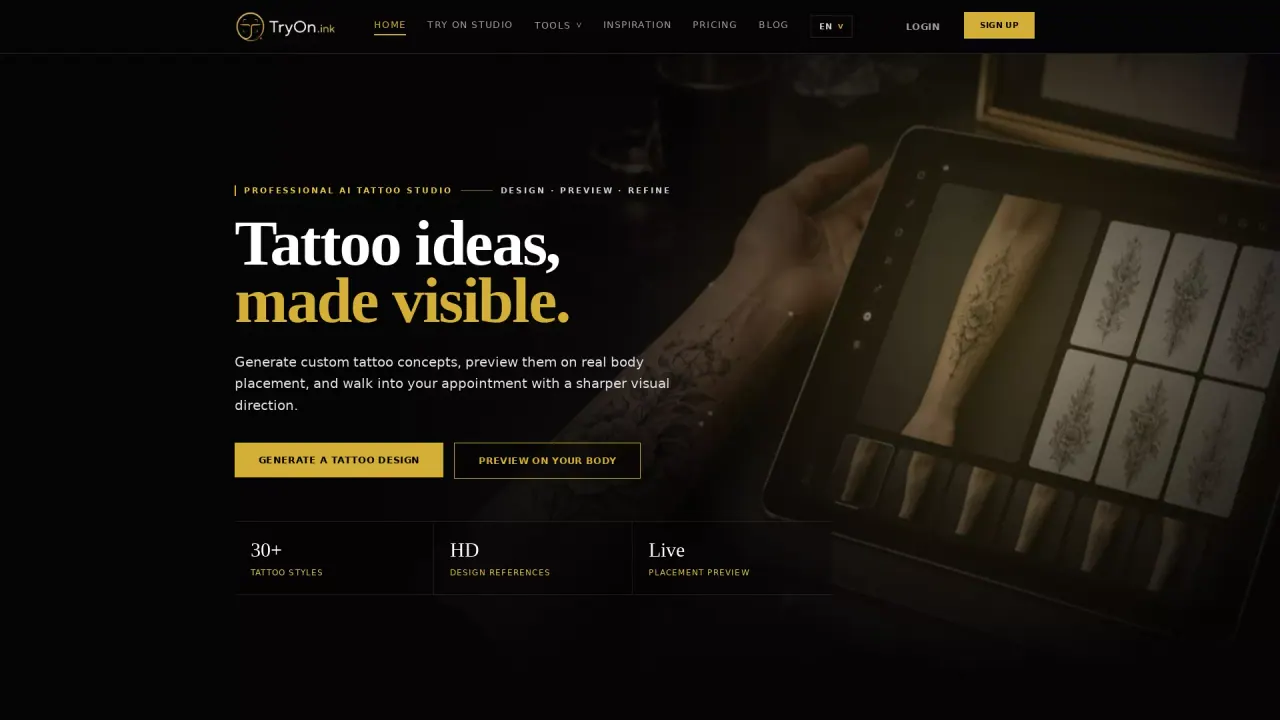
What does TryOn do?
TryOn.ink is an AI tattoo planning studio that helps you turn a rough idea into a visual reference you can refine before it’s permanent. You can generate tattoo concepts from text prompts, explore multiple style directions, and prepare a clearer brief for your tattoo artist so you walk into the studio with placement, scale, and design questions already addressed.
The workflow combines an AI Tattoo Generator with virtual try-on. Start by describing your subject, placement, detail level, and mood to create high-definition design references. Then upload a clear photo of the body area to preview the design at different sizes—so you can catch awkward angles, weak contrast, or cramped details before committing. It also includes a cover-up simulator that lets you test new direction using an existing-tattoo photo.
To help you choose what will work best long-term, TryOn.ink offers a style finder with common tattoo directions like Traditional, Blackwork, Realism, Japanese, Minimalist, and Watercolor, highlighting readability and planning considerations. There are also tattoo tools for lettering and references, including a tattoo font generator, name tattoo designs, a Roman numeral tattoo generator, a tattoo price calculator, and a tattoo size chart.
Free access is available, so you can start designing and comparing options right away.
What can I create with TryOn.ink?
You can generate tattoo ideas from text prompts, compare different styles, turn pictures into tattoo references, and build a visual brief for your artist to help you plan before booking.
How does the virtual try-on work?
Upload a clear, well-lit photo of the body area, then preview your design at different sizes. This helps you check placement, how the design wraps with body geometry, and whether contrast and detail still read well.
Can I preview a cover-up tattoo?
Yes. Upload a photo of the existing tattoo and describe the new direction. Darker, higher-contrast styles like blackwork and Japanese can provide more room for cover-up concepts.
What’s the best photo to use for tattoo try-on?
Use a clear, well-lit image where the skin area is visible and not covered by sleeves, jewelry, or heavy shadows. Straight-on photos work for simpler placements, while angled photos are better for areas that need to wrap like shoulders, forearms, ribs, and calves.
Are the results accurate enough to use as a final stencil?
Use virtual try-on as a planning reference, not as a final stencil. It helps you test scale, placement, flow, and contrast before your tattoo artist adapts the design for skin texture, aging, and technique.
Is there a free option to try it?
Yes—TryOn.ink is available for free, so you can start generating and previewing tattoo concepts right away.
This listing is claimed
Own TryOn? Sign in with the email used to claim it to manage this listing, or upgrade to Pro for featured-first placement and a newsletter feature.