
HandtextAI
Verified
AI Text to Handwriting Tool
Turn typed or pasted text into realistic handwritten pages with customizable fonts, paper styles, and print or photo output.
Promoted
 Pixmax.aiPixmax.ai is an all-in-one AI workspace for videos, visual stories, and marketing content.
 AI Checker PlusAI detector that highlights which passages AI wrote. Free check, no sign-up. Plagiarism too.
 RewindType any X/Twitter handle. Get their year back as a narrated video story. Then ask it anything.
 KurodyneSell the tools from your AI side projects. Listing is free.
 Sidrune AI85% off. Stable Claude API for agent developers. Pay as you go. Invoices & refunds available.
 SEOify - Improve your SEO & rankingsBuild links to rank in Google. Improve your DR with links you can start building now.Advertise here270,000+ people visit Dang.ai every month.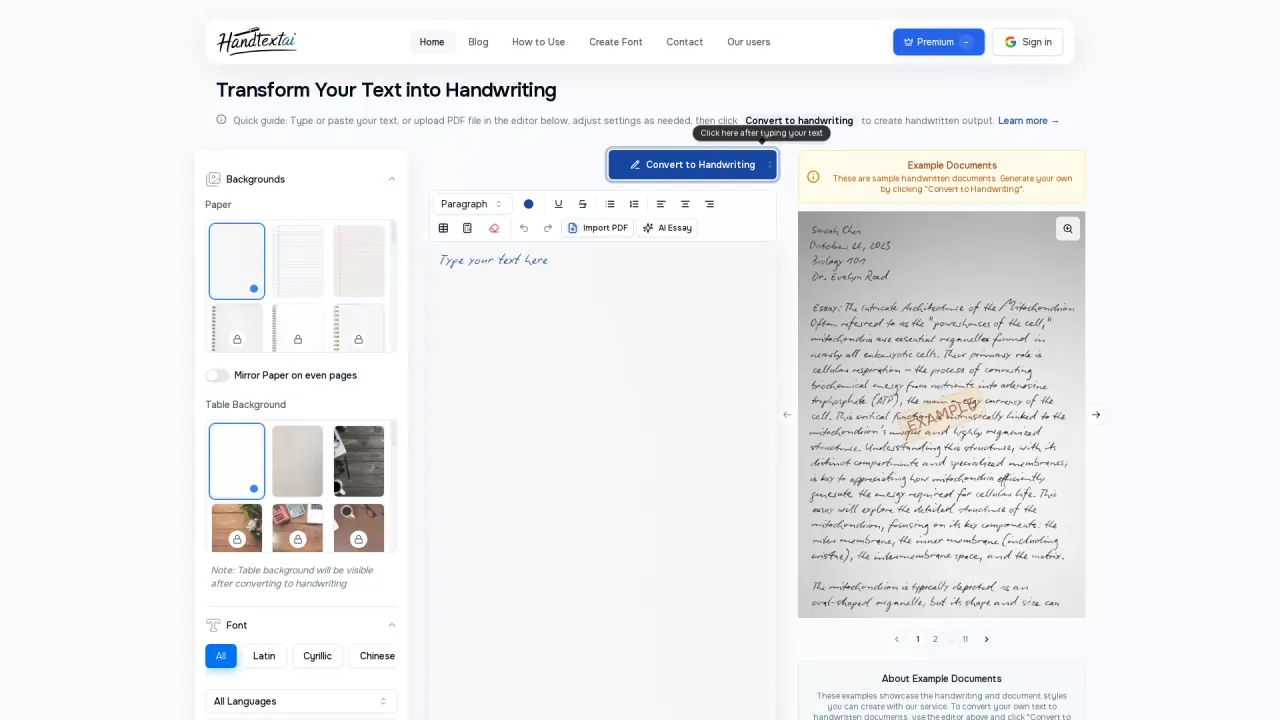
What does HandtextAI do?
HandtextAI converts text you type or paste into handwritten-looking pages, written line by line using the pen style you choose. It’s built for everyday “handwritten page” use cases like homework answers, class notes, study material, language practice, and letters—anything you want to look handwritten when you download and print or save as notebook-style images.
Create your document in the editor, then refine the look with handwriting fonts and layout controls such as font size, spacing, and margins. You can generate structured content including headings, lists, tables, and mathematical notation, and you can add marks and shapes depending on the plan. If you need to start from existing material, import supported files (PDF, DOCX, PPTX, and supported images up to 50 MB), and review the reflowed text and layout before downloading.
Choose between two output modes: Print mode for flat, clean pages designed for reading and sharing as documents, and Photo mode for notebook-style scenes where the handwriting appears as a photographed image. Download options include printable formats and image downloads; ZIP downloads are available for multi-page exports, and Pro and Premium also support multi-page PDF.
Free previews are available without an account (with a watermark). New accounts get 5 free pages once as standard-quality JPGs without a watermark (Free features). Downloading requires sign-in, page credits, and the appropriate plan features. HandtextAI also offers a separate Developer API for business print workflows (mail merge, postcards, letters, envelopes, and batch personalization).
Is HandtextAI free to try, and does the preview include a watermark?
Previews are free without an account, but they include a watermark. New accounts get 5 free pages once as standard-quality JPGs without a watermark (using Free features).
What’s the difference between Print mode and Photo mode?
Use Print mode for flat pages meant to be read, saved, and printed. Use Photo mode to place your handwriting into a notebook-style scene for a photographed look.
Can I import files like PDF or Word to turn them into handwriting?
Yes. Import is available on Starter, Pro, and Premium for PDF, DOCX, PPTX, and supported images up to 50 MB. Imported content is reflowed in the editor, so you should review text, equations, and layout before downloading.
How many pages can a single document contain?
Document page limits are: 25 pages without an account, 50 on Free, 100 on Starter, 250 on Pro, and 500 on Premium. This is a per-document limit, not your page-credit allowance.
Can I download multiple pages at once?
Yes. ZIP downloads are available on every plan (subject to page credits and feature access). Pro and Premium also support a multi-page PDF export.
Can I upload my own handwriting font instead of using the built-in fonts?
Premium supports uploading a handwriting font in TTF, OTF, WOFF, or WOFF2 format. You need a font file (not a photograph of handwriting), and you can upload it to use your own style.
This listing is claimed
Own HandtextAI? Sign in with the email used to claim it to manage this listing, or upgrade to Pro for featured-first placement and a newsletter feature.