
Reclaim
AI Scheduling Tool
Smart Scheduling App for Teams - Maximize Availability, Boost Productivity | AI Scheduling Tool
- Pricing
- Freemium
- Category
- Scheduling
- Listed
- Jul 22, 2023
- Updated
- May 25, 2026
Promoted
 Sidrune AI85% off. Stable Claude API for agent developers. Pay as you go. Invoices & refunds available.
 Pixmax.aiPixmax.ai is an all-in-one AI workspace for videos, visual stories, and marketing content.
 SEOify - Improve your SEO & rankingsBuild links to rank in Google. Improve your DR with links you can start building now.Advertise here270,000+ people visit Dang.ai every month.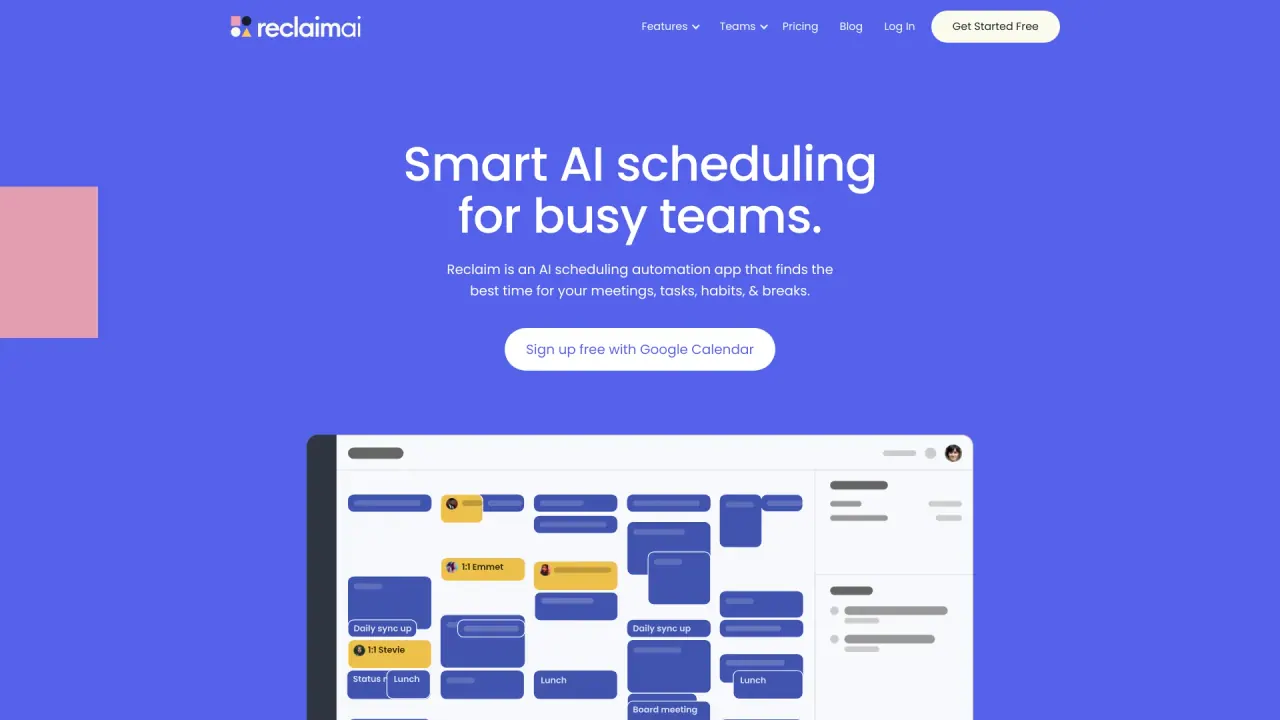
What does Reclaim do?
Does Reclaim work with Google Calendar and Outlook Calendar?
Yes. Reclaim runs on your Google Calendar or Outlook Calendar, automatically scheduling your AI-powered meetings, focus time, tasks, and habits around your existing events. You can also sync multiple calendars across Google and Outlook to prevent conflicts and protect personal commitments on your work schedule.
Who is Reclaim for? individuals, teams, and enterprises?
Reclaim is built for everyone—from individuals to company-wide deployments. It supports:
- Individuals: automate tasks, habits, and Focus Time to stay focused and flexible.
- Managers: activate team Focus Time policies, optimize meeting load, and prioritize one-on-ones.
- Companies & enterprise leaders: automate focus and meeting policies across the org, measure time allocation and meeting hygiene, and gain insight with secure, privacy-first analytics.
How does Reclaim's AI scheduling work?
Reclaim’s AI scheduling assistant automatically optimizes your calendar around your priorities, workload, and meeting needs. It uses intelligent time blocking to defend your important tasks, habits, meetings, and Focus Time with flexible holds. If new tasks or meetings arise, it can reprioritize and reshuffle your week so you can act fast without losing focus.
What is Focus Time and how does Reclaim protect it?
Focus Time is a weekly block you set to protect uninterrupted, deep work. Reclaim defends this time by automatically scheduling around it, helping you avoid interruptions and back-to-back commitments.
What is Buffer Time and why is it useful?
Buffer Time automatically schedules breaks and travel time around events, so you can follow up, prep, and transition between meetings without stress or rushing.
What are AI Scheduling Links and how do they help?
AI Scheduling Links are AI-powered booking links that act as a Calendly alternative, allowing others to book time based on your availability. They surface more open windows and reduce back-and-forth. Team Scheduling Links enable multiple people to book time simultaneously. You can customize your Booking Page with personal information and social links.
How do Smart Meetings work?
Smart Meetings help find the best times for recurring meetings across everyone’s calendars, auto-reschedule for conflicts and adapt to PTO, priority changes, and conflicts to reduce calendar fragmentation.
Can Reclaim sync multiple calendars and keep personal events private?
Yes. Reclaim syncs all connected calendars to minimize conflicts and protect your availability, and it keeps personal events private.
What integrations does Reclaim support?
Reclaim supports a wide range of integrations, including Slack, Zoom, Google Tasks, Todoist, Asana, Jira, ClickUp, Linear, and more. It also supports automation with webhooks and integrations like Raycast & Mac. HubSpot and Salesforce integrations are listed as coming soon.
What productivity results can I expect with Reclaim?
Across users, Reclaim highlights measurable improvements such as increased focus time, reduced overtime, improved productivity, and better work-life balance. Specific reported metrics include more defined focus time blocks, fewer interruptions, and smoother scheduling overall.
Is Reclaim a Calendly alternative?
Yes. Reclaim is marketed as a Calendly alternative that goes beyond scheduling links by automating tasks, habits, breaks, and focus and balancing team calendars, not just bookings.
What are the pricing plans and what do they cost?
Pricing plans include:
- Lite: Free, for individuals. Connect up to two calendars, create up to three habits, and access limited features.
- Starter: $8 per user per month. Unlimited calendars and habits, extensive integrations, and features like scheduling links, smart 1:1s, tasks, buffer time breaks, and productivity stats.
- Business: $15 per user per month. Includes everything in Starter plus additional integrations, custom scheduling hours, Slack status sync, Google Calendar and Gmail add-ons, and priority support.
- Enterprise: Pricing negotiable. Includes all Business features plus security reviews, SSO and SCIM user provisioning, dedicated support, and custom integrations.
Is there a free plan?
Yes. Reclaim offers a free plan, including a free forever option, with no credit card required to get started.
Does Reclaim train AI on user data?
No. Reclaim states that it does not train AI on your data.
What security and compliance standards does Reclaim meet?
Reclaim highlights several security and reliability features, including:
- SOC 2 Type II
- SSO & SCIM for user provisioning
- GDPR protection (and related privacy safeguards)
- 99.9% uptime
It also notes live human support and other enterprise-ready capabilities.
Do you offer live support and what is the response time?
Yes. Reclaim offers live chat and email support with a stated average response time of under 20 minutes.
Is the AI Assistant available now or coming soon?
The AI Assistant is listed as coming soon.
How can I manage my data and privacy preferences?
Reclaim provides a “Manage Preferences” option to adjust cookie preferences and privacy settings. It also notes options related to protecting personal information.
Are there discounts for startups, nonprofits, or students?
Discounts are listed in the pricing section as Startup Discount, Nonprofit Discount, and Student Discount. Eligibility details are not specified in the content.
Is this your tool?
Claim Reclaim to manage this listing, or upgrade to Pro for featured-first placement and a newsletter feature.