
Jobscan
AI Resume Optimizer
Optimize your resume with AI. Stand out in ATS. Improve your chances. Jobscan – the AI Resume Optimizer.
- Pricing
- Free trial
- Category
- HR
- Listed
- Aug 4, 2023
- Updated
- May 25, 2026
What does Jobscan do?
What is Jobscan and how does it work?
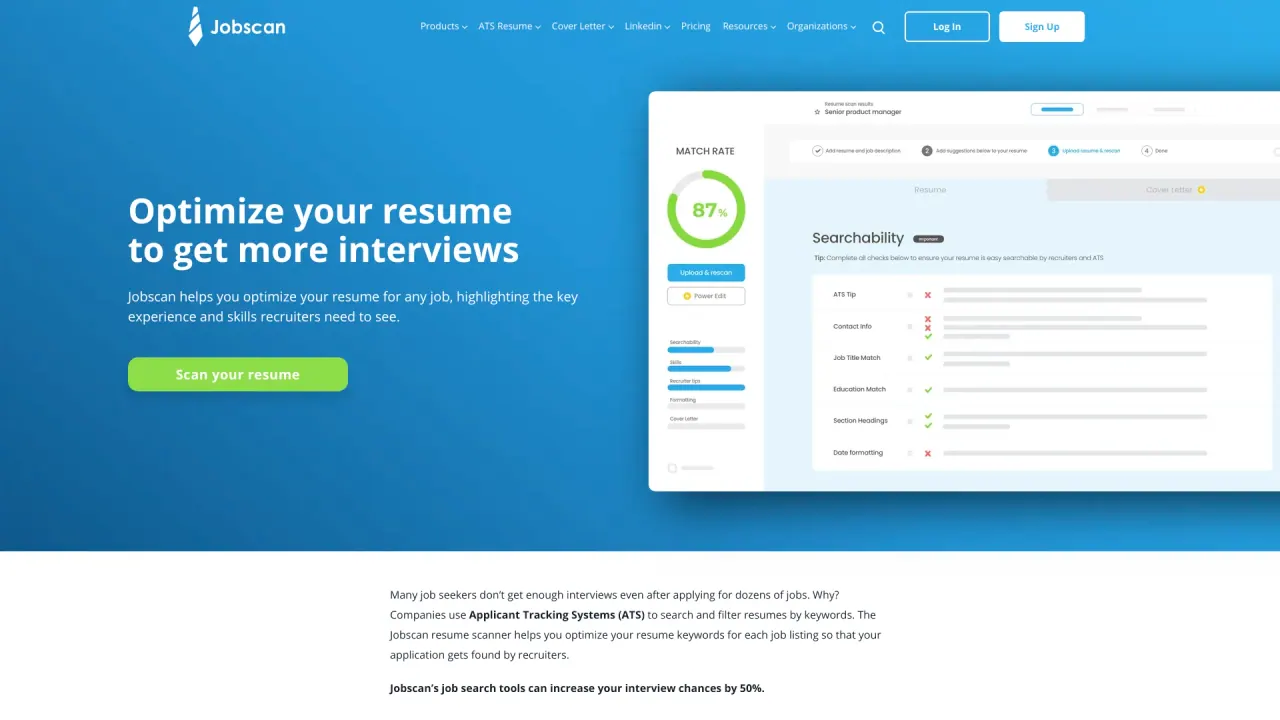
Jobscan helps job seekers optimize their resume, cover letter, and LinkedIn profile to perform better with applicant tracking systems (ATS) and recruiters. You upload your resume and copy-paste a job listing, and Jobscan analyzes formatting, key qualifications, hard and soft skills, and other factors. It returns a match rate and offers personalized suggestions to tailor your materials for the job. Jobscan also offers tools like a free resume builder, Power Edit real-time resume editor, and LinkedIn optimization.
How can Jobscan improve my chances of getting interviews?
Jobscan’s approach is to optimize your resume and related materials to align with the job description and ATS expectations. The platform has claimed that users can see substantially higher interview chances, including figures like 3x more interviews and faster results, by using its AI-driven analysis and tailored suggestions.
Is my resume ATS-friendly, and how can I tell?
Yes—the resume scanner checks for ATS compatibility and helps identify formatting issues that can trip ATS parsing. It evaluates your resume against top ATS and shows a match rate. Jobscan’s guidance references popular systems such as iCIMS, Recruiterbox, Lever, Greenhouse, and Taleo.
What is a good ATS score for a resume?
A higher match rate is generally better. Jobscan users are often advised to aim for around 75%, though some success is reported even with around 65%. Be mindful of over-optimizing by stuffing keywords.
Do ATSs scan resumes?
Yes. ATSs are used to collect, organize, and filter applicants by keywords, skills, job titles, and education. When you submit a resume through an online form, you’re interacting with an ATS.
Can ATS detect PDFs?
Some ATSs parse PDFs, but our tests show that some systems parse .docx resumes more reliably. If the job posting doesn’t require a PDF, saving and uploading as a .docx is generally recommended.
What is a Resume Checker?
A resume checker scans your resume and compares it to the job description to assess ATS compatibility and alignment with the listing. It provides a match rate and highlights how well your resume matches the required hard skills, education, job titles, soft skills, and other keywords.
How do I make an ATS-friendly resume?
- Tailor your resume to the specific job you’re applying for.
- Match your keywords to the skills found in the job description.
- Include both long-form and acronym versions of keywords.
- Use a chronological or hybrid resume format.
- Don’t use tables, columns, or graphics.
- Use a screen-friendly, traditional font.
- Don’t use headers or footers.
- Use standard resume section headings.
- Save your file as a .docx if possible.
What features does Jobscan offer to optimize my resume?
- ATS resume checker for keyword use and formatting
- Free resume builder
- Power Edit real-time resume editor
- LinkedIn profile optimization
- Cover letter optimization
- Resume scanner and manager
- Chrome Extension for scanning
- Job tracker and Job matcher
- Resume Manager
- Additional tools and resources for tailoring your application materials
What is the process to use Jobscan?
Upload your resume and paste a job listing you’re applying for. Jobscan analyzes your resume for formatting errors, key qualifications, hard skills, best practices, word count, and tone. You’ll see your match rate and receive personalized optimization suggestions. As you make changes, your match rate should improve.
What is an ATS?
An applicant tracking system (ATS) is human resources software that acts as a database for job applicants. ATS are used by companies of all sizes to organize, search, and communicate with large groups of applicants. About 99% of Fortune 500 companies use an ATS.
Why do you need a resume checker?
Because ATS limitations can filter out qualified candidates, a resume checker helps ensure your resume is written and formatted in a way that ATS can read and recruiters can understand, increasing your chances of being seen by a human.
What determines my resume’s match rate?
Your match rate is based on these priorities, in order: hard skills; education level (only if an advanced degree is in the job description); job title; soft skills; and other keywords.
Do you share my data with third parties?
Jobscan may share site usage data with social media and analytics partners. You can adjust your cookie settings at any time by using the Preferences option.
Are there pricing plans, and what do they include?
- Free Plan: Analyze up to 5 resumes per month and match them against 5 job listings. Includes access to the resume manager and learning resources.
- Quarterly Plan: $29.99 per user per month, billed as $89.95 every 3 months. Includes unlimited resume scans and job-listing comparisons, LinkedIn optimization, cover letter optimization, resume Power Edit, job tracker, predicted skills, jobs matcher, premium ATS and recruiter findings, ATS revealed eBook, ATS-friendly resume templates, and a premium cover letter template. Includes a 2-week free trial.
- Monthly Plan: $49.95 per user per month. Includes all features of the Quarterly plan, excluding the free trial.
Is this your tool?
Claim Jobscan to manage this listing, or upgrade to Pro for featured-first placement and a newsletter feature.