
TaxLens
AI Receipt Scanner
TaxLens is an AI receipt scanner that extracts receipt data, auto-categorizes expenses for tax deductions, and exports audit-ready PDF and CSV reports.
Promoted
 Pixmax.aiPixmax.ai is an all-in-one AI workspace for videos, visual stories, and marketing content.
 Sidrune AI85% off. Stable Claude API for agent developers. Pay as you go. Invoices & refunds available.
 SEOify - Improve your SEO & rankingsBuild links to rank in Google. Improve your DR with links you can start building now.Advertise here270,000+ people visit Dang.ai every month.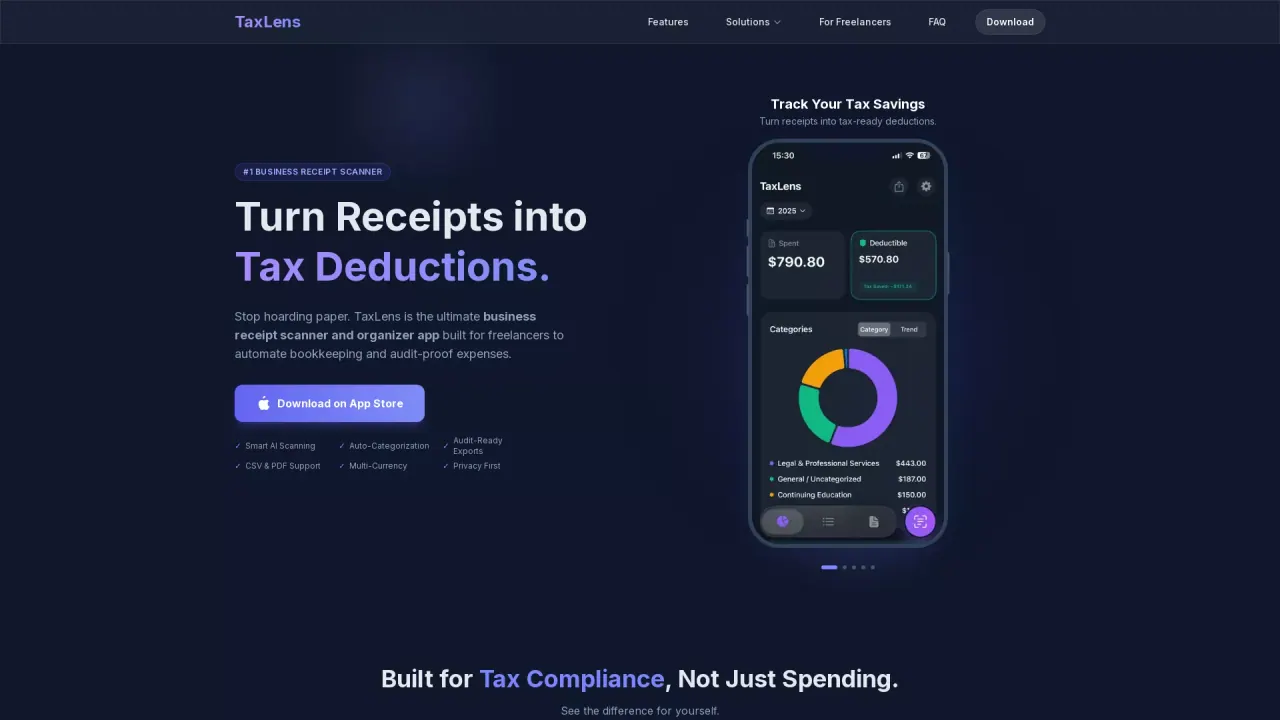
What does TaxLens do?
What does TaxLens do?
TaxLens is an AI-powered receipt scanner and organizer built for tax deductions. Snap receipts to instantly extract key details like the merchant, date, totals, tax, and category. It then auto-categorizes each expense as Business or Personal based on tax rules aligned with your profession.
Main features
TaxLens helps you go from receipts to tax-ready records fast. It supports smart AI scanning, auto-categorization, and accountant-ready exports so you can file with confidence. Exports are available in PDF and CSV formats, and PDF packets include receipt images attached for an audit-ready view.
If you travel or buy from international merchants, TaxLens includes multi-currency support. It can auto-detect 30+ currencies and convert amounts using historical exchange rates based on the receipt date.
TaxLens also focuses on privacy: receipts are stored securely on-device or synced via iCloud, with no ads and no data selling.
Who it’s for
TaxLens is designed for freelancers, independent contractors, and small business owners—especially anyone who wants to stop sorting receipts manually and reduce year-end tax stress.
Pricing / plans
TaxLens is available free on the App Store.
What does TaxLens extract from my receipts?
TaxLens auto-extracts the merchant, date, totals, tax amounts, and categories (including line items) from each receipt, so you don’t have to enter data manually.
How does TaxLens decide Business vs Personal expenses?
TaxLens uses AI to apply tax rules and separate expenses into Business vs Personal. Items with ambiguous details can be flagged with confidence scoring for review.
What kind of reports can I export from TaxLens?
You can export audit-ready PDF and CSV reports. The PDF packets include receipt images attached, and CSV exports are compatible with accounting workflows like QuickBooks and Excel.
Does TaxLens support QuickBooks?
Yes. TaxLens can export categorized receipts as CSVs suitable for QuickBooks, Excel, and other accounting software.
Can TaxLens handle foreign currencies?
Yes. TaxLens supports 30+ currencies and converts amounts automatically using historical exchange rates based on the receipt date.
Where is my receipt data stored?
TaxLens stores receipt data securely on-device or synced via your private iCloud account. It also runs without ads, data selling, or third-party sharing.
This listing is claimed
Own TaxLens? Sign in with the email used to claim it to manage this listing, or upgrade to Pro for featured-first placement and a newsletter feature.