
URL2Pin
Pinterest Content Generator
URL2Pin turns an Amazon product or blog link into multiple ready-to-publish Pinterest pins with AI images, SEO copy, and scheduling.
Promoted
 Sidrune AI85% off. Stable Claude API for agent developers. Pay as you go. Invoices & refunds available.
 Pixmax.aiPixmax.ai is an all-in-one AI workspace for videos, visual stories, and marketing content.
 AI Checker PlusAI detector that highlights which passages AI wrote. Free check, no sign-up. Plagiarism too.
 RewindType any X/Twitter handle. Get their year back as a narrated video story. Then ask it anything.
 KurodyneSell the tools from your AI side projects. Listing is free.
 SEOify - Improve your SEO & rankingsBuild links to rank in Google. Improve your DR with links you can start building now.Advertise here270,000+ people visit Dang.ai every month.
What does URL2Pin do?
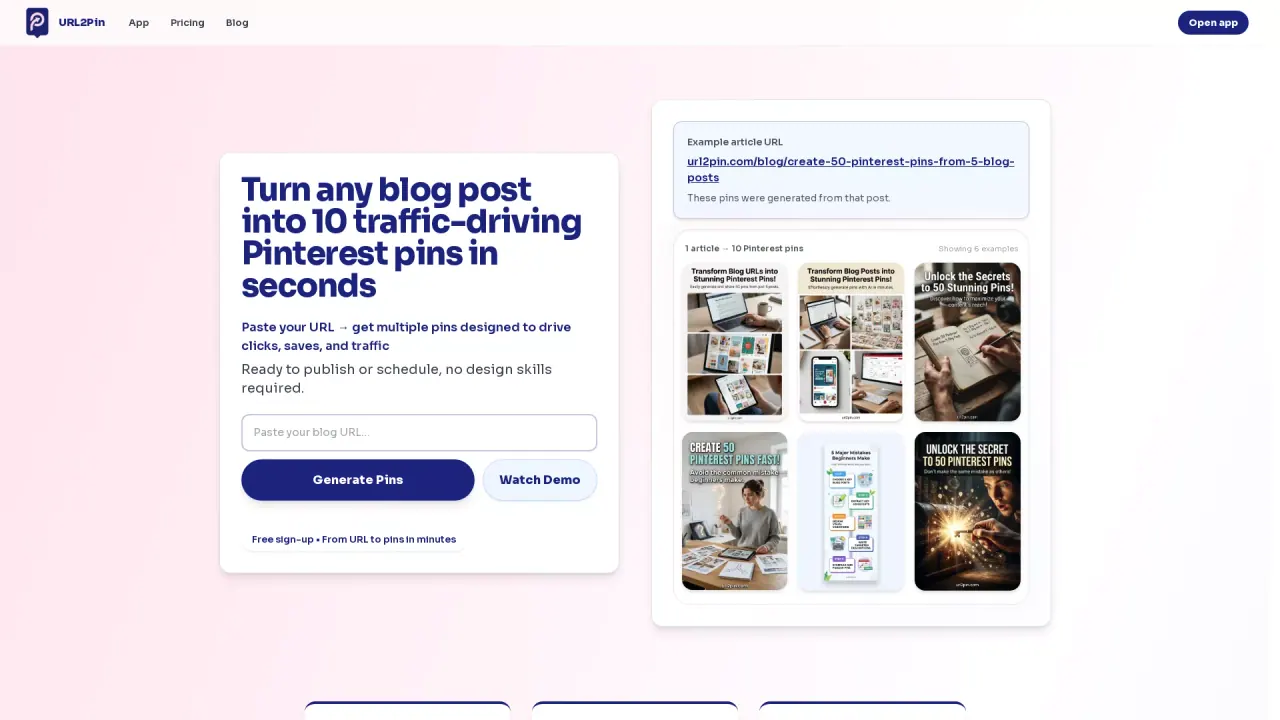
URL2Pin helps affiliate marketers, ecommerce sellers, and bloggers turn a single URL into a full Pinterest campaign. Paste a product link or a blog post URL to generate a batch of Pinterest pins designed for clicks and engagement—without starting from scratch.
The workflow is built around producing multiple “pin angles” from one source URL. After you paste an Amazon or other product link (or a blog post), URL2Pin generates pins with AI images, SEO-focused titles and descriptions, and alt text. You can edit the copy, then select which Pinterest boards to target. Pins can be scheduled to publish from a calendar view.
You can also create roundup and comparison pins. With roundup/gift-guide formats, you can load products from an Amazon idea list or choose 2–6 product URLs to produce a multi-product pin. For comparison (X vs Y) pins, URL2Pin creates a clean side-by-side layout for two selected products, preserving real product photos from each listing and adding affiliate disclosure elements.
Pricing starts with a free plan to try the tool and generate pins. Paid plans are available for higher usage and additional capabilities like generating larger batches and scheduling more pins—check the in-app pricing page for details.
What does URL2Pin generate from a single link?
It creates a full batch of Pinterest pins from one product or blog URL, including AI images plus SEO copy such as titles, descriptions, and alt text. You can then edit and schedule the pins.
Can URL2Pin create more than one pin per product URL?
Yes. Each campaign produces multiple pin angles from the same URL, so you can publish several variations instead of just one pin per post.
Which kinds of URLs can I use in URL2Pin?
You can use Amazon product links and also blog post URLs. It also supports roundup/comparison formats that work with Amazon idea lists and multi-product inputs.
What does scheduling look like in URL2Pin?
After pin generation, you pick the boards and spacing, then view a calendar to schedule when each pin will be posted to Pinterest.
Does URL2Pin support roundup and comparison Pinterest pin formats?
Yes. You can build roundup/gift-guide pins (top picks in one scrollable format) or comparison (X vs Y) pins using product URLs or an Amazon idea list.
Is there a free plan for URL2Pin?
Yes. You can start with a free plan to generate pins and test the workflow. Paid plans are available for more usage and expanded capabilities—see pricing in the app for specifics.
This listing is claimed
Own URL2Pin? Sign in with the email used to claim it to manage this listing, or upgrade to Pro for featured-first placement and a newsletter feature.