NoteOperator
NoteTaking AI Tool
Write Markdown notes with shareable links and let AI agents read or edit them via built-in MCP—free with no credit card.
Promoted
 KurodyneSell the tools from your AI side projects. Listing is free.
 Sidrune AI85% off. Stable Claude API for agent developers. Pay as you go. Invoices & refunds available.
 Pixmax.aiPixmax.ai is an all-in-one AI workspace for videos, visual stories, and marketing content.
 RewindType any X/Twitter handle. Get their year back as a narrated video story. Then ask it anything.
 SEOify - Improve your SEO & rankingsBuild links to rank in Google. Improve your DR with links you can start building now.Advertise here270,000+ people visit Dang.ai every month.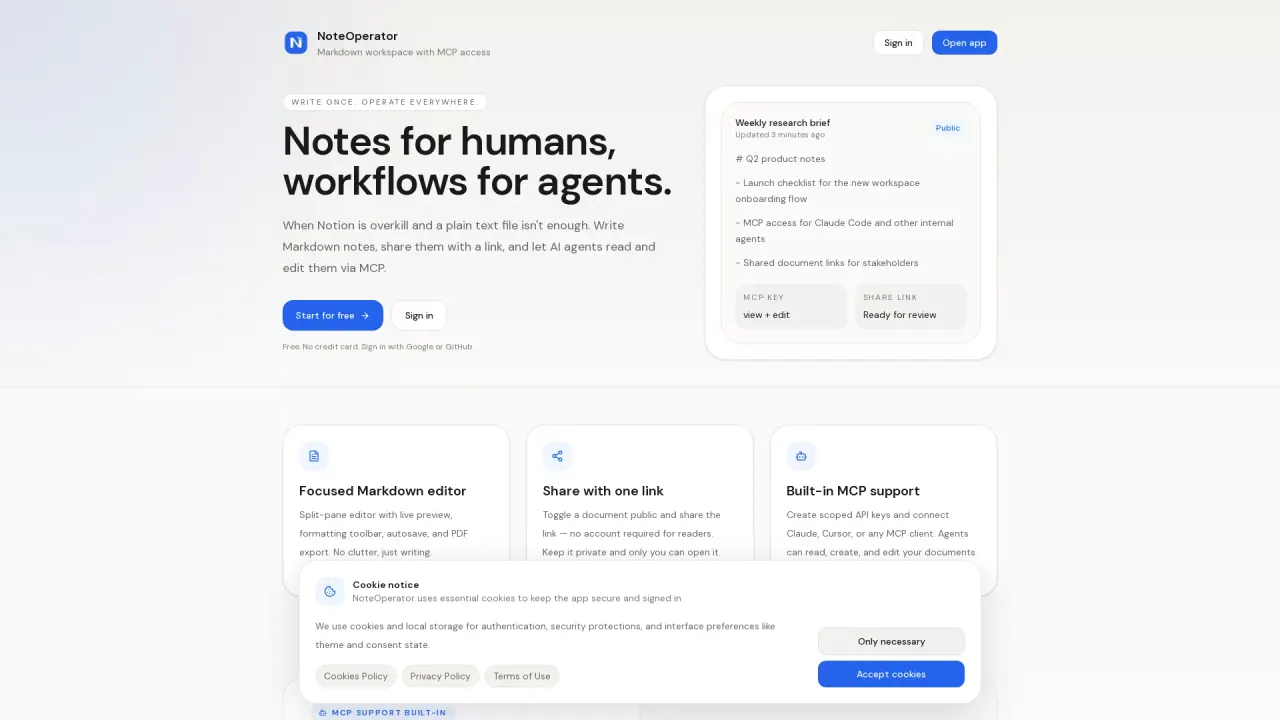
What does NoteOperator do?
NoteOperator is a focused Markdown workspace for keeping notes, workflows, and documentation in one place. You can write in a split-pane editor with live preview, use formatting tools, and rely on autosave while you draft. When you’re ready to share, toggle a document to public and generate a single share link (no account required for readers). You can also export documents to PDF.
Beyond human writing, NoteOperator includes built-in MCP support so AI agents can work directly with your documents. Create scoped API keys to control agent permissions (view/edit/delete) and revoke them whenever you want. Agents can connect through MCP clients to browse folders, read documents, draft new notes, and update existing content inside a conversation.
NoteOperator is a good fit if you find Notion too heavy, or if plain text files aren’t enough for editing, sharing, and PDF export. It also works well for solo builders, researchers and writers, and small teams that want a lightweight, shareable docs workflow without requiring readers to sign in.
Pricing: free to use with no limits. Start by signing in with Google or GitHub—no credit card needed.
Do I need to know Markdown to use NoteOperator?
No special setup is required—NoteOperator uses a Markdown editor with live preview, formatting tools, and autosave so you can write naturally and see results as you go.
What is MCP, and how does NoteOperator use it?
MCP (Model Context Protocol) is a standard for connecting AI assistants to apps. NoteOperator includes a fully compatible MCP server so agents can browse folders and read/create/update your documents directly over MCP.
Which AI agents can connect to NoteOperator via MCP?
It works with Claude Code and Claude Desktop, and it also supports Cursor, Windsurf, and any MCP client.
How do I share a document with others?
Toggle the document to public and copy the generated share link. Readers don’t need an account—just the link. You can keep documents private so only you can open them.
Is NoteOperator really free?
Yes. NoteOperator is free to use with no limits and no credit card required.
Can I control what an AI agent is allowed to do?
Yes. You can create scoped MCP API keys with independent permissions for view, edit, and delete, and you can revoke keys at any time.
This listing is claimed
Own NoteOperator? Sign in with the email used to claim it to manage this listing, or upgrade to Pro for featured-first placement and a newsletter feature.