
jpgRM
AI Image Cleanup Tool
jpgRM is an online AI photo cleanup tool that removes unwanted objects, people, and backgrounds by rebuilding the surrounding detail.
Promoted
 Sidrune AI85% off. Stable Claude API for agent developers. Pay as you go. Invoices & refunds available.
 Pixmax.aiPixmax.ai is an all-in-one AI workspace for videos, visual stories, and marketing content.
 AI Checker PlusAI detector that highlights which passages AI wrote. Free check, no sign-up. Plagiarism too.
 RewindType any X/Twitter handle. Get their year back as a narrated video story. Then ask it anything.
 KurodyneSell the tools from your AI side projects. Listing is free.
 SEOify - Improve your SEO & rankingsBuild links to rank in Google. Improve your DR with links you can start building now.Advertise here270,000+ people visit Dang.ai every month.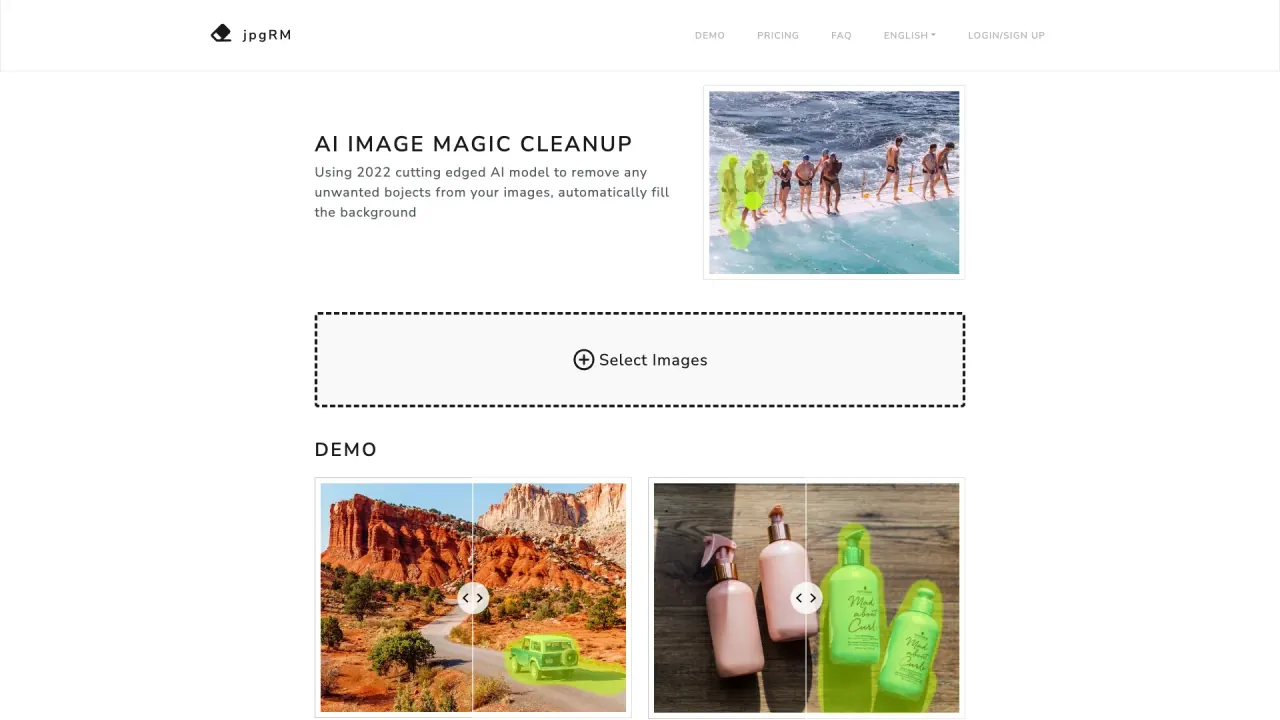
What does jpgRM do?
jpgRM is an online “object eraser” and AI photo cleanup tool for removing distractions from your images. You can paint over unwanted objects, people, or backgrounds, then let jpgRM rebuild surrounding detail so the edit blends naturally.
Use jpgRM for practical photo fixes like removing a passerby from a landscape, cleaning up a busy product photo, removing people from a crowded scene, or tidying backgrounds. The workflow is simple: select an image, mark the area with a brush, review the result, and download the edited version that works best.
The tool is designed to run in a web browser, and it supports mobile devices as well as desktops. If you want to evaluate it first, you can try using the demo images provided on the site.
Pricing is available on the site, and processing is provided as a paid service (specific amounts aren’t included in the provided text). There is also a FAQ section covering how it works, best practices, processing time, and access questions. For help, use the Feedback & Contact option.
What does jpgRM do?
jpgRM removes unwanted objects, people, or backgrounds from photos using AI and then rebuilds the surrounding detail so the result looks natural.
How do I use jpgRM to erase something from a photo?
Select an image, paint over the area you want removed, review the output, and download the edited version that works for your photo.
What kinds of photo edits are best for jpgRM?
It’s well-suited for removing a passerby from a landscape, cleaning product photos, removing people from crowded backgrounds, and removing or tidying backgrounds.
Does jpgRM support mobile devices?
Yes—jpgRM can be used on mobile devices in a web browser, as long as you have internet access.
Are the demo images processed with jpgRM?
Yes. The demo images are processed so you can see examples of the cleanup results.
How can I get help or contact support?
Use the Feedback & Contact option on the site to reach the project and ask questions.
Is this your tool?
Claim jpgRM to manage this listing, or upgrade to Pro for featured-first placement and a newsletter feature.