
AICosts.ai
Verified
AI Cost Management Tool
Track and optimize spending across your entire AI stack in one AI-powered dashboard.
- Pricing
- Free trial
- Category
- Analytics
- Listed
- Jun 16, 2025
- Updated
- May 25, 2026
Promoted
 Sidrune AI85% off. Stable Claude API for agent developers. Pay as you go. Invoices & refunds available.
 Pixmax.aiPixmax.ai is an all-in-one AI workspace for videos, visual stories, and marketing content.
 SEOify - Improve your SEO & rankingsBuild links to rank in Google. Improve your DR with links you can start building now.Advertise here270,000+ people visit Dang.ai every month.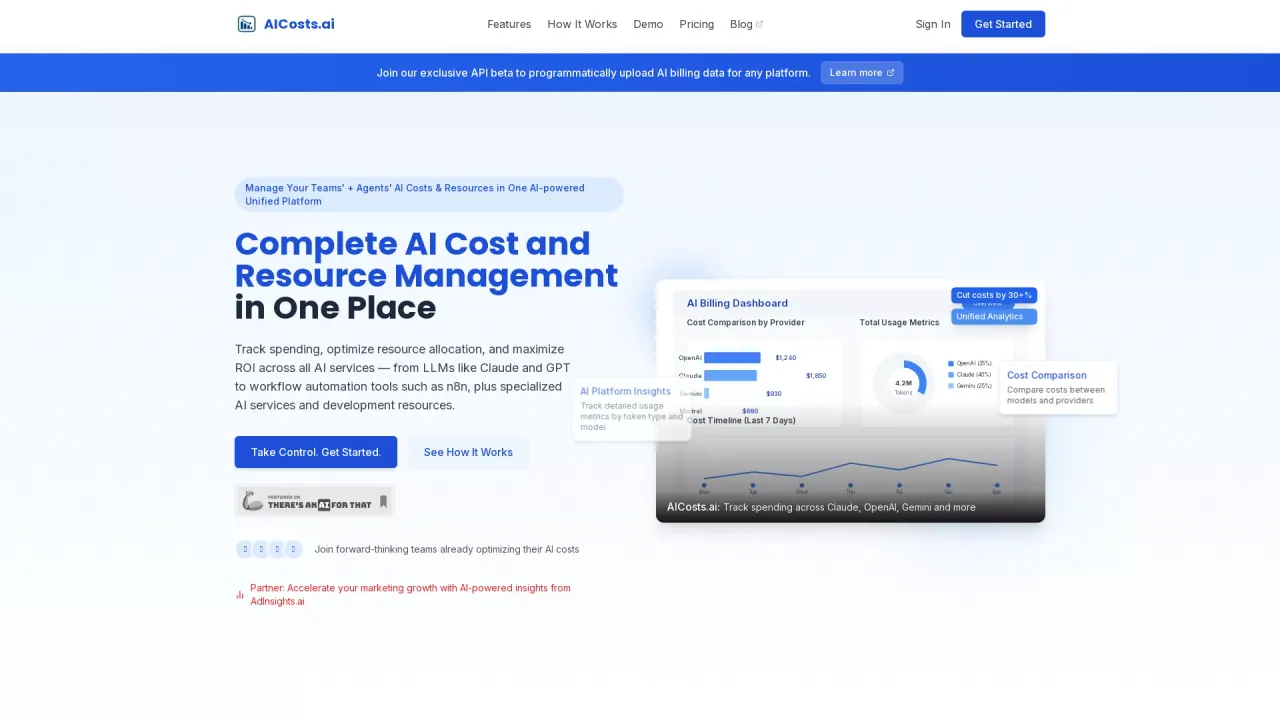
What does AICosts.ai do?
How can AICosts.ai help teams optimize their AI spending?
AICosts.ai provides a centralized, unified view of your AI spending across all platforms. Track, analyze, and optimize costs and resources from LLMs (like Claude, GPT, Gemini) to workflow tools (Make, Zapier, n8n) and specialized services. The built-in dashboard shows spending trends, enables cross-provider cost comparisons, and delivers alerts and insights to reduce waste and maximize ROI.
What are the key features of AICosts.ai for AI costs and resource management?
Key features include:
- A unified AI billing dashboard that connects all providers
- Cost comparison analytics across providers and models
- Detailed usage metrics by token type and platform
- Smart resource allocation with predictive insights
- Automated alerts for quota limits and usage spikes
- Recommendations to optimize resource mix and ROI
- Resource and usage analytics, budgets, and alerts to prevent unexpected charges
Which AI providers and services can I connect to AICosts.ai?
You can connect a wide range of AI services and tools in one place, including LLMs (OpenAI, Claude, Gemini), workflow automation tools (Make, Zapier, n8n), vector databases (Pinecone), and specialized services (Tavily, RunwayML, among others). The dashboard is designed to unify your AI ecosystem across these providers.
How does the AI Cost + Resource Management workflow work?
- Track your entire AI resource stack by selecting the services you want to monitor (LLMs, workflow tools, vector databases, etc.).
- View unified analytics with breakdowns by model, token usage, and platform to identify cost hotspots.
- Optimize costs and resources with usage trends, cross-provider comparisons, and billing alerts so you can manage your AI budget proactively.
What are the pricing options, what do they include, and how long is the trial?
- Starter — $19.99 per month
- Track up to 3 platforms
- 30 days data retention
- Usage summary analytics, platform comparison analytics, active subscription analytics, credits analytics
- Basic email support
- Professional — $49.99 per month
- Track ALL AI providers
- 90 days data retention
- Everything in Starter plus: upload billing files for AI cost analysis, export access for all analytical data, export access for all summary data, priority email support, early access to upcoming API
- Enterprise — Contact Sales
- 7-day free trial
- Unlimited platforms
- Unlimited data retention
- Everything in Professional plus: priority phone & email support, custom integrations (contact us)
In addition, there is a limited-time promotion of 2 months free available via contact with the team. All plans include a 7-day free trial and the option to start quickly with no credit card required to begin.
Are there promotions or trials beyond the standard 7-day trial?
Yes. In addition to the standard 7-day trial included with all plans, there is a limited-time promotion offering 2 months free (availability requires contacting the team for details).
Is there an API to upload AI billing data, and how can I learn more?
Yes. AICosts.ai offers an API beta to programmatically upload AI billing data for any platform. Learn more and request access through the API beta information on the site.
How many platforms and how much data retention do I get per plan?
- Starter: track up to 3 platforms; 30 days data retention
- Professional: track ALL AI providers; 90 days data retention
- Enterprise: unlimited platforms; unlimited data retention
Do I need a credit card to start, and how do I start a trial?
Starting a trial is quick and straightforward. A free trial is available, and several sign-up prompts emphasize starting without a credit card. You can create an account and start your trial, with a guided setup to connect your AI providers and begin tracking costs immediately.
Is there a money-back guarantee?
Yes. AICosts.ai offers a 30-day money-back guarantee.
Is there a demo or a way to see the dashboard in action?
Yes. You can explore the dashboard and see how it works via available demos and “Watch how the dashboard works” materials on the site.
How do I sign up and what does the sign-up process look like?
You can create an account and start your free trial in minutes. The sign-up flow includes providing your details and starting the trial, after which you can immediately begin connecting providers and tracking costs.
What kind of security and support does AICosts.ai provide?
AICosts.ai emphasizes bank-level security and offers 24/7 support to help you manage AI costs and respond quickly to any needs or issues.
This listing is claimed
Own AICosts.ai? Sign in with the email used to claim it to manage this listing, or upgrade to Pro for featured-first placement and a newsletter feature.