
Kuse
Verified
AI application
You can upload anything and instantly turn messy inputs into structured and visual results.
Promoted
 Sidrune AI85% off. Stable Claude API for agent developers. Pay as you go. Invoices & refunds available.
 Pixmax.aiPixmax.ai is an all-in-one AI workspace for videos, visual stories, and marketing content.
 SEOify - Improve your SEO & rankingsBuild links to rank in Google. Improve your DR with links you can start building now.Advertise here270,000+ people visit Dang.ai every month.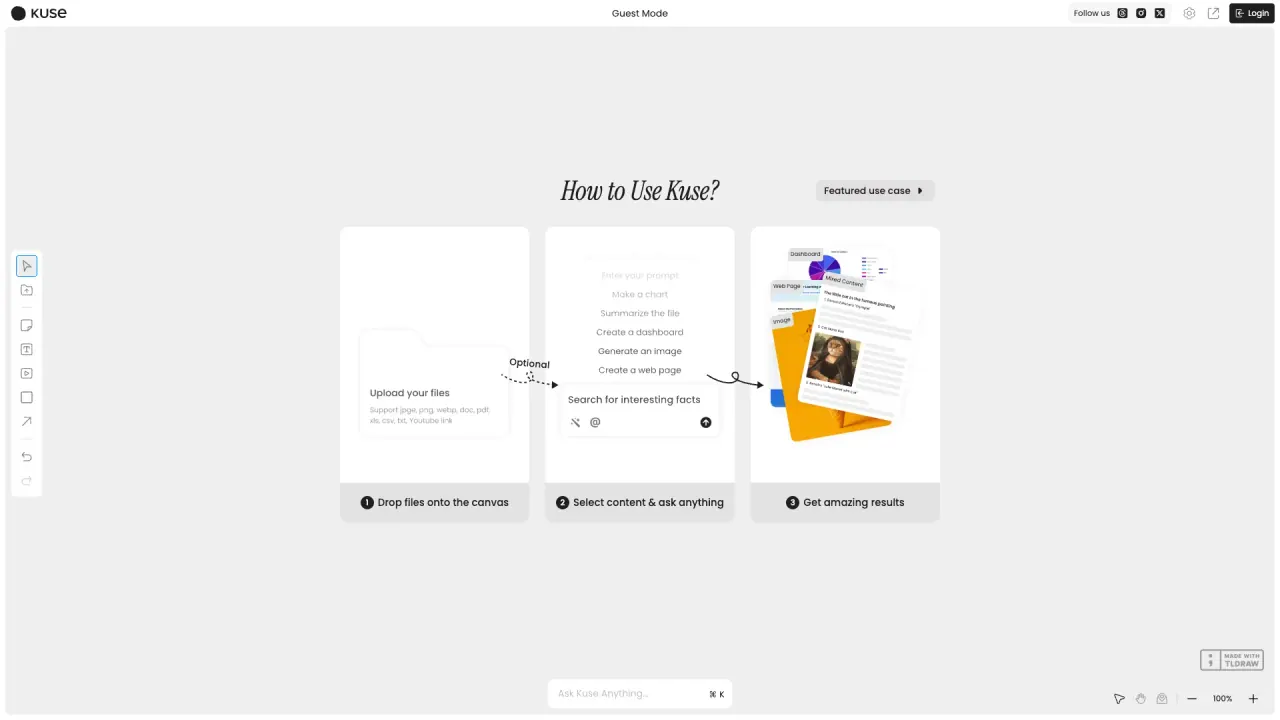
What does Kuse do?
How to Upload Files to Kuse for Analysis?
To upload files to Kuse, simply drop your files onto the Kuse AI canvas. The tool supports diverse uploads, including PDFs, Excel files, videos, and links, providing enhanced comprehension and insight generation from the uploaded content.
What Types of Content Can You Analyze Using Kuse?
Kuse can analyze several types of content including web pages, images, and mixed content. Once you drop files onto the canvas, select the content type and ask any question to receive insightful answers.
How Does Kuse Ensure Output Format Consistency?
Kuse uses a feature called MatchGen to ensure output format consistency. This feature allows you to upload a template, which the AI analyzes to perfectly replicate the layout for document formatting or exam generation.
What is Source Only Mode and when should I use it?
Source Only Mode lets you work purely from your own materials when accuracy matters most.
What is Intelligent Knowledge Base?
Kuse understands your data and turns it into a living, searchable knowledge base.
What is Evolving Memory?
Your AI memory grows and updates with every change from you or your team.
What is Living Workspace?
Every creation feeds the next, making your workspace smarter and more connected over time.
How does collaboration work in Kuse?
Kuse offers a Collaborative Workspace where humans and AI co-create in one intelligent space. You can share and co-create with your team, and the workspace evolves as work continues.
What formats can Kuse create and edit?
Kuse supports creating and editing in formats such as:
- AI Note
- Layout Reference
- Online Presentation
- Interactive Quiz
- AI Image
- Interactive Webpage
- Study Note
What can messy notes be turned into?
Turn messy notes and long lectures into clear outlines, mind maps, and summaries across all formats.
What are the main use-case categories for Kuse?
Kuse is used across Education, Marketing, Finance, Technology, and Retail.
This listing is claimed
Own Kuse? Sign in with the email used to claim it to manage this listing, or upgrade to Pro for featured-first placement and a newsletter feature.