AddPersonToPhoto
AI Photo Compositing Tool
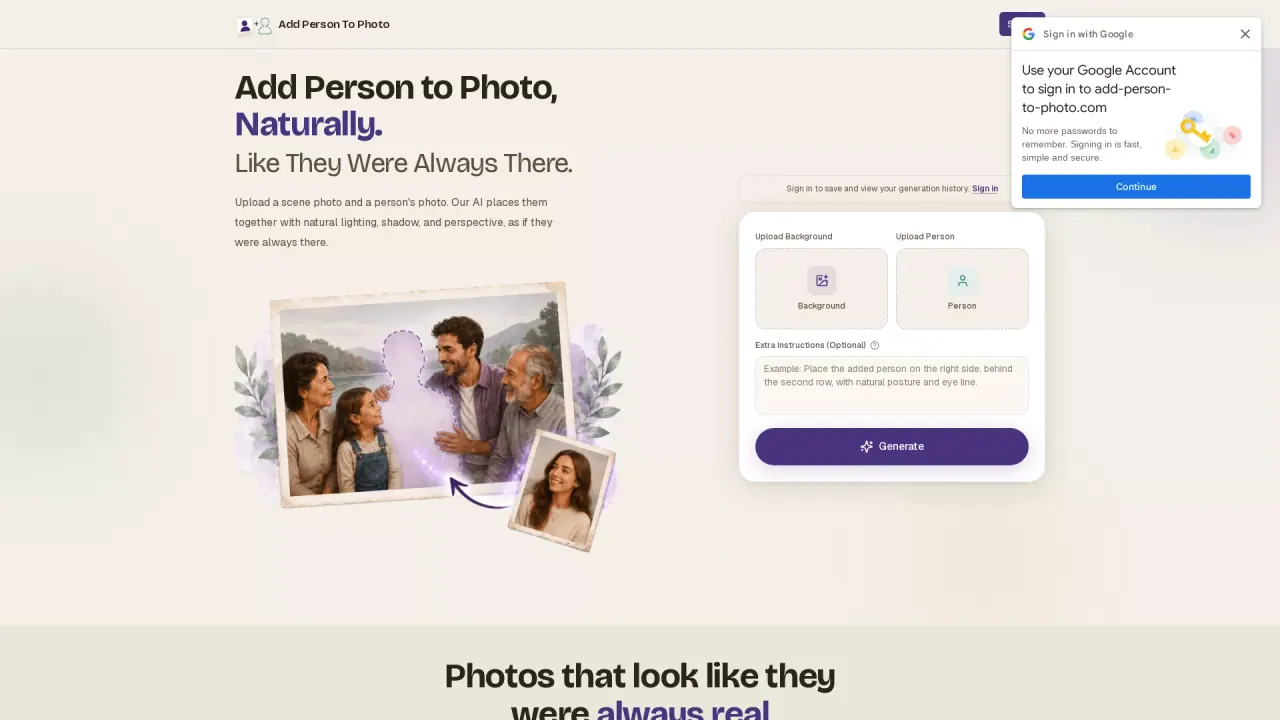
Add Person To Photo is an AI that simplifies the process of inserting individuals into existing images.
What does AddPersonToPhoto do?
What is the main use case for Add Person To Photo?
Our tool is primarily designed to help users seamlessly add a person into an existing photo using advanced AI image compositing technology. People commonly use it to complete family portraits, fix missed group photos, create wedding or graduation memories, generate social media content, or recreate emotional moments with loved ones who were unable to be present. Unlike traditional photo editing software that requires manual masking and professional retouching skills, our AI automates the entire process — including background matching, lighting adjustment, perspective alignment, and realistic blending — allowing anyone to create natural-looking edited photos within seconds.
What impact has add-person-to-photo.com had on its users or the industry?
Our tool has made high-quality photo compositing accessible to everyday users without requiring Photoshop expertise or expensive editing services. Many users have been able to restore meaningful memories, create emotionally valuable family images, and produce professional-looking social media content much faster than before. In the broader AI image editing space, tools like ours are helping shift photo editing from complex manual workflows toward instant AI-assisted creation. This significantly reduces editing time while improving accessibility for non-designers, content creators, marketers, and families who simply want realistic results without technical barriers.
What model of AI does Add Person To Photo use?
Our platform uses advanced generative AI and computer vision models specialized in image segmentation, facial understanding, scene analysis, and photorealistic compositing. The AI automatically detects lighting conditions, facial orientation, image depth, shadows, and color consistency to ensure the added person naturally fits into the original scene. We continuously optimize our models using modern diffusion-based image generation and AI enhancement technologies to improve realism, edge blending, skin detail preservation, and overall visual quality. This allows the system to generate highly realistic photo integrations quickly and automatically, even for users with no editing experience.
Is this your tool?
Claim AddPersonToPhoto to manage this listing, or upgrade to Pro for featured-first placement and a newsletter feature.