3D Camera Control
AI Design Tools
Turn one image into fresh camera angles by adjusting rotation, elevation, and distance—generate single views or multiple presets to compare.
- Pricing
- Free
- Category
- Design
- Listed
- Sep 30, 2026
- Updated
- Oct 23, 2026
Promoted
 KurodyneSell the tools from your AI side projects. Listing is free.
 Sidrune AI85% off. Stable Claude API for agent developers. Pay as you go. Invoices & refunds available.
 Pixmax.aiPixmax.ai is an all-in-one AI workspace for videos, visual stories, and marketing content.
 AI Checker PlusAI detector that highlights which passages AI wrote. Free check, no sign-up. Plagiarism too.
 RewindType any X/Twitter handle. Get their year back as a narrated video story. Then ask it anything.
 SEOify - Improve your SEO & rankingsBuild links to rank in Google. Improve your DR with links you can start building now.Advertise here330,000+ people visit Dang.ai every month.
What does 3D Camera Control do?
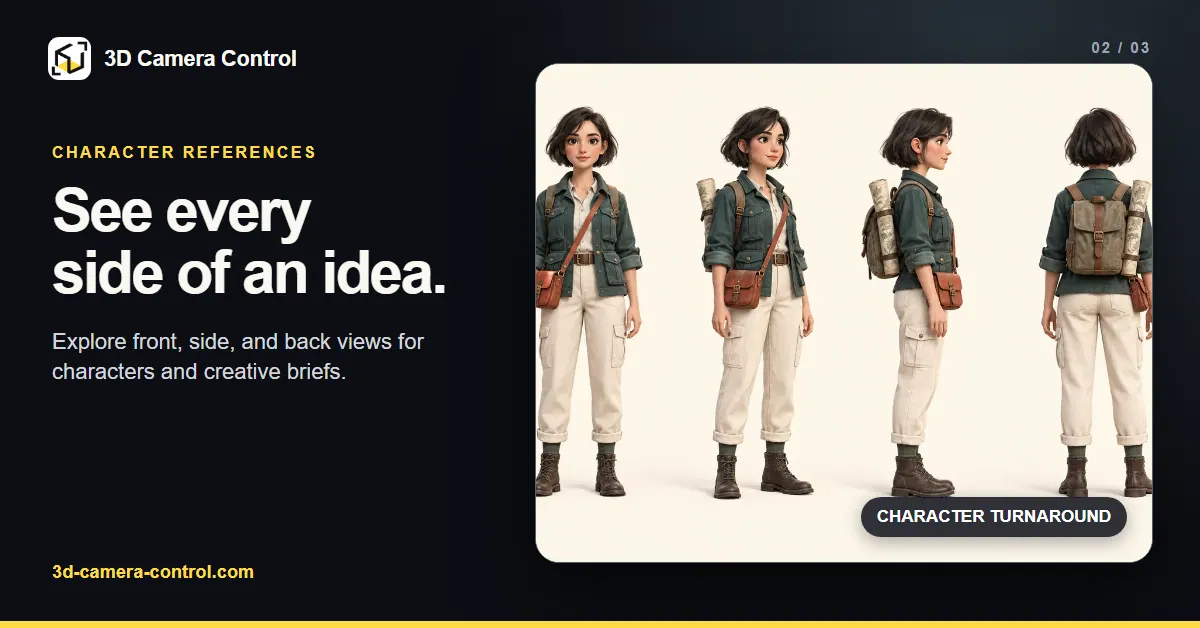
3D Camera Control is an AI tool that creates new 2D camera-angle views from a single reference image. Upload a clear photo or illustration of a person, product, or character, then explore how your subject would look from different viewpoints without changing the starting image.
Use angle presets or fine-tune the camera with three controls: azimuth (horizontal rotation), elevation (vertical position), and distance (zoom/frame tightness). You can adjust one control at a time to quickly understand how changes affect composition—such as trying a 45° three-quarter view, shifting the viewpoint up or down from eye level, or tightening/loosening the framing.
Need multiple options for decision-making? Batch mode lets you select several presets and generate a set of views from the same reference so you can compare angles side-by-side. This is useful for product visual exploration, concept boards, and character reference sheets where consistency across views matters.
After generation, preview and download the resulting images. Generations use credits, and you can start free to explore examples; actual outcomes vary, so iterating angles may be necessary to match your intended composition. Upload JPEG, PNG, or WebP files up to 10 MB with a visible subject for best results.
What does 3D Camera Control generate from my image?
It generates new 2D camera-angle views of your subject (person, product, or character) from a single reference image.
How do I change the camera angle in 3D Camera Control?
Use presets or adjust azimuth (horizontal rotation), elevation (vertical position), and distance (zoom/tightness of framing).
Do I need to write a prompt to generate a new view?
No—set the camera angle using presets and/or the rotation/elevation/distance controls, then generate.
Does it create a 3D model of my subject?
No. It produces new 2D images that help with visual reference and planning.
Can I generate multiple views from one image at once?
Yes. Batch mode lets you generate several views from the same reference image so you can compare angles together.
What image files work best, and are there upload limits?
Use JPEG, PNG, or WebP files up to 10 MB. Choose a clear image where the subject is visible so the generated views can stay consistent.
This listing is claimed
Own 3D Camera Control? Sign in with the email used to claim it to manage this listing, or upgrade to Pro for featured-first placement and a newsletter feature.