Zipytiny
AI Productivity Tools
Zipytiny turns videos, PDFs, slides, and meeting recordings into structured notes, spaced flashcards, mind maps, and quizzes fast.

- Pricing
- Free
- Category
- Productivity
- Listed
- Sep 10, 2026
- Updated
- Sep 12, 2026
Promoted
 Sidrune AI85% off. Stable Claude API for agent developers. Pay as you go. Invoices & refunds available.
 Pixmax.aiPixmax.ai is an all-in-one AI workspace for videos, visual stories, and marketing content.
 SEOify - Improve your SEO & rankingsBuild links to rank in Google. Improve your DR with links you can start building now.Advertise here270,000+ people visit Dang.ai every month.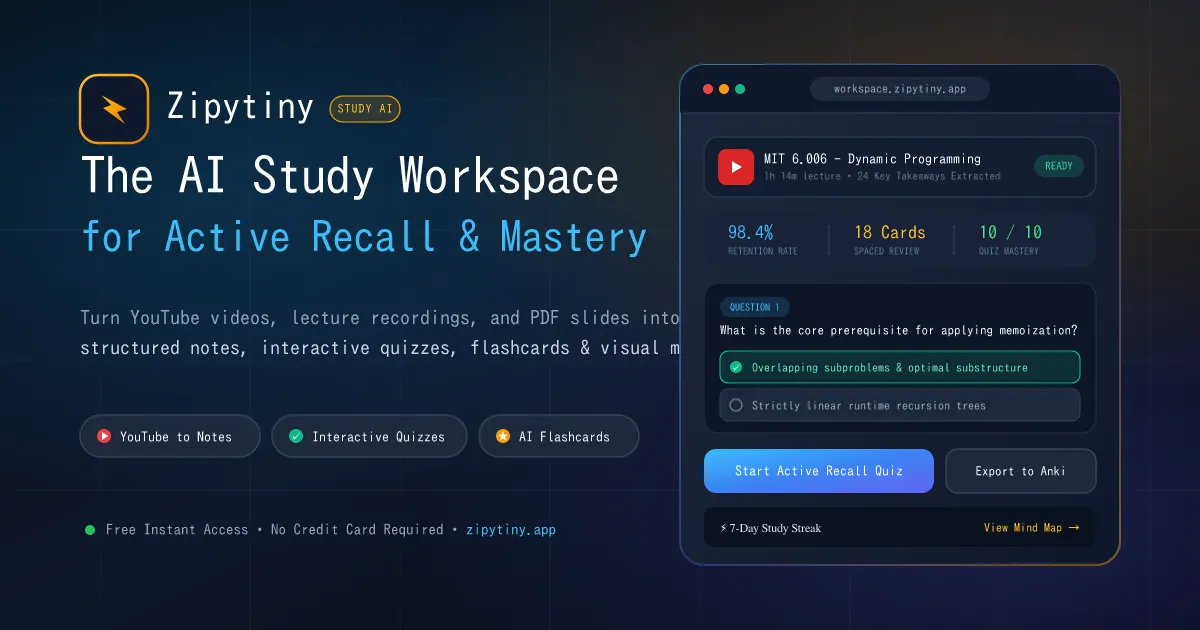
What does Zipytiny do?
Zipytiny is an AI-powered study and work workspace that converts YouTube and other videos, PDFs, slide decks, and meeting recordings into structured notes you can actually study from. Instead of rewatching or scrubbing through timelines, you get organized chapters, active-recall flashcards, and mind maps designed to help you retain what you learn.
For students, Zipytiny helps turn long lectures into exam-ready study materials. You can generate quiz practice and use a Socratic AI tutor-style chat to get help with concepts and definitions as you review.
For professionals, it streamlines meeting and content review into decision-ready summaries, including task/action extraction and meeting recap exports (such as PowerPoint). Start free with no card required, then upgrade if you need more than the free plan’s conversion limits and exports.
What can I upload or paste into Zipytiny?
You can use YouTube links and other videos, meeting recordings (Zoom, Teams, and Google Meet), PDFs, slide decks, and audio files like MP3. You can also paste website articles.
Can Zipytiny help with work meetings, not just studying?
Yes. Zipytiny can turn meeting recordings into structured meeting notes, extract action items, and generate executive recaps and presentation exports for quick follow-up.
Does Zipytiny generate quizzes and flashcards automatically?
Yes. Zipytiny produces spaced-repetition flashcards and practice quizzes from your uploaded content so you can test yourself while studying or reviewing.
How does the AI Chat Q&A work?
After processing your content, you can use the AI Chat Q&A window to ask questions and get explanations grounded in the material you provided—useful for clarifying definitions and key ideas during review.
What exports are available for summaries and flashcards?
Zipytiny supports exports for study and recap workflows, including PDF/Markdown-style outputs and flashcard exports like Anki. It also supports PowerPoint export for meeting recaps.
Is there a free plan and any usage limit on it?
Yes—there is a free forever plan with a limited number of video summaries per week. If you need unlimited processing and premium features, you can upgrade to Pro.
This listing is claimed
Own Zipytiny? Sign in with the email used to claim it to manage this listing, or upgrade to Pro for featured-first placement and a newsletter feature.