
Youtube To Transcript.ai
AI Transcription Software Tools
Paste any YouTube link to generate a clean, timestamped transcript with optional AI summaries, speaker separation, exports, and 100+ language translation.
- Pricing
- Free
- Category
- Transcription
- Listed
- Aug 23, 2026
- Updated
- Oct 15, 2026
Promoted
 Sidrune AI85% off. Stable Claude API for agent developers. Pay as you go. Invoices & refunds available.
 Pixmax.aiPixmax.ai is an all-in-one AI workspace for videos, visual stories, and marketing content.
 RewindType any X/Twitter handle. Get their year back as a narrated video story. Then ask it anything.
 KurodyneSell the tools from your AI side projects. Listing is free.
 SEOify - Improve your SEO & rankingsBuild links to rank in Google. Improve your DR with links you can start building now.Advertise here270,000+ people visit Dang.ai every month.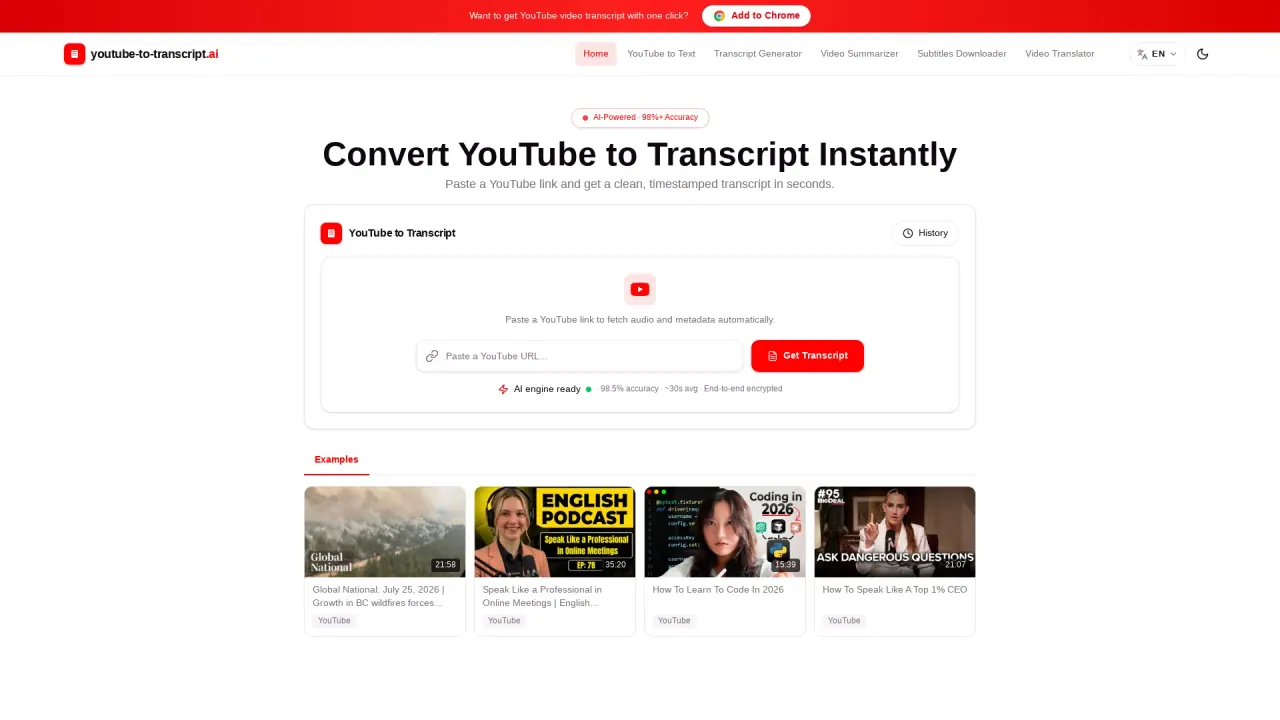
What does Youtube To Transcript.ai do?
YouTube To Transcript.ai turns YouTube videos into readable text in seconds. Paste a watch link (including Shorts or most embedded formats) and the tool retrieves available subtitles; if none are found, it uses speech recognition to generate a transcript. The result is timestamped so you can jump to the exact moment you need.
Transcription options help you tailor the output. Choose source language handling with auto-detect, separate speakers, and polish the transcript for readability. You can also generate AI summaries, including smart summaries and key quotes, so long videos become faster to review and act on.
The transcript is designed for real workflows: search by keyword to find specific sentences without scrubbing, review clickable time-coded lines, and use auto-generated chapter markers to navigate. Exports are available in multiple formats—TXT, DOCX, SRT, VTT, and CSV—making it easy to move from transcript to editing, subtitle workflows, spreadsheets, or content planning.
Who it’s for: journalists and researchers need verbatim, searchable text; educators and learners use transcripts for study with timestamps; and creators, marketers, and editors repurpose video content into show notes, captions, and posts. Transcripts also support translation into 100+ languages, plus natural voiceover generation for multilingual versions. There’s a free option for public YouTube videos with daily transcript credits (including full timestamps and speaker labels), and paid plans for longer videos, batch exports, higher download limits, and AI translation.
How do I generate a YouTube transcript?
Paste a YouTube link into the input box and submit it. The tool will fetch existing subtitles if available, or run speech recognition when subtitles aren’t found. You’ll get a timestamped transcript you can copy or export.
What transcription options are available?
You can use auto-detect for the source language, separate speakers, and apply AI polishing. You can also choose a summary type (including smart summaries).
Does it work if the YouTube video has no subtitles?
Yes. If no subtitles are found for the video, the speech recognition function is activated to generate a transcript.
What formats can I download transcripts in?
You can download transcripts as TXT, DOCX, SRT, VTT, or CSV for use in editors, subtitle workflows, spreadsheets, or planning.
Can I translate transcripts?
Yes. Transcripts can be translated into 100+ languages, and you can also generate AI voiceovers for multilingual versions.
Is the YouTube to Transcript tool free?
Yes for public YouTube videos. You can generate transcripts for free with no credit card required, and the free tier includes daily transcript credits with full timestamps and speaker labels.
Is this your tool?
Claim Youtube To Transcript.ai to manage this listing, or upgrade to Pro for featured-first placement and a newsletter feature.