VoiceWarp.ai
AI Voice Changer Tools
VoiceWarp.ai is a free online AI voice changer that lets you transform audio, video, and typed text with browser-based effects.
- Pricing
- Free
- Category
- Voice changer
- Listed
- Aug 15, 2026
- Updated
- Oct 16, 2026
Promoted
 Pixmax.aiPixmax.ai is an all-in-one AI workspace for videos, visual stories, and marketing content.
 AI Checker PlusAI detector that highlights which passages AI wrote. Free check, no sign-up. Plagiarism too.
 RewindType any X/Twitter handle. Get their year back as a narrated video story. Then ask it anything.
 KurodyneSell the tools from your AI side projects. Listing is free.
 Sidrune AI85% off. Stable Claude API for agent developers. Pay as you go. Invoices & refunds available.
 SEOify - Improve your SEO & rankingsBuild links to rank in Google. Improve your DR with links you can start building now.Advertise here270,000+ people visit Dang.ai every month.
What does VoiceWarp.ai do?
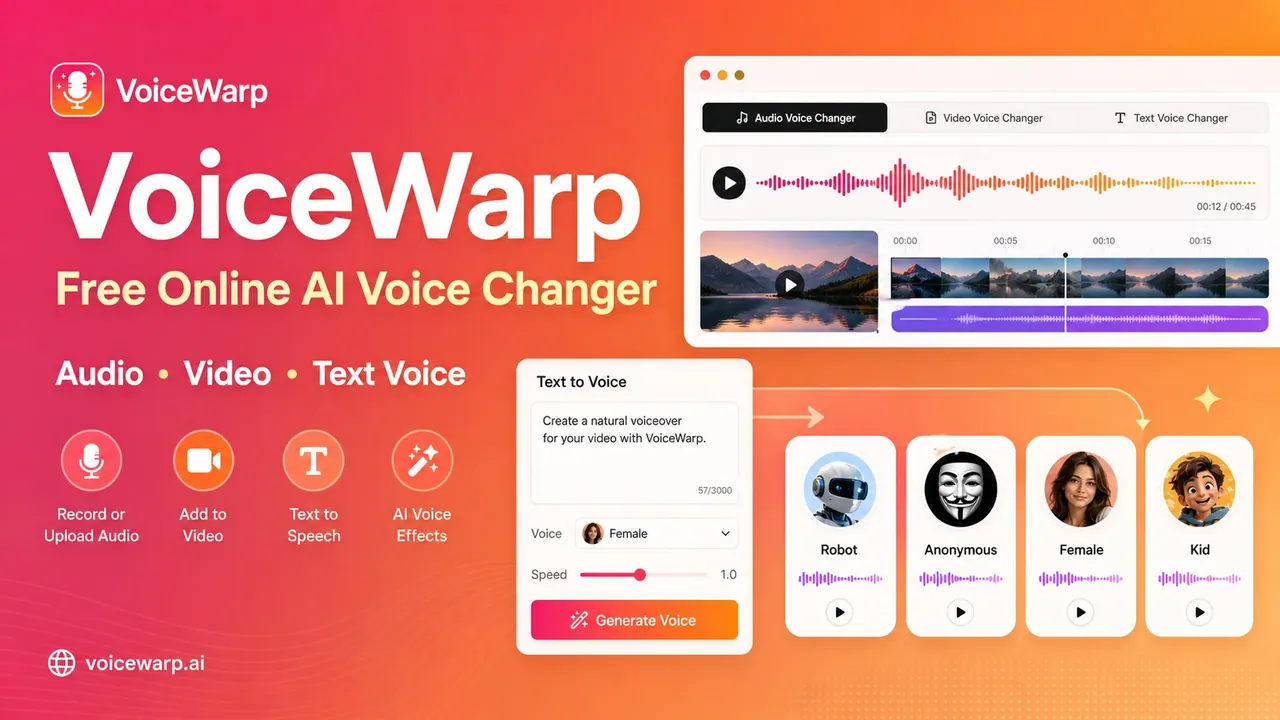
VoiceWarp.ai is a free online AI voice changer for quickly altering voices in recordings, audio clips, short videos, and generated speech from text. You can record a voice in your browser or upload existing files, then preview the result with a wide range of voice effects before downloading the output.
For audio, VoiceWarp supports uploading MP3, WAV, M4A, WebM, and OGG files, and you can also record a short microphone clip. Choose from 22 preset effects (including Male, Female, Kid, Deep, Robot, Echo, Reverb, Anonymous, Alien, Chipmunk, Radio, Horror, Podcast, Megaphone, Telephone, Demon, Bitcrusher, Fast, Slow, Reverse, and more). If you want more control, advanced options let you adjust pitch, speed, echo, and reverb.
VoiceWarp also includes a Text Voice Changer: type a script, choose a voice, generate downloadable MP3, and apply character-style effects during creation. Video voice changing is supported as well, with processing performed in your browser.
Designed for creators, students, gamers, and video editors who want quick, browser-based voice experiments, VoiceWarp keeps audio and video processing local to your device in your browser. Larger files may render more slowly, and desktop Chrome or Edge is recommended for smoother performance.
Is VoiceWarp.ai really free to use?
Yes—VoiceWarp.ai is a free online AI voice changer with no signup required for audio, video, and text workflows.
Does VoiceWarp.ai upload my audio or video to a server?
Audio recordings, audio files, and videos are processed in your browser. Text-based generation sends the typed script to the speech generator, while effects are applied in the browser.
What voice effects can I choose?
You can use 22 preset effects like Robot, Male, Female, Kid, Deep, Echo, Reverb, Anonymous, Alien, Chipmunk, Radio, Podcast, and more. You can also fine-tune pitch, speed, echo, and reverb with advanced controls.
What file formats are supported for audio and video?
Audio supports MP3, WAV, M4A, WebM, and OGG. In the beta, video supports MP4, WebM, MOV, and M4V.
Can I generate speech from typed text instead of uploading audio?
Yes. Type a script, choose a voice, and generate a downloadable MP3. You can apply character effects as part of the text-to-speech workflow.
Is this real voice cloning of my identity?
No. VoiceWarp uses local voice effects rather than identity cloning, so it’s focused on transforming sound with effects instead of cloning a specific person.
This listing is claimed
Own VoiceWarp.ai? Sign in with the email used to claim it to manage this listing, or upgrade to Pro for featured-first placement and a newsletter feature.