
VoiceNote
AI Productivity Tools
VoiceNote delivers private, on-device dictation on Windows and Mac—hold one hotkey to speak and get polished text in any app.


- Pricing
- Free
- Category
- Productivity
- Listed
- Jul 14, 2026
- Updated
- Oct 15, 2026
Promoted
 KurodyneSell the tools from your AI side projects. Listing is free.
 Sidrune AI85% off. Stable Claude API for agent developers. Pay as you go. Invoices & refunds available.
 Pixmax.aiPixmax.ai is an all-in-one AI workspace for videos, visual stories, and marketing content.
 RewindType any X/Twitter handle. Get their year back as a narrated video story. Then ask it anything.
 SEOify - Improve your SEO & rankingsBuild links to rank in Google. Improve your DR with links you can start building now.Advertise here270,000+ people visit Dang.ai every month.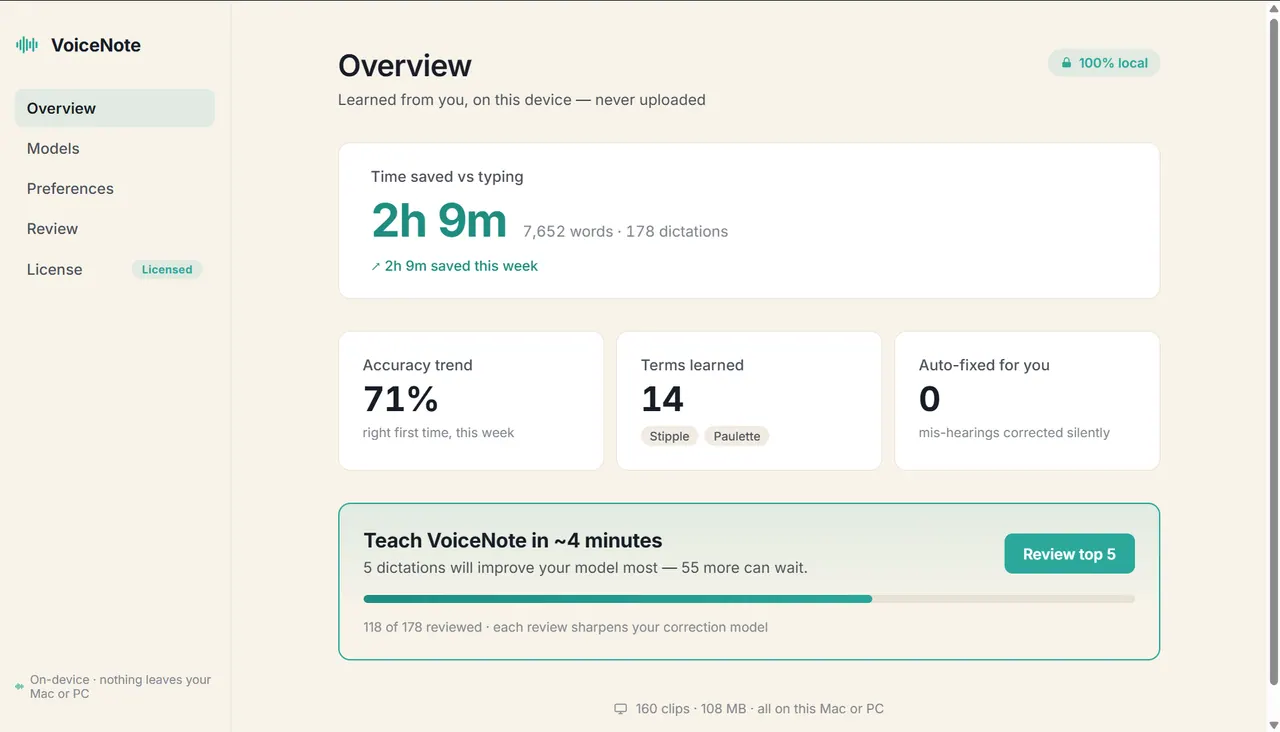
What does VoiceNote do?
VoiceNote is a private dictation tool for Windows and Mac that writes like you talk—right on your computer. Hold a single hotkey, speak naturally, and polished text appears where your cursor is, so you can keep working in the apps you already use.
Privacy is built in to how it runs: dictation is handled on-device with a local model, audio is wiped as soon as it’s transcribed, and your voice never leaves your machine. There’s no account, no cloud, and no setup steps like plugins or integrations—so you can start immediately.
As you use VoiceNote, it learns from your corrections and writing patterns (like names and jargon) to improve over time. Your history stays yours to view, export, or clear, and you can test privacy by enabling airplane mode—dictation still works because nothing was leaving to begin with.
VoiceNote is also available for meeting notes, with on-device transcripts and summaries plus action items. Pricing is available as a free trial for 30 days or 10,000 words, followed by a one-time purchase of $49 once (yours forever).
Does VoiceNote send my audio to the cloud?
No—VoiceNote is designed to run entirely on your device. Audio is wiped immediately after transcription, and nothing is queued or uploaded.
How do I start dictating in an app?
Hold the Left Ctrl hotkey while your cursor is where you want the text. A listening indicator appears at the edge of the screen, then release to insert the finished text.
Will VoiceNote work offline?
Yes. VoiceNote works offline with no account and no cloud requirement, including when you test with airplane mode.
Does VoiceNote require plugins or integrations for apps like Gmail or Slack?
No. It works in any app you already type in—there’s nothing to install or configure.
Can VoiceNote learn my names and writing style?
Yes. It improves by learning from corrections and the words you use, so it gets closer to how you phrase things over time. You can also keep, export, or clear what it learns.
What is the pricing and trial length?
You can try VoiceNote for 30 days or 10,000 words for free. After that, it’s $49 once as a one-time purchase.
This listing is claimed
Own VoiceNote? Sign in with the email used to claim it to manage this listing, or upgrade to Pro for featured-first placement and a newsletter feature.