Vidverse AI
Verified
AI Video Maker Generators & Tools
Vidverse AI is an all-in-one platform for generating AI videos, images, and voices from text, scripts, or reference media.


Promoted
 KurodyneSell the tools from your AI side projects. Listing is free.
 Sidrune AI85% off. Stable Claude API for agent developers. Pay as you go. Invoices & refunds available.
 Pixmax.aiPixmax.ai is an all-in-one AI workspace for videos, visual stories, and marketing content.
 AI Checker PlusAI detector that highlights which passages AI wrote. Free check, no sign-up. Plagiarism too.
 RewindType any X/Twitter handle. Get their year back as a narrated video story. Then ask it anything.
 SEOify - Improve your SEO & rankingsBuild links to rank in Google. Improve your DR with links you can start building now.Advertise here330,000+ people visit Dang.ai every month.
What does Vidverse AI do?
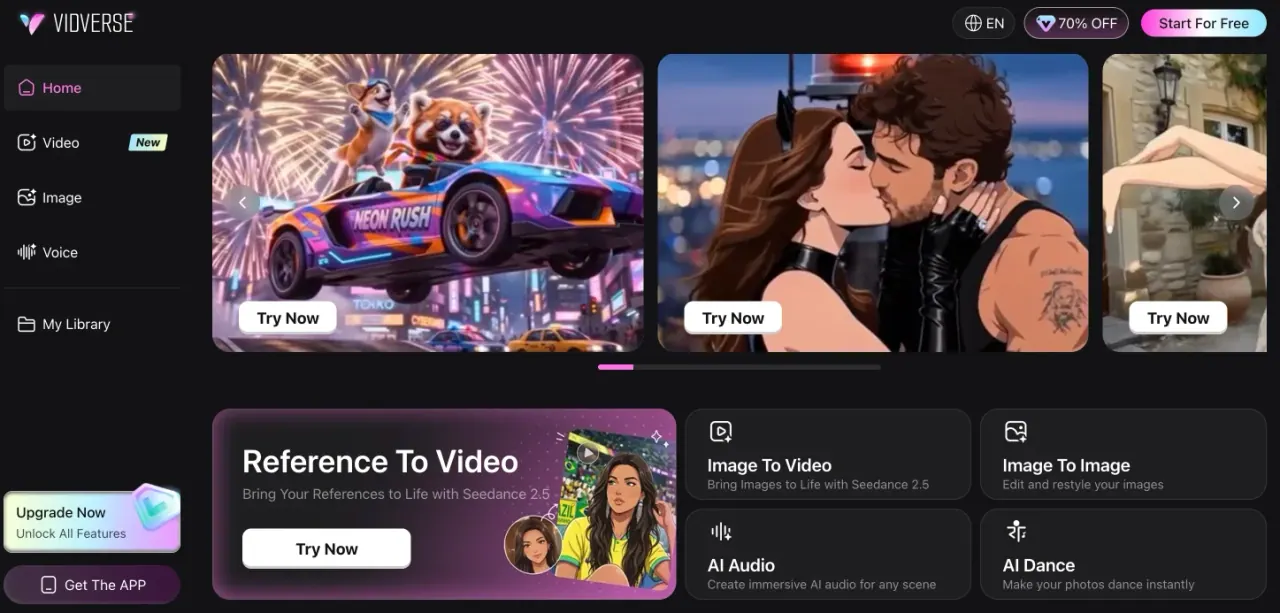
Vidverse AI is a browser-based creative platform that helps you generate and edit AI media—videos, images, voices, and audio—without technical or design skills. Start from a text prompt, a script, an image, or an audio reference to turn ideas into ready-to-share creative output.
For video creation, Vidverse AI supports text-to-video and image-to-video workflows, plus tools to extend videos, enhance results, and edit with AI-powered effects. Templates and free video effects help you speed up production while experimenting with styles and concepts.
On the audio side, you can generate lifelike AI audio for videos, podcasts, ads, and more. Create AI text-to-speech voiceovers with customizable tone, emotion, and pacing. If you want consistent narration or brand voice, instant voice cloning lets you create a reusable custom AI voice model from a short audio recording.
For visuals, Vidverse AI offers an AI image maker to generate high-resolution images from text prompts, plus image-to-image editing to transform, restyle, enhance, and optimize existing visuals using prompts and references (including batch editing). Vidverse AI is a fit for content creators, marketers, podcasters, businesses, and designers building social media videos, product marketing assets, podcasts/audiobooks, and character or story-driven visuals.
Plans & pricing notes: you can start for free, and there is a “70% OFF” promotion shown on the site. New users can claim a first-login reward of 300 credits after registering and logging in.
Can I start using Vidverse AI for free?
Yes—there’s a free starting option. New users can also claim a first-login reward of 300 credits after registering and logging in.
How do I make an AI video with Vidverse AI?
You can generate a video from a text prompt, from a script, or from a reference image. Use templates and AI video editing tools to refine and enhance the result.
What kinds of AI audio can I create?
You can generate realistic voiceovers and AI audio from prompts, including voices, sound effects, ambient sounds, music, and soundscapes. Text-to-speech voiceovers support customization for tone, emotion, and pacing.
How does instant AI voice cloning work?
Create a reusable custom AI voice model from a short audio recording. This helps maintain brand consistency across voiceovers and audio content.
Can I generate images and edit existing images in Vidverse AI?
Yes. Use the AI image maker to create visuals from text prompts, and use image-to-image features to transform, restyle, enhance, and optimize existing images with prompts and references (including batch editing).
What can I create for social media and marketing?
You can build social media videos (like short-form content) and product marketing assets using text-to-video, image-to-video, AI voiceovers, and AI-generated audio/soundscapes in one workflow.
This listing is claimed
Own Vidverse AI? Sign in with the email used to claim it to manage this listing, or upgrade to Pro for featured-first placement and a newsletter feature.