
Uncomplex
Automation AI Tools
Describe file conversions and media/doc tasks in plain English, and Uncomplex runs a chained pipeline in a private in-browser/sandbox workspace.
- Pricing
- Free
- Category
- Automation
- Listed
- Aug 22, 2026
- Updated
- Aug 23, 2026
Promoted
 Pixmax.aiPixmax.ai is an all-in-one AI workspace for videos, visual stories, and marketing content.
 Sidrune AI85% off. Stable Claude API for agent developers. Pay as you go. Invoices & refunds available.
 SEOify - Improve your SEO & rankingsBuild links to rank in Google. Improve your DR with links you can start building now.Advertise here270,000+ people visit Dang.ai every month.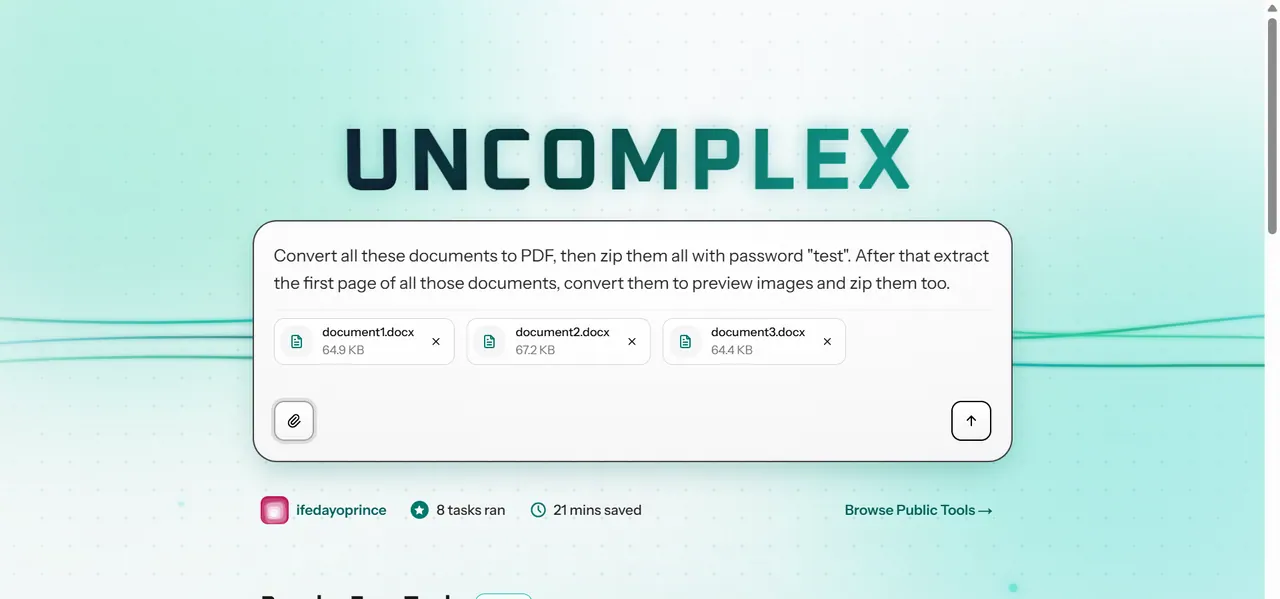
What does Uncomplex do?
Uncomplex is an online file workbench for chaining multiple transformations in one request. Instead of doing the same job across several separate tools, you describe what you need in plain English and it runs the full sequence for you—such as merging and cleaning CSVs, converting and resizing image batches, trimming and compressing videos, or splitting PDFs into images (with archiving).
Run conversions, splits, merges, zips, and other document/media workflows together as one job. Your instructions can include multiple steps like “split this PDF into images, keep every third page, and zip them with a password,” or “trim the first 5 seconds off this video and compress it under 10MB.”
Tasks run in an isolated sandbox (or in-browser) with no persistent file storage: everything is deleted after the job completes, keeping your files private by design.
Can I do multiple steps (like split + zip) in a single run?
Yes. You can describe a multi-step workflow once and Uncomplex chains the transformations so you don’t have to repeat work across several tools.
Do I need to install any software to use Uncomplex?
No. Uncomplex runs as ready-to-use online tools, so you can convert and process files without downloads or installs.
Is my file stored after the job finishes?
No. Files and task data are handled in a private, temporary space and are deleted once the task is done.
What kinds of tasks can I describe in plain English?
You can request file conversions and document/media operations such as CSV to spreadsheet formats, splitting PDFs into images, trimming and compressing videos, and bundling outputs into ZIP archives.
Does Uncomplex process files in a private workspace?
Yes. Jobs run in an isolated sandbox (or in-browser) so processing happens without persistent storage or long-term retention.
This listing is claimed
Own Uncomplex? Sign in with the email used to claim it to manage this listing, or upgrade to Pro for featured-first placement and a newsletter feature.