
TypeFire
AI Productivity Tools
TypeFire is a free Mac text expander, clipboard manager, and Markdown notes app with AI rewrite, translate, and summarize in any app.
- Pricing
- Free
- Category
- Productivity
- Listed
- Sep 18, 2026
- Updated
- Sep 18, 2026
Promoted
 RewindType any X/Twitter handle. Get their year back as a narrated video story. Then ask it anything.
 KurodyneSell the tools from your AI side projects. Listing is free.
 Sidrune AI85% off. Stable Claude API for agent developers. Pay as you go. Invoices & refunds available.
 Pixmax.aiPixmax.ai is an all-in-one AI workspace for videos, visual stories, and marketing content.
 SEOify - Improve your SEO & rankingsBuild links to rank in Google. Improve your DR with links you can start building now.Advertise here270,000+ people visit Dang.ai every month.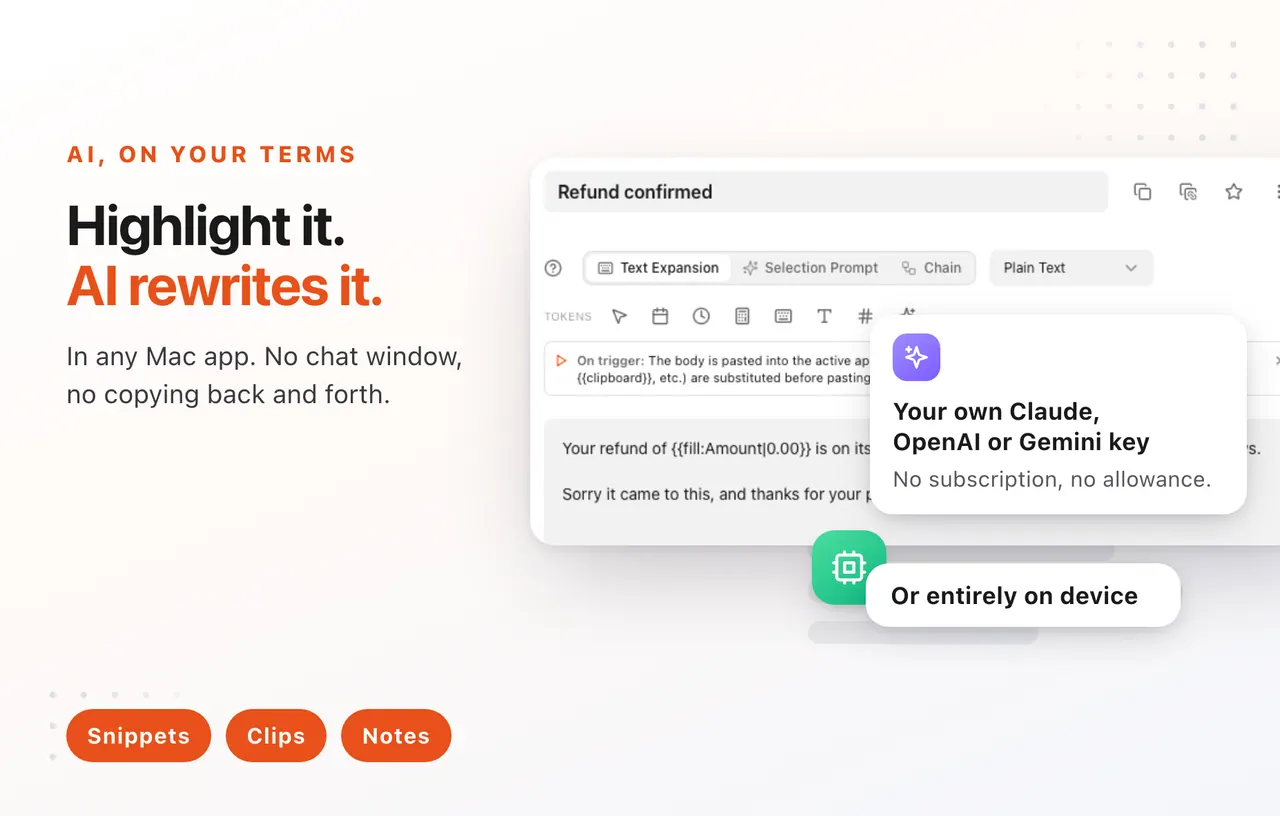
What does TypeFire do?
TypeFire combines three productivity tools—Snippets (text expansion), Clips (clipboard history with searchable screenshots), and Notes (Markdown editing for your existing vault)—inside one Mac app. Everything is one keystroke away and works on top of whatever app you’re using, so you don’t need to switch windows.
In Snippets, you can trigger whole blocks of text by typing a short abbreviation, including rich text and Markdown expansions. Add dynamic tokens like dates, the current clipboard, and cursor placement to turn your snippets into context-aware templates. You can also run scripts (JavaScript or AppleScript) from a snippet to generate and paste computed results.
TypeFire’s AI tokens let you transform selected or clipboard text right where you’re working, using Apple Intelligence on supported Macs (on-device and free) or your own API key/provider for other options. For Clips, everything you copy is searchable and screenshots are indexed via on-device OCR, so text inside images and PDFs can be found. Notes works directly on your Markdown files (including an Obsidian vault) with quick capture and a graph view to help you see how your notes, clips, and snippets connect.
TypeFire syncs via your own iCloud Drive with no TypeFire server in between. A free Chrome extension brings snippet sharing to Windows, Linux, and ChromeOS, keeping the same snippet library across devices.
What does TypeFire do on macOS?
It provides text expansion (Snippets), clipboard history and searchable screenshots (Clips), and Markdown note editing for your existing vault (Notes)—all reachable from system-wide keystrokes.
Do I need to pay to use text expansion?
No. The text expander is free with no subscription and unlimited snippets.
How does TypeFire work inside other apps?
TypeFire detects your typed abbreviations through macOS accessibility hooks, replaces the trigger with the full snippet, and can also open a Spotlight-style search to insert snippets without switching apps.
What AI can TypeFire run?
AI features are exposed as tokens you drop into snippets (like rewrite, summarize, translate, and fix), and they operate on your current selection or clipboard content.
How is AI handled for privacy?
On supported Macs, Apple Intelligence runs on-device. For other providers, you supply your own API keys so requests go to your chosen provider rather than through a TypeFire server.
Can I sync snippets and notes across multiple Macs?
Yes—TypeFire uses iCloud Drive-based sync so your snippets, clips, and notes stay consistent across Macs signed into your Apple ID.
This listing is claimed
Own TypeFire? Sign in with the email used to claim it to manage this listing, or upgrade to Pro for featured-first placement and a newsletter feature.