
Tunenoodle
Audio AI Tools
Tunenoodle turns ideas, lyrics, or humming into playable AI songs and also offers browser-local audio tools like Audio to MIDI and Tap Tempo.
Promoted
 Pixmax.aiPixmax.ai is an all-in-one AI workspace for videos, visual stories, and marketing content.
 AI Checker PlusAI detector that highlights which passages AI wrote. Free check, no sign-up. Plagiarism too.
 RewindType any X/Twitter handle. Get their year back as a narrated video story. Then ask it anything.
 KurodyneSell the tools from your AI side projects. Listing is free.
 Sidrune AI85% off. Stable Claude API for agent developers. Pay as you go. Invoices & refunds available.
 SEOify - Improve your SEO & rankingsBuild links to rank in Google. Improve your DR with links you can start building now.Advertise here270,000+ people visit Dang.ai every month.
What does Tunenoodle do?
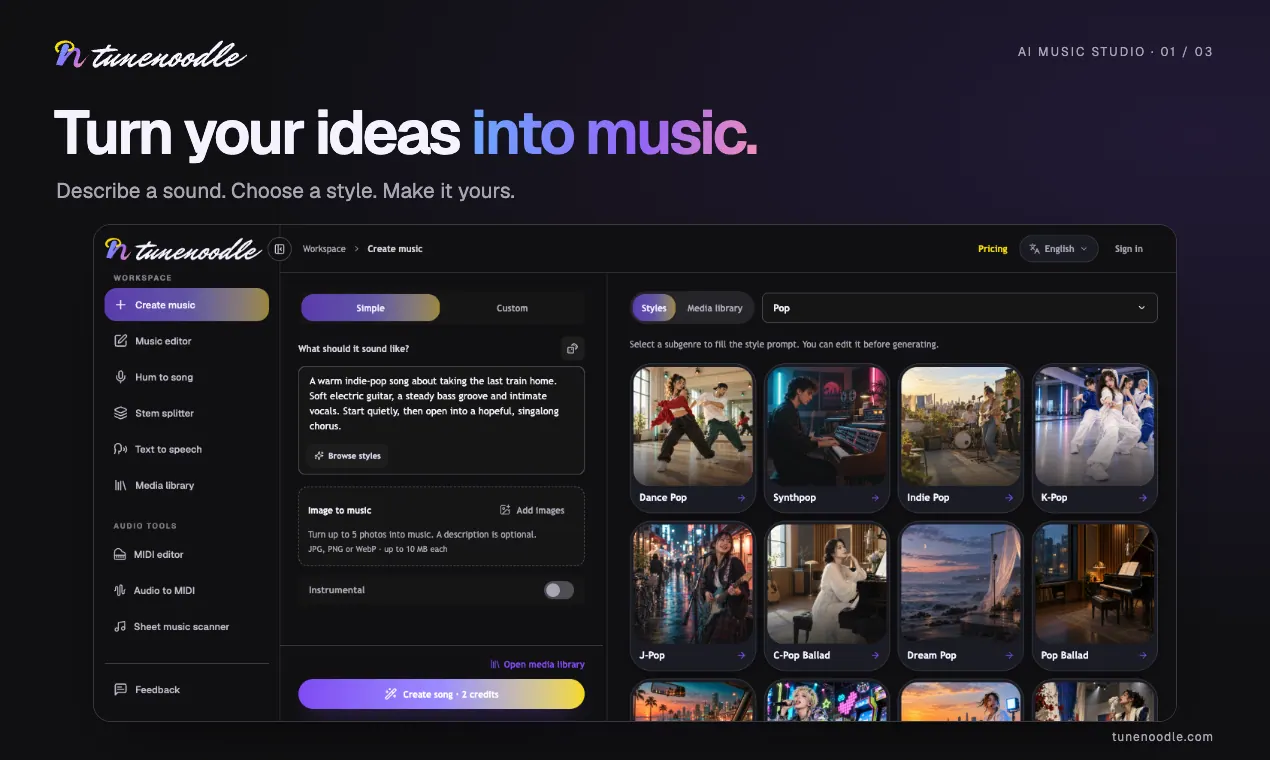
Tunenoodle is a browser-based AI music generator that helps you turn an idea, lyrics, or even a hummed melody into a complete track. Start by choosing a sound, describe what you want, and then listen as your song comes together—without needing instruments, a studio setup, or extra software installs.
Song creation follows three steps: describe your song (subject, style, instruments, and/or lyrics), sign in and submit while reviewing the credit cost before you commit, then play back the results. Finished songs are saved to your private library, where you can download the audio and continue refining your work in the editor.
In addition to generating songs, Tunenoodle includes audio tools that run locally in your browser. These tools let you convert a clear melody into editable MIDI, adjust pitch and timing with preview, export MIDI, and use Tap Tempo to measure tempo by tapping along to a track—no microphone input and no upload for the local tools.
Tunenoodle is a good fit for songwriters and creators who want a quick way to turn sketches into real audio, as well as anyone curious about AI music using a modern, browser-first workflow. New users get 20 free credits at signup for generating songs; downloading generated songs requires a purchased credit pack or an active membership.
Do I need an account to try Tunenoodle?
You can preview homepage templates and use the free browser-local tools without signing in. Signing in is required to generate songs, upload reference media for AI generation, and save results to your private library.
How many credits do I need to generate a song?
Each generation costs the credits shown next to the Create button before you submit. New accounts receive starter credits (20 at signup), and additional credits come via a one-time pack or an active membership.
What’s free, and what requires a credit pack or membership?
Previewing templates and using the local in-browser audio tools are free. Downloading generated songs requires a purchased credit pack or an active membership.
Which audio tools work without uploading files?
Local tools like speed/pitch changes, slowed reverb, and local audio trimming process in your browser. Tools that use images or audio for AI generation, or that save trimmed copies to your library, require uploading the relevant media.
Can I edit a generated song after it’s created?
Yes. Finished tracks appear in your private library, where you can extend a track, replace a section, or combine songs in a mashup. AI edits use credits and create new versions while keeping the original.
What can I do with the browser-local MIDI and tempo tools?
You can convert a clear melody into editable MIDI, adjust pitch and timing with preview, and export a MIDI file. Tap Tempo lets you tap along to a track to read its tempo without microphone input or uploads.
This listing is claimed
Own Tunenoodle? Sign in with the email used to claim it to manage this listing, or upgrade to Pro for featured-first placement and a newsletter feature.