
Transept AI
AI Translator & Translation Tools
AI translation with memory for books and long documents
- Pricing
- Freemium
- Category
- Translation
- Listed
- Jul 18, 2026
- Updated
- Oct 26, 2026
Promoted
 Pixmax.aiPixmax.ai is an all-in-one AI workspace for videos, visual stories, and marketing content.
 RewindType any X/Twitter handle. Get their year back as a narrated video story. Then ask it anything.
 KurodyneSell the tools from your AI side projects. Listing is free.
 Sidrune AI85% off. Stable Claude API for agent developers. Pay as you go. Invoices & refunds available.
 SEOify - Improve your SEO & rankingsBuild links to rank in Google. Improve your DR with links you can start building now.Advertise here270,000+ people visit Dang.ai every month.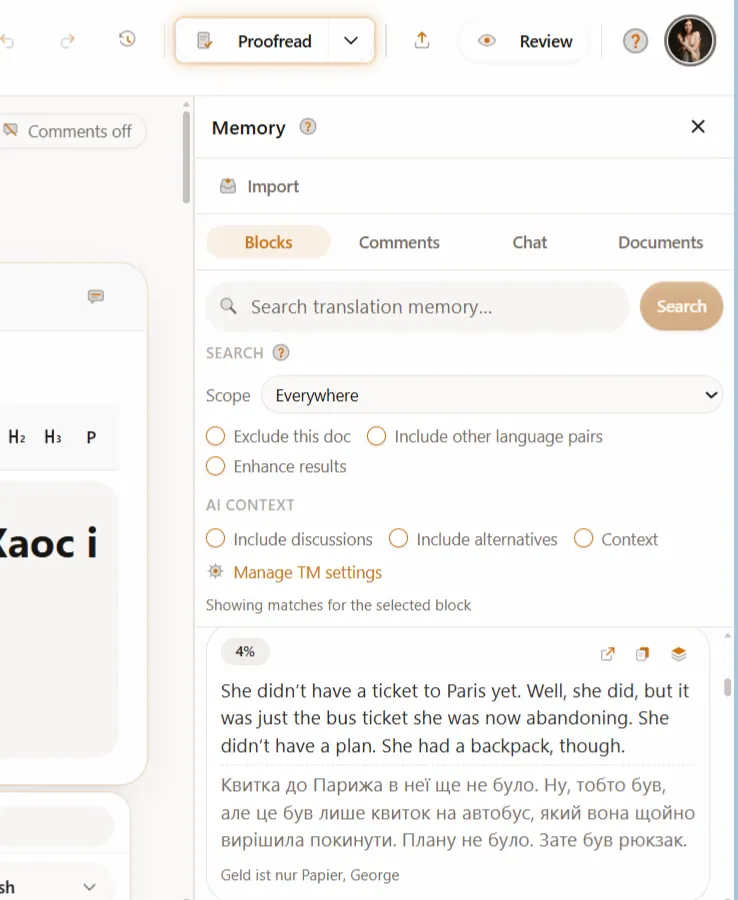
What does Transept AI do?
Transept is an AI translation workspace for books and long documents. A glossary keeps names and terms fixed, a style guide keeps your voice, and translation memory reuses every decision you approve. You read the original and the translation side by side, edit any sentence, and export a DOCX, EPUB or PDF that keeps its layout. Free plan included; paid plans start at €9/$10 a month.
For finer control, steer sentences with directions (for example, “more formal” or “keep the metaphor”) while your glossary and styleguide feed in automatically. A literary editor called Literess can review tone and meaning drift and run workflows, followed by a clean review mode with comments on any block.
What does Transept AI mean by “decision-context memory”?
When you approve translations, Transept remembers the wording and the reasoning behind it—along with alternatives and comments—so your next translation runs can reuse your decisions across documents and teams.
How do glossaries and styleguides help with translation consistency?
You build terminology and tone rules once (e.g., character names, branded phrases, style and rules) and toggle them on per document, so the same terminology and voice carry from page 1 onward.
What file formats can I import and export?
You can upload DOCX, EPUB, Markdown, TXT or PDF files, import from Notion or Google Drive, or paste in text. Exports go back to DOCX, Notion, Google Docs or Markdown, an EPUB goes back out as the same e-book, and a PDF can be translated as text only or written onto its own pages.
What’s the difference between Standard and Pro mode?
Standard is fast and accurate for most content, while Pro mode uses a deeper model to better preserve nuance, tone, and voice. Standard mode costs 1 credit per source word and Pro mode costs 3.
Can I steer tone at a sentence level?
Yes. Add directions like “more formal” or “keep the metaphor,” and Transept uses your glossary and styleguide automatically so the rewrite follows your rules while the rest of the page stays intact.
Is the free plan credit-card free, and what do I get?
Yes. The Free plan gives you 5,500 credits a month with no credit card required. It includes glossary, styleguide, QA, comments, sharing, and related workflow features.
How much do Transept's paid plans cost?
Paid plans are Lite at €9/$10 a month, Starter at €29/$33 a month and Pro at €79/$90 a month. Credit packs start at €19/$22 and never expire.
This listing is claimed
Own Transept AI? Sign in with the email used to claim it to manage this listing, or upgrade to Pro for featured-first placement and a newsletter feature.