
Torii Image Translator
AI Translator & Translation Tools
Torii Image Translator is a browser extension and web app that translates manga, manhwa, and webtoons in one click, with an in-page editor.
- Pricing
- Free
- Category
- Translation
- Listed
- Oct 13, 2026
- Updated
- Oct 29, 2026
Promoted
 Pixmax.aiPixmax.ai is an all-in-one AI workspace for videos, visual stories, and marketing content.
 AI Checker PlusAI detector that highlights which passages AI wrote. Free check, no sign-up. Plagiarism too.
 RewindType any X/Twitter handle. Get their year back as a narrated video story. Then ask it anything.
 KurodyneSell the tools from your AI side projects. Listing is free.
 Sidrune AI85% off. Stable Claude API for agent developers. Pay as you go. Invoices & refunds available.
 SEOify - Improve your SEO & rankingsBuild links to rank in Google. Improve your DR with links you can start building now.Advertise here270,000+ people visit Dang.ai every month.
What does Torii Image Translator do?
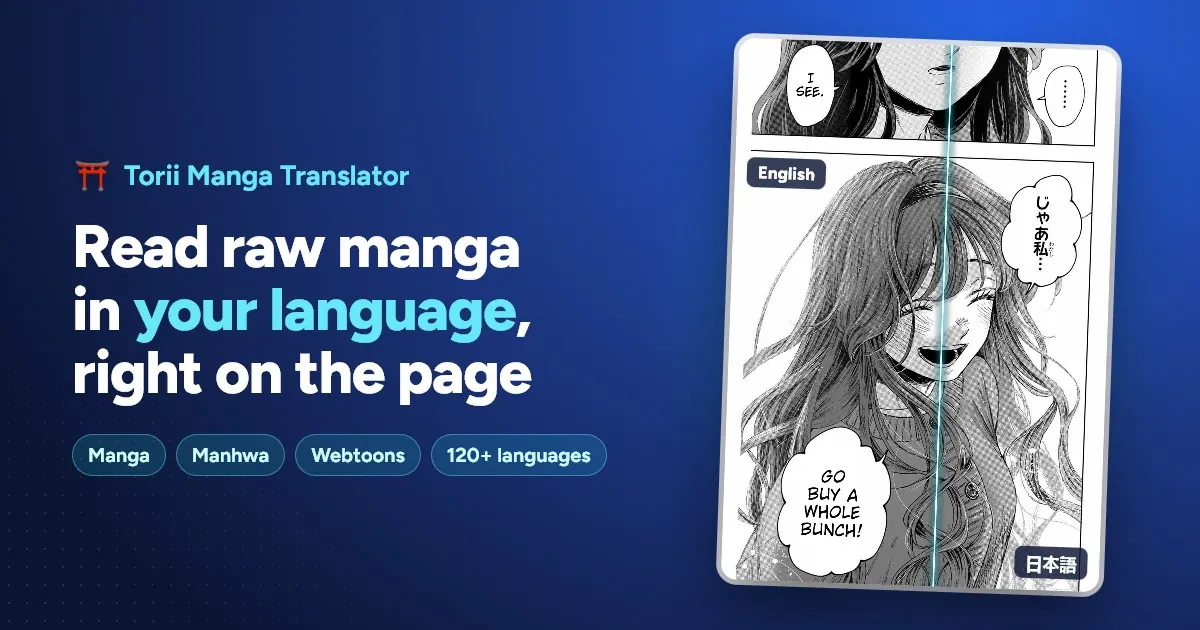
Torii Image Translator adds AI translation directly to how you read comics. Use the browser extension to translate manga, manhwa, and webtoons in one click while you’re browsing, or open the web app to translate your own files like whole chapters saved as images, ZIPs, or PDFs.
A standout feature is the built-in editor. After translation, you can fix and restyle speech bubbles right in the browser: move, resize, rotate, and rewrite text. If bubbles or lines need attention, use brush/eraser tools and AI inpainting to clean up leftover text and sound effects so the page still looks like a comic—not pasted-on text.
Torii is built to handle different comic formats, including long manhwa and webtoon strips that come as one tall image. Whole strips can be translated at full resolution, and the translation works across panels so you don’t have to cut the art into separate pages first. It also supports translating beyond comics, including visual novels, live translation for games, and documents like light novels, PDFs, and subtitles.
Torii is free to install and includes free credits to try everything, with no card required. If you bring your own AI provider API key, translations use a flat 1 credit per image, and your account keeps a single credit balance across devices.
What can I translate with Torii Image Translator?
Torii translates manga, manhwa, and webtoons in one click. It can also handle visual novels, live translation for games, and documents such as light novels, PDFs, and subtitles.
Can I edit speech bubbles after Torii translates?
Yes. Torii includes a built-in editor where you can move, resize, rotate, restyle, and rewrite any bubble, and clean up leftover text or sound effects using brush/eraser and AI inpainting.
Can I translate an entire chapter file (not just what I’m viewing in the browser)?
Yes. In the web app you can upload images, ZIPs, or PDFs and bulk translate every page in one click, including cleaning or colorizing a whole chapter.
Does Torii work for long manhwa/webtoon strips?
Yes. Torii translates the whole strip at full resolution, including very tall chapters, without requiring you to cut the strip into separate pages first.
How do free credits and API keys work?
Torii is free to install and comes with free credits to try everything (no card required). If you provide your own API key, translations use a flat 1 credit per image, and your single credit balance applies across devices.
Which languages can Torii translate?
Torii supports 140+ languages, with Japanese, Korean, and Chinese into English among common favorites. It can detect the source language automatically and supports any pair within that set.
Is this your tool?
Claim Torii Image Translator to manage this listing, or upgrade to Pro for featured-first placement and a newsletter feature.