
SkipBait
AI Productivity Tools
SkipBait is a Chrome extension that generates timestamped AI summaries and a web-grounded chat for YouTube—without leaving the video page.

- Pricing
- Free
- Category
- Productivity
- Listed
- Jul 13, 2026
- Updated
- Jul 14, 2026
Promoted
 Pixmax.aiPixmax.ai is an all-in-one AI workspace for videos, visual stories, and marketing content.
 Sidrune AI85% off. Stable Claude API for agent developers. Pay as you go. Invoices & refunds available.
 SEOify - Improve your SEO & rankingsBuild links to rank in Google. Improve your DR with links you can start building now.Advertise here270,000+ people visit Dang.ai every month.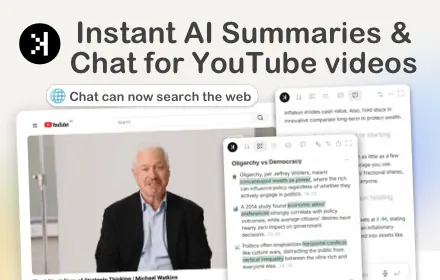
What does SkipBait do?
SkipBait brings AI summaries, transcripts, and Q&A directly into YouTube. Install the Chrome extension, open any YouTube video, and get an honest title, a TLDR, and a timestamped breakdown in seconds.
Need more than a recap? Use the intelligent AI chat panel to ask questions and receive concise answers grounded in the video context—plus web-searched sources for added grounding beyond the transcript. You can also download transcripts from the side panel and translate them to 20+ languages.
For a focused workflow, use expanded mode and review your recent results in view history. SkipBait is designed for long-form content as long as the video has usable transcript data.
What does SkipBait do on a YouTube video page?
It generates an AI summary (with honest title, TLDR, and a timestamped outline), provides instant transcripts, and adds an AI chat panel to ask questions about the video.
How does the AI chat answer questions—does it only use the transcript?
Answers are grounded in the video context and also use live web search sources, so you’re not limited to the transcript alone.
Is SkipBait available for browsers besides Chrome?
SkipBait works on any Chromium-based browser that supports Chrome Web Store extensions (e.g., Chrome, Brave, Edge, Arc, Opera, Vivaldi). Firefox and Safari are not supported.
Will SkipBait summarize long YouTube videos?
Yes, typically—provided the video has usable transcript data. If a video lacks workable transcripts, support may be limited.
What languages can I translate transcripts into?
SkipBait supports 50+ languages for chat, and transcripts can be translated to 20+ languages.
Can I download and share the summary or transcript?
Yes. You can download transcripts from the extension side panel and share summary content and transcripts easily from the extension.
This listing is claimed
Own SkipBait? Sign in with the email used to claim it to manage this listing, or upgrade to Pro for featured-first placement and a newsletter feature.