
SheetStatement
AI Finance Modeling Tools
Turn PDF or scanned bank/credit card statements into verified Excel/CSV and QuickBooks or Xero-ready exports with AI.
Promoted
 Sidrune AI85% off. Stable Claude API for agent developers. Pay as you go. Invoices & refunds available.
 Pixmax.aiPixmax.ai is an all-in-one AI workspace for videos, visual stories, and marketing content.
 AI Checker PlusAI detector that highlights which passages AI wrote. Free check, no sign-up. Plagiarism too.
 RewindType any X/Twitter handle. Get their year back as a narrated video story. Then ask it anything.
 KurodyneSell the tools from your AI side projects. Listing is free.
 SEOify - Improve your SEO & rankingsBuild links to rank in Google. Improve your DR with links you can start building now.Advertise here270,000+ people visit Dang.ai every month.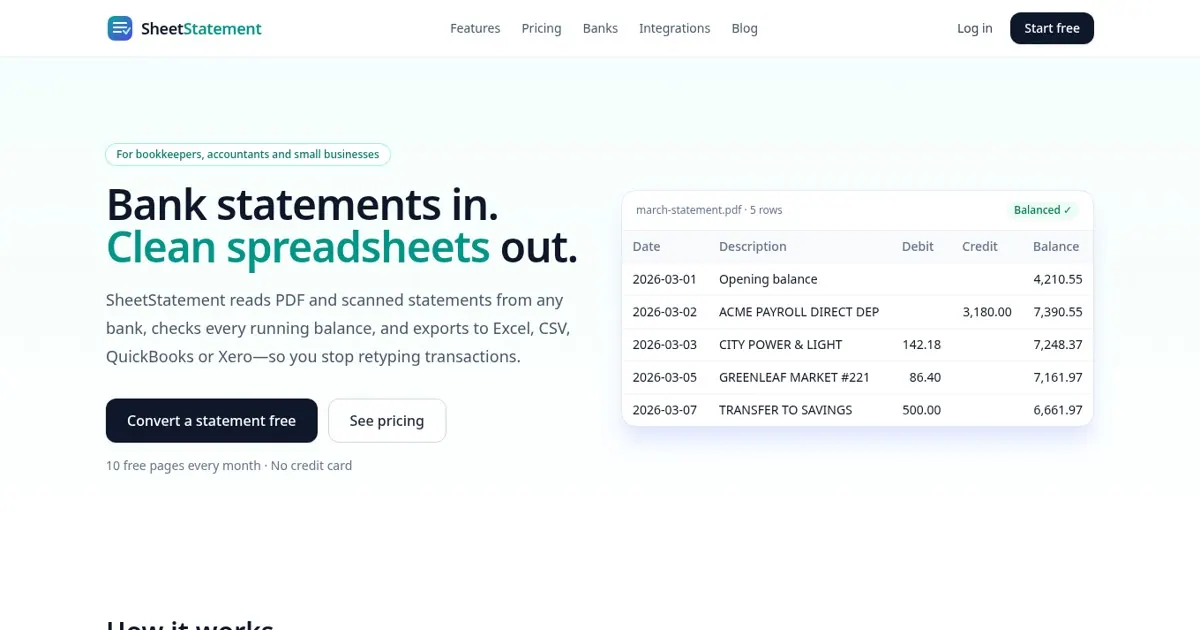
What does SheetStatement do?
SheetStatement converts PDF and scanned bank or credit card statements into clean, structured spreadsheets—so you don’t have to retype transactions line by line. It parses statement layouts (including scans and phone photos) and produces a reviewable table with dates, debits, credits, and running balances.
A core part of the workflow is reconciliation. SheetStatement recomputes the running balance row by row using the statement’s opening balance and transaction effects, then highlights any mismatches for you to check before exporting. You can edit cells directly in the review table so issues like dates, descriptions, or categories can be corrected in-app.
After review, export your transactions into the format that fits your bookkeeping process. Options include Excel (.xlsx) workbooks, UTF-8 CSV, QuickBooks files for Web Connect (QBO) and Desktop (IIF), Xero bank CSV, and JSON for developers. Conversions are kept in your history so you can re-download when needed.
SheetStatement is designed for bookkeepers, accountants, and small businesses handling monthly statement imports, as well as anyone who wants a faster, accuracy-focused way to turn statement PDFs into accounting-ready records. Pricing starts with a free plan offering 3 pages per month; paid plans scale by monthly page limits.
Which file types can I upload to SheetStatement?
You can upload PDF statements and scanned statements, including scans and phone photos. Each converted statement page counts toward your plan’s page limit.
How does SheetStatement verify that the running balances are correct?
It recomputes balances row by row using the statement opening balance plus credits and debits. Any rows that don’t match the printed balances are highlighted so you can review before exporting.
Can I edit extracted data before exporting?
Yes. You can edit any cell directly in the balance-checked review table, including items like date, description, or category, before anything leaves the app.
Which export formats are available?
You can export to Excel (.xlsx), UTF-8 CSV, QuickBooks (QBO for Web Connect and IIF for Desktop), Xero bank CSV, and JSON.
Which banks and credit card issuers are supported?
SheetStatement works with statements from major issuers such as Chase, Bank of America, Wells Fargo, Citi, Capital One, U.S. Bank, PNC, TD Bank, HSBC, Barclays, Truist, Ally Bank, Navy Federal Credit Union, Discover, and American Express.
What’s included in the free plan and how does pricing work?
The free plan is $0/month and includes 3 pages per month, with no credit card required and cancellation anytime. Paid plans scale by pages processed per month (for example, 150 pages on Starter, 500 on Pro, and 1,500 on Business).
This listing is claimed
Own SheetStatement? Sign in with the email used to claim it to manage this listing, or upgrade to Pro for featured-first placement and a newsletter feature.