
Shadow Card
AI Productivity Tools
Snap a paper card, auto-fill your details with AI, design a digital card, and export as a PNG or share a Pro profile link.
- Pricing
- Freemium
- Category
- Productivity
- Listed
- Nov 25, 2026
- Updated
- Nov 25, 2026
Promoted
 MuzieCreate professional AI music videos starring you. Bring a song or make one, done in minutes.
 AI Checker PlusAI detector that highlights which passages AI wrote. Free check, no sign-up. Plagiarism too.
 Pixmax.aiPixmax.ai is an all-in-one AI workspace for videos, visual stories, and marketing content.
 SEOify - Improve your SEO & rankingsBuild links to rank in Google. Improve your DR with links you can start building now.Advertise here330,000+ people visit Dang.ai every month.
What does Shadow Card do?
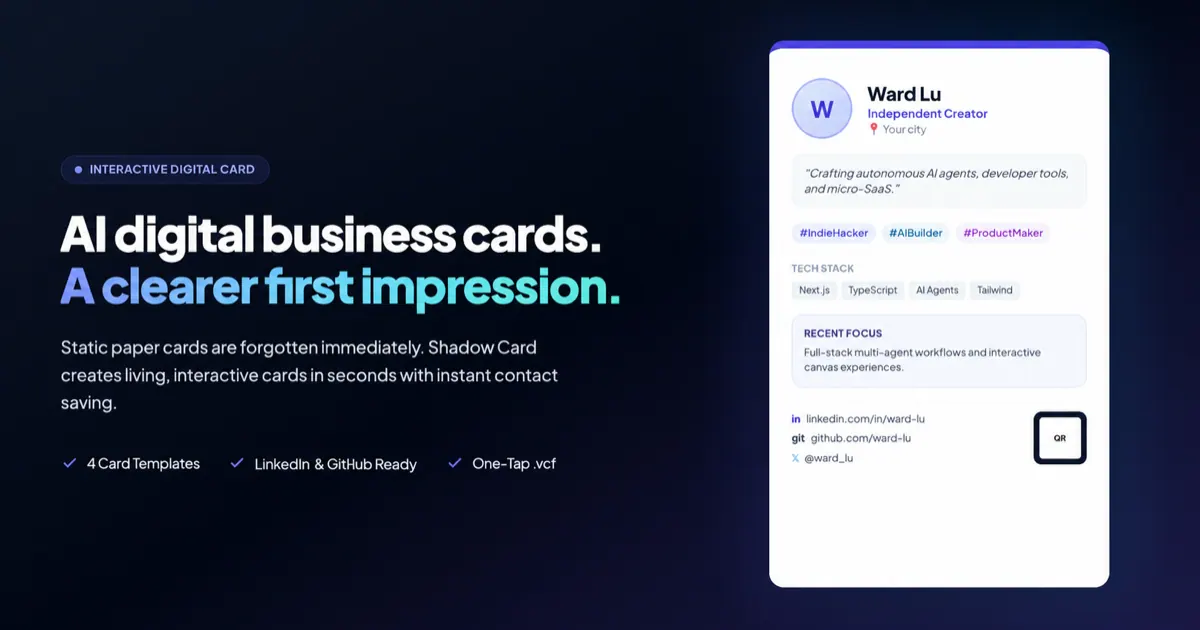
Shadow Card turns a paper business card into a shareable digital introduction. Upload a photo of a card (or enter details manually), and AI can extract your name, title, contact information, and help polish your bio so your card reads like a clean, current profile.
Use the Card Atelier editor to style your card in real time. Pick from four live-preview templates—Business, Tech, Minimal, or Creative—and choose from preset color themes. You can also add identity tags such as expertise and recent focus, then include a QR code that points to your homepage/profile page. When you’re ready, export a PNG image for sharing in messages or introductions.
Shadow Card includes both free and Pro plans. Free editing and preview are available without sign-in, but exports require an account and include a “Powered by Shadow Card” watermark on standard-resolution PNGs. Pro provides watermark-free, ultra-HD PNG exports, plus a public digital profile page with a custom /@yourname link (with a 30-day cooldown on URL changes), cloud sync, and visitor analytics.
This tool is for freelancers, indie makers, consultants, and anyone who wants a faster way to share contact details at events—without rebuilding a website. Drafts auto-save locally in your browser, so you can return to refine your card anytime.
Can I create and edit a Shadow Card for free?
You can preview and edit without signing in. To export PNGs, you’ll need an account.
What do I get with Free vs Pro exports?
Free exports are standard-resolution PNGs that include a “Powered by Shadow Card” watermark. Pro exports are ultra-HD and watermark-free.
How does AI card-photo autofill work?
Upload a photo of a paper card, then AI extracts fields like name, title, and contact details. Review and edit the extracted information before using your card.
Do AI autofill and bio polishing cost credits?
Yes. AI card-photo autofill and AI text polishing use credits, with Free receiving 10 credits per month and Pro receiving 50 credits per month.
What is the Pro custom profile link (/@yourname)?
Pro adds a public profile page with a custom /@yourname link for sharing. Changing the custom URL has a 30-day cooldown.
Will every messaging app preserve my PNG quality?
Not always. Some apps resize or recompress images, which can make cards look blurry—sharing the profile link can help avoid that.
This listing is claimed
Own Shadow Card? Sign in with the email used to claim it to manage this listing, or upgrade to Pro for featured-first placement and a newsletter feature.