Screenshot Text
AI Productivity Tools
Mac OCR with a local AI that fixes code. Nothing leaves your Mac
- Pricing
- Freemium
- Category
- Productivity
- Listed
- Nov 10, 2026
- Updated
- Nov 10, 2026
Promoted
 KurodyneSell the tools from your AI side projects. Listing is free.
 Sidrune AI85% off. Stable Claude API for agent developers. Pay as you go. Invoices & refunds available.
 Pixmax.aiPixmax.ai is an all-in-one AI workspace for videos, visual stories, and marketing content.
 AI Checker PlusAI detector that highlights which passages AI wrote. Free check, no sign-up. Plagiarism too.
 RewindType any X/Twitter handle. Get their year back as a narrated video story. Then ask it anything.
 SEOify - Improve your SEO & rankingsBuild links to rank in Google. Improve your DR with links you can start building now.Advertise here330,000+ people visit Dang.ai every month.
What does Screenshot Text do?
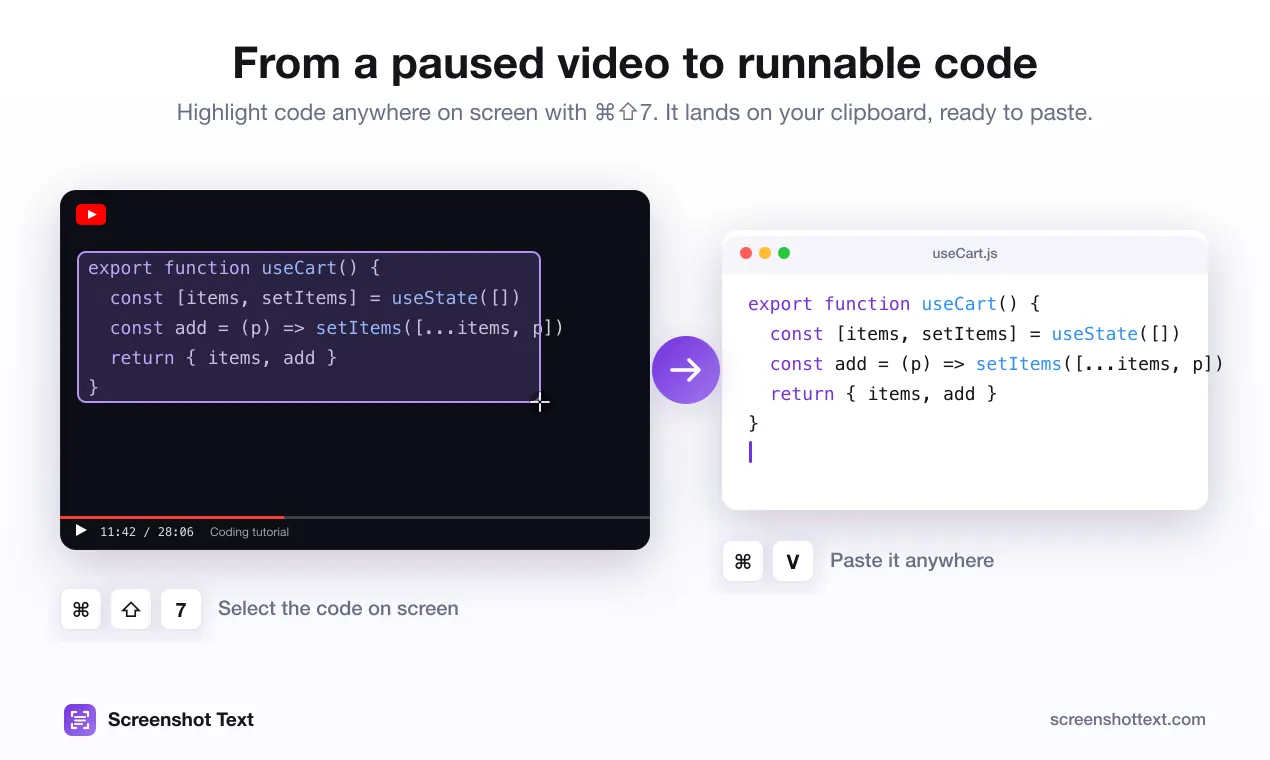
Screenshot Text is a Mac menu bar app that turns anything on your screen into text you can paste, in one keystroke. Press Cmd-Shift-7 and drag over a paused coding tutorial, a scanned PDF, a photo, a slide, or an app that won't let you select text. The text lands on your clipboard.
It's built for developers. Plain OCR flattens source code: indentation disappears, quotes turn curly, a capital I becomes a lowercase l. Screenshot Text's optional Optimize for code pass runs a small open-source model (Qwen2.5-Coder via llama.cpp) entirely on your Mac to repair what OCR gets wrong, so copied code actually runs.
Everything happens on-device: Apple's Vision framework for recognition, a local model for cleanup. No account, no uploads, no analytics, and it works offline. It reads 14 languages.
Who it's for: developers copying code from videos and screenshots, students and researchers pulling text from scanned PDFs and slides, and anyone stuck with text in an app, remote desktop or VM that won't let them copy.
Pricing: free for 5 captures a day with the full app; a $39 one-time lifetime license unlocks unlimited captures and all future updates. Requires macOS 13 Ventura or later on Apple Silicon.
This listing is claimed
Own Screenshot Text? Sign in with the email used to claim it to manage this listing, or upgrade to Pro for featured-first placement and a newsletter feature.