
Screenify Studio
AI Productivity Tools
Screenify Studio is a Mac app for turning screen recordings into cinematic, staged product demos using smart zoom and on-device AI.
- Pricing
- Free
- Category
- Productivity
- Listed
- Sep 22, 2026
- Updated
- Sep 23, 2026
Promoted
 AI Checker PlusAI detector that highlights which passages AI wrote. Free check, no sign-up. Plagiarism too.
 RewindType any X/Twitter handle. Get their year back as a narrated video story. Then ask it anything.
 KurodyneSell the tools from your AI side projects. Listing is free.
 Sidrune AI85% off. Stable Claude API for agent developers. Pay as you go. Invoices & refunds available.
 Pixmax.aiPixmax.ai is an all-in-one AI workspace for videos, visual stories, and marketing content.
 SEOify - Improve your SEO & rankingsBuild links to rank in Google. Improve your DR with links you can start building now.Advertise here270,000+ people visit Dang.ai every month.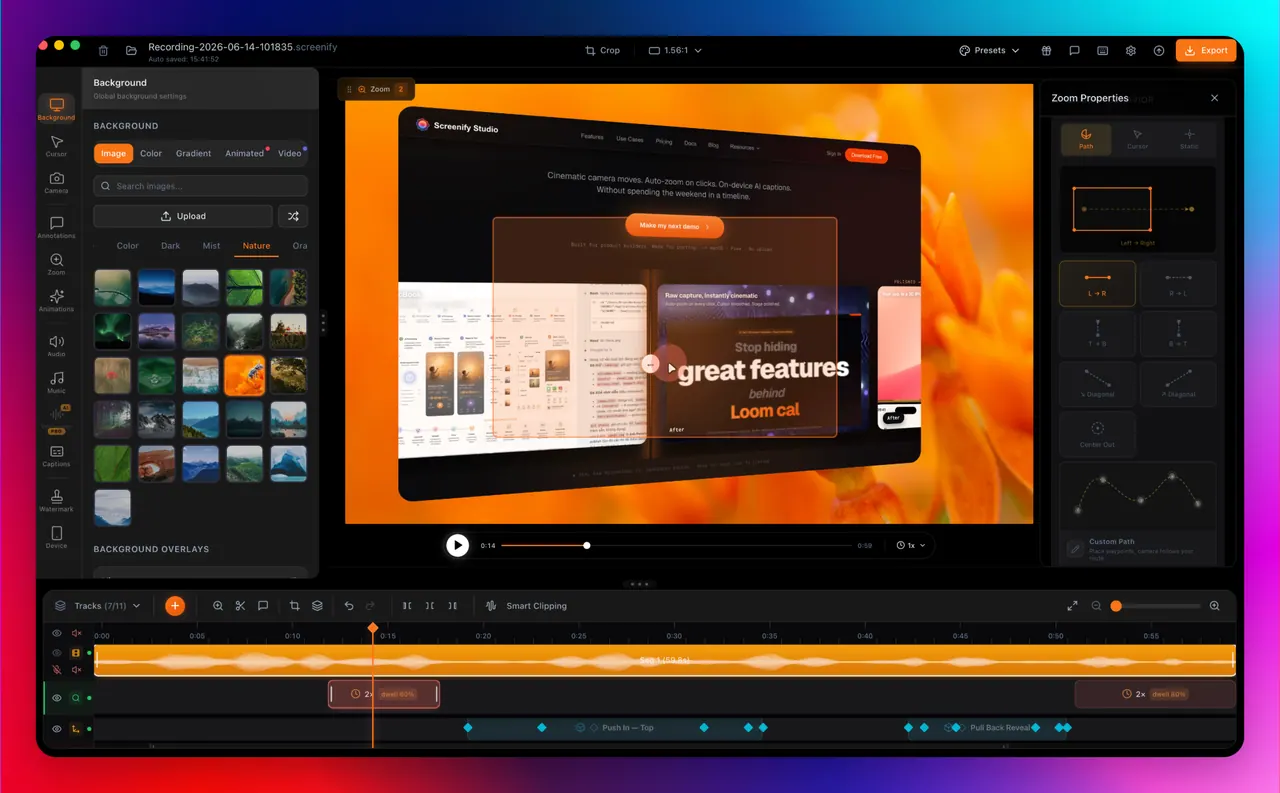
What does Screenify Studio do?
Screenify Studio is the cinematic screen recorder and device mockup studio for indie hackers and technical founders who want their demos to look as good as what they ship. Record your Mac, iPhone, or iPad screen and transform raw captures into polished product demos without leaving your workspace.
The studio includes smart Auto-Zoom that follows clicks and typing, cursor styling, and a teleprompter-style Speaker Notes overlay. You can also work with a Smart Timeline to cut, trim, and manage multiple clips in a more directed editing flow.
For web and multi-device demos, Screenify can point at a URL for guided, click-through recording and styling, or you can describe a demo in plain language for an AI-driven browser walkthrough. It also stages recordings inside photo-real MacBook, iPhone, and iPad frames (including multi-device scenes), with effects like cinematic camera moves and callout highlights. On Apple Silicon, key AI features (captions, translation, background removal) run locally, and exports support native 4K options and social-friendly sizing.
What is Screenify Studio used for?
It’s for creating polished product demo videos from Mac screen recordings, and presenting them in photo-real iPhone/iPad/Mac device mockups. You can also generate web demos with guided browser recording and cinematic effects.
Does it run on macOS only?
Yes. Screenify Studio is macOS-focused and designed for Apple Silicon and modern macOS versions to use native performance.
Is anything uploaded when using the on-device AI features?
For on-device AI workflows, key processing runs locally on your Mac, including captions, translation, and background removal. Data only leaves your machine if you choose to share.
What does Smart Auto-Zoom do?
It auto-zooms during recording based on interaction signals like clicks and typing, helping the viewer’s attention stay on what matters.
Can Screenify record multi-device demos in one scene?
Yes. You can stage recordings across iPhone, iPad, and Mac together in a single cinematic multi-device scene with one camera move.
What export options are available?
You can export screen demos in common video formats and use one-tap sizing for platforms like YouTube, TikTok, and Reels, including 4K native export options.
This listing is claimed
Own Screenify Studio? Sign in with the email used to claim it to manage this listing, or upgrade to Pro for featured-first placement and a newsletter feature.