
SciFig
AI Image Generators from Text Tools
SciFig turns text, sketches, references, PDFs, and lab photos into publication-ready scientific figures that stay editable and export as PPTX or SVG.
- Pricing
- Free
- Category
- Image
- Listed
- Jul 11, 2026
- Updated
- Jul 11, 2026
Promoted
 Sidrune AI85% off. Stable Claude API for agent developers. Pay as you go. Invoices & refunds available.
 Pixmax.aiPixmax.ai is an all-in-one AI workspace for videos, visual stories, and marketing content.
 SEOify - Improve your SEO & rankingsBuild links to rank in Google. Improve your DR with links you can start building now.Advertise here270,000+ people visit Dang.ai every month.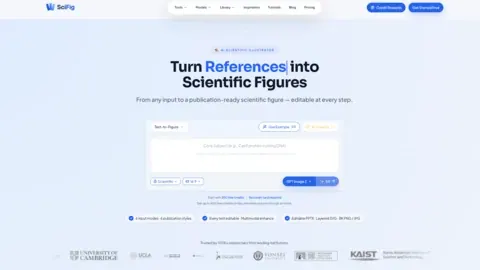
What does SciFig do?
SciFig is an AI scientific illustrator that converts common research inputs—text prompts, hand-drawn sketches, reference images, research PDFs, and lab photos—into publication-ready scientific figures.
Work in one place across three stages: generate a figure from your input, enhance details without starting over, and vectorize outputs for finer control. Choose from six publication styles (scientific, line, 3D, editorial, sketch, watercolor) or use Auto mode to follow your prompt.
After generation, keep every step editable. Update text (content, font, size, and position), regenerate selected regions using natural-language prompts, and use multimodal/8K upscaling for clearer results. When you’re ready to polish layouts and elements, export as editable PPTX or layered SVG and fine-tune within SciFig’s built-in canvas with undo/redo.
What kinds of inputs can I use in SciFig?
You can start with text prompts, hand-drawn sketches, reference images, research PDFs, or lab photos. SciFig routes each input type into figure generation and refinement workflows.
Can I edit text and layouts after a figure is generated?
Yes. SciFig keeps output editable, letting you change text content, font, size, and position directly rather than rebuilding the figure from scratch.
How does “enhance” differ from generating from scratch?
Enhance focuses on refining details while preserving the existing figure. You can regenerate specific regions with natural-language instructions and keep the rest of the composition intact.
What export formats are available for publication and redesign work?
You can export figures as editable PPTX or layered SVG. The built-in canvas supports undo/redo for more detailed adjustments without needing a separate design roundtrip.
Does SciFig support journal-style figure outputs?
Yes. You can select publication styles engineered for journal paper looks (or use Auto mode to follow your prompt).
Is there a way to get started without payment?
New users can sign up for free, with credit rewards available (including an invite-based option for additional free credits on day one).
This listing is claimed
Own SciFig? Sign in with the email used to claim it to manage this listing, or upgrade to Pro for featured-first placement and a newsletter feature.