
Routine
AI Productivity Tools
Routine is an AI-powered workspace that centralizes tasks, meetings, projects, notes, and voice delegation so you can capture, plan, and act in one place.
- Pricing
- Free
- Category
- Productivity
- Listed
- Oct 8, 2026
- Updated
- Oct 29, 2026
Promoted
 Pixmax.aiPixmax.ai is an all-in-one AI workspace for videos, visual stories, and marketing content.
 AI Checker PlusAI detector that highlights which passages AI wrote. Free check, no sign-up. Plagiarism too.
 RewindType any X/Twitter handle. Get their year back as a narrated video story. Then ask it anything.
 KurodyneSell the tools from your AI side projects. Listing is free.
 Sidrune AI85% off. Stable Claude API for agent developers. Pay as you go. Invoices & refunds available.
 SEOify - Improve your SEO & rankingsBuild links to rank in Google. Improve your DR with links you can start building now.Advertise here270,000+ people visit Dang.ai every month.
What does Routine do?
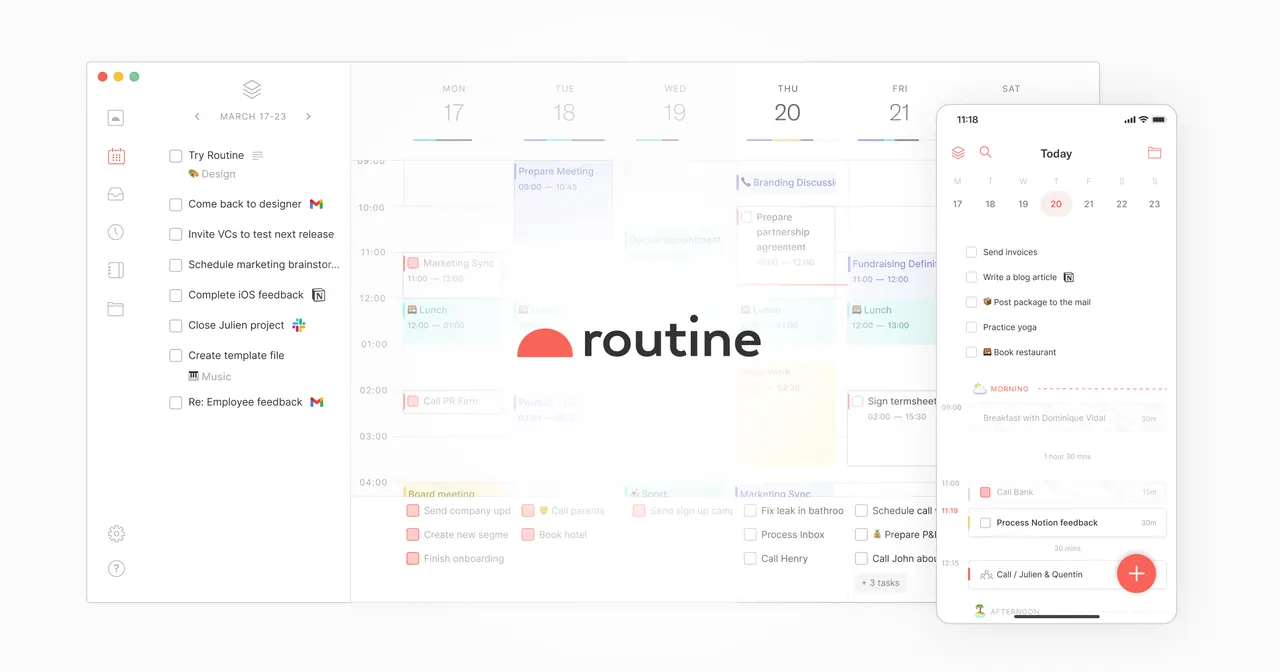
Routine brings your work into a single AI-powered workspace—so you can manage tasks, meetings, projects, notes, and planning without bouncing between apps. Instead of keeping information scattered, Routine centralizes it into a universal inbox where you can import tasks, messages, and notifications from your apps and services.
Capture work fast with a desktop hotkey: create tasks at speed, enrich them with context, and keep moving without switching contexts. Once work is in Routine, you can plan your week in one screen, schedule meetings, and block time for priority tasks. Organize everything your way using labels, priorities, and projects, plus a customizable data model for the entities you work with every day.
Routine also turns meetings into usable outcomes. Record meetings to automatically generate a summary, along with a transcript and the original audio. Review past meeting notes quickly, then customize how action items appear—such as checklist items, tasks, or custom objects—so follow-through is built into the workflow.
To extend Routine beyond day-to-day use, connect it to your AI assistant via MCP or API and operate your workspace through it. You can also build AI automations that connect tools, organize information, and keep it updated with less manual effort. Routine is available on macOS, Windows, Linux, web, and iOS (iPhone, iPad, and watch) and Android (phone, tablet, and watch). Start with a free option (“Get started for free”).
What can I centralize in Routine?
Routine centralizes tasks, meetings, projects, notes, and planning. It also brings tasks, messages, and notifications into a universal inbox for consolidated capture.
How does the universal inbox help me capture work?
You can import tasks, messages, and notifications from your apps and services into one place. This reduces the need to track work across multiple tools.
Can I capture new tasks quickly without switching apps?
Yes. Routine supports a desktop hotkey to create tasks quickly, then enrich them with context while you stay in your current workflow.
What happens when I record a meeting in Routine?
Routine can generate a summary along with a transcript and the original audio. You can then locate past meetings and turn action items into checklist items, tasks, or custom objects.
How can I use an AI assistant with Routine?
You can connect your AI assistant through MCP or API and operate your workspace from it. You can also build AI automations to connect tools and keep information organized and up to date.
Does Routine have a free option to start?
Yes—there’s a “Get started for free” option to begin.
Is this your tool?
Claim Routine to manage this listing, or upgrade to Pro for featured-first placement and a newsletter feature.