
ReceiptMaker AI
AI Productivity Tools
Create professional, branded receipts instantly with AI or templates—no signup required—and download as PDF, PNG, or JPG.
- Pricing
- Free
- Category
- Productivity
- Listed
- Oct 5, 2026
- Updated
- Oct 23, 2026
Promoted
 Sidrune AI85% off. Stable Claude API for agent developers. Pay as you go. Invoices & refunds available.
 Pixmax.aiPixmax.ai is an all-in-one AI workspace for videos, visual stories, and marketing content.
 RewindType any X/Twitter handle. Get their year back as a narrated video story. Then ask it anything.
 KurodyneSell the tools from your AI side projects. Listing is free.
 SEOify - Improve your SEO & rankingsBuild links to rank in Google. Improve your DR with links you can start building now.Advertise here270,000+ people visit Dang.ai every month.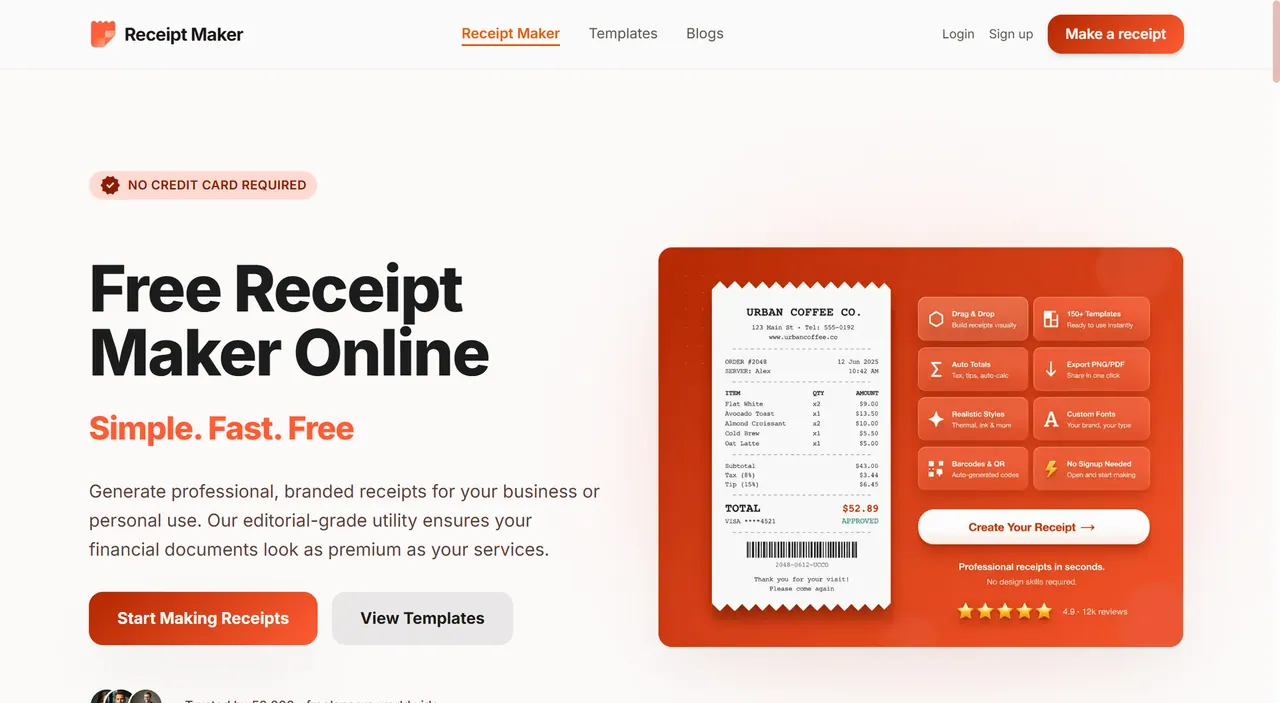
What does ReceiptMaker AI do?
ReceiptMaker AI is a free, browser-based receipt generator that helps you create professional receipts without manual layout work. Generate a receipt by prompting it with what you need, or start from a ready-made template and fill in the details for a polished result.
Choose from 100+ receipt templates (including popular retailer-style options) or begin from scratch. Customize receipt style and formatting with real-time editing—store name, date and time, transaction info, itemized lists, taxes, totals, and payment method. You can also add custom messages, include or remove a receipt background, and adjust size and typography options (including several thermal and display styles).
When your receipt looks right, download it in a high-resolution PDF for archiving or export as PNG/JPG for easy sharing, email, and uploads. Receipt generation runs in your browser, with your receipt data kept private—your information isn’t stored or tracked.
Built for freelancers, e-commerce sellers, contractors, and anyone needing consistent expense records or client documentation. Make receipts fast for billing milestones, order documentation, returns, and day-to-day recordkeeping.
Do I need to sign up to make a receipt?
No—ReceiptMaker AI runs without signup, so you can generate and download receipts right away.
How do I generate a receipt using AI?
Describe the receipt you need (items, prices, and business type). The generator fills in the details so you can review and download the final receipt.
What template styles are available?
You can start from 100+ templates, including retailer-style receipts like Walmart, Target, Amazon, Sam’s Club, and Starbucks, plus options to start from a blank layout.
Can I customize branding and layout (logo, fonts, colors)?
Yes. Templates are fully editable, so you can adjust branding elements and formatting such as fonts, typography, and layout choices.
What export formats can I download?
You can download receipts as a high-resolution PDF, or export them as PNG or JPG.
Is my receipt information stored or tracked?
No. Receipt generation happens in your browser, and the tool doesn’t store or track your receipt information.
This listing is claimed
Own ReceiptMaker AI? Sign in with the email used to claim it to manage this listing, or upgrade to Pro for featured-first placement and a newsletter feature.