
Random Pokemon Generator
AI Games List
Generate random Pokémon instantly with extensive filters, HD card displays, and optional shiny generation.
- Pricing
- Free
- Category
- Game
- Listed
- Jun 3, 2026
- Updated
- Jun 4, 2026
Promoted
 Pixmax.aiPixmax.ai is an all-in-one AI workspace for videos, visual stories, and marketing content.
 Sidrune AI85% off. Stable Claude API for agent developers. Pay as you go. Invoices & refunds available.
 SEOify - Improve your SEO & rankingsBuild links to rank in Google. Improve your DR with links you can start building now.Advertise here270,000+ people visit Dang.ai every month.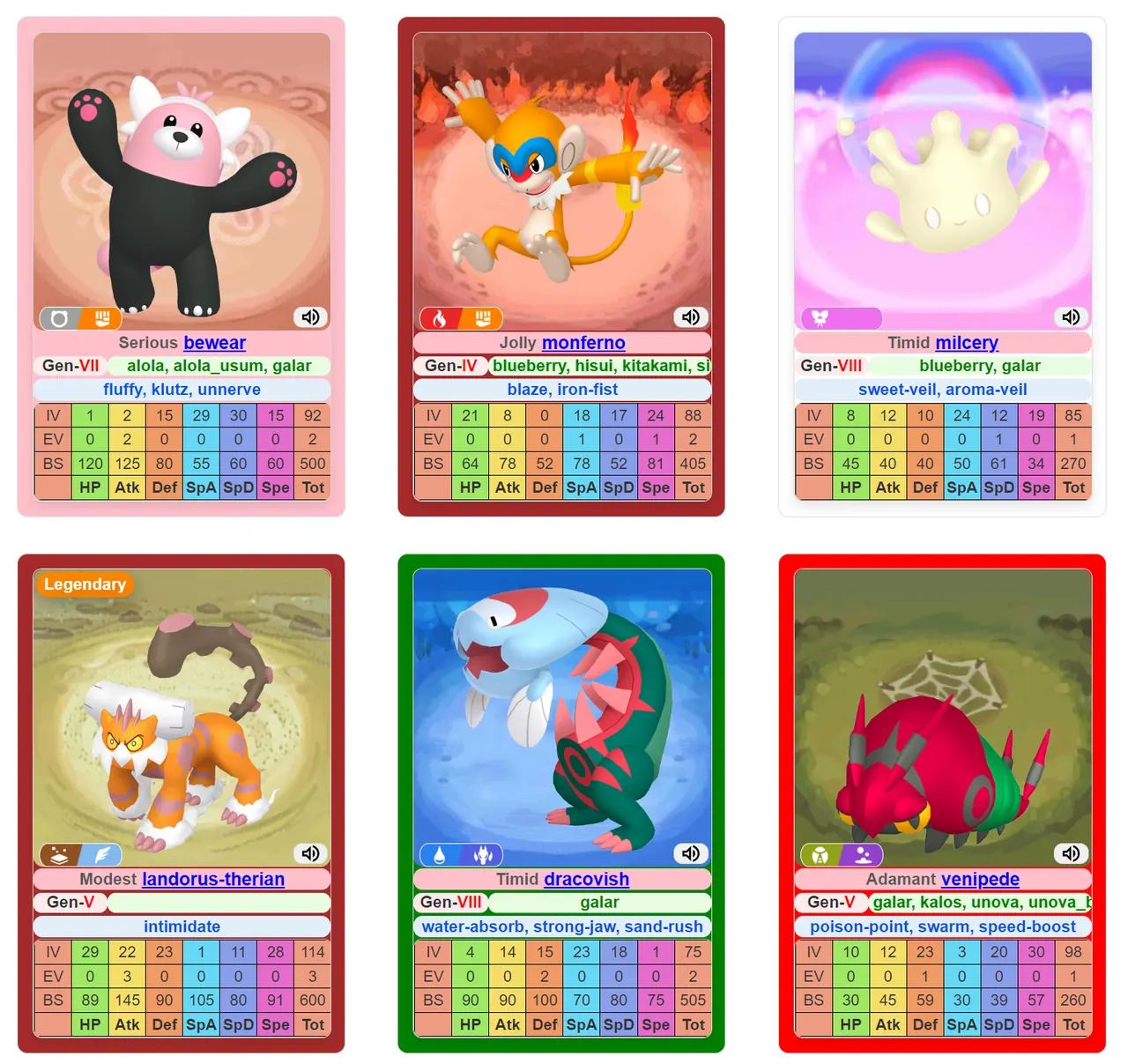
What does Random Pokemon Generator do?
Random Pokémon Generator lets you build unique Pokémon teams by generating up to 9 Pokémon per session with customizable criteria. Start with basic choices like region, type, forms, rarity, and generation, or go deeper with advanced filters covering details such as natures, abilities, base stats, IVs/EVs, and more.
Every result appears as a high-definition Pokémon card, with optional display controls for what information to show—like abilities, base stats, IVs/EVs, and natures—plus visual settings such as background images and card layout.
If you want extra excitement, the generator includes shiny Pokémon support with an adjustable probability. Generated shinies are kept in a dedicated section, and you can also review a history of your recent generations (up to 64) for quick revisits and management.
How do I generate a random Pokémon?
Select your filter criteria (from basic and advanced options), choose how you want the card displayed, then click Generate to create your Pokémon cards.
What filters are available?
You can filter by region, type, forms, rarity, generation, and game version, then optionally use advanced filters including stats (like HP/Attack/Defense and more), IVs/EVs, natures, abilities, and additional Pokémon characteristics.
Can I control what shows up on the Pokémon card?
Yes—use display options to show or hide attributes such as generation, region, natures, abilities, sprites/visuals, base stats, and IVs/EVs, and adjust card background and layout settings.
Is there a way to generate shiny Pokémon?
Yes. The tool includes shiny generation with adjustable probability through advanced display settings, and a dedicated shiny section stores the results.
How can I revisit previously generated Pokémon?
Use the history view, which saves up to 64 generations so you can return to earlier Pokémon cards and keep iterating your picks.
How do I start over if I want to change my filters?
Use the Reset button in the filter options and display options panels to clear selections and begin a fresh generation setup.
This listing is claimed
Own Random Pokemon Generator? Sign in with the email used to claim it to manage this listing, or upgrade to Pro for featured-first placement and a newsletter feature.