
PixDok
AI Productivity Tools
PixDok is a free browser tool for editing PDFs, enhancing images, generating QR codes, and preparing passport and PVC card layouts.
- Pricing
- Free
- Category
- Productivity
- Listed
- Nov 7, 2026
- Updated
- Nov 7, 2026
Promoted
 AI Checker PlusAI detector that highlights which passages AI wrote. Free check, no sign-up. Plagiarism too.
 RewindType any X/Twitter handle. Get their year back as a narrated video story. Then ask it anything.
 KurodyneSell the tools from your AI side projects. Listing is free.
 Sidrune AI85% off. Stable Claude API for agent developers. Pay as you go. Invoices & refunds available.
 Pixmax.aiPixmax.ai is an all-in-one AI workspace for videos, visual stories, and marketing content.
 SEOify - Improve your SEO & rankingsBuild links to rank in Google. Improve your DR with links you can start building now.Advertise here330,000+ people visit Dang.ai every month.
What does PixDok do?
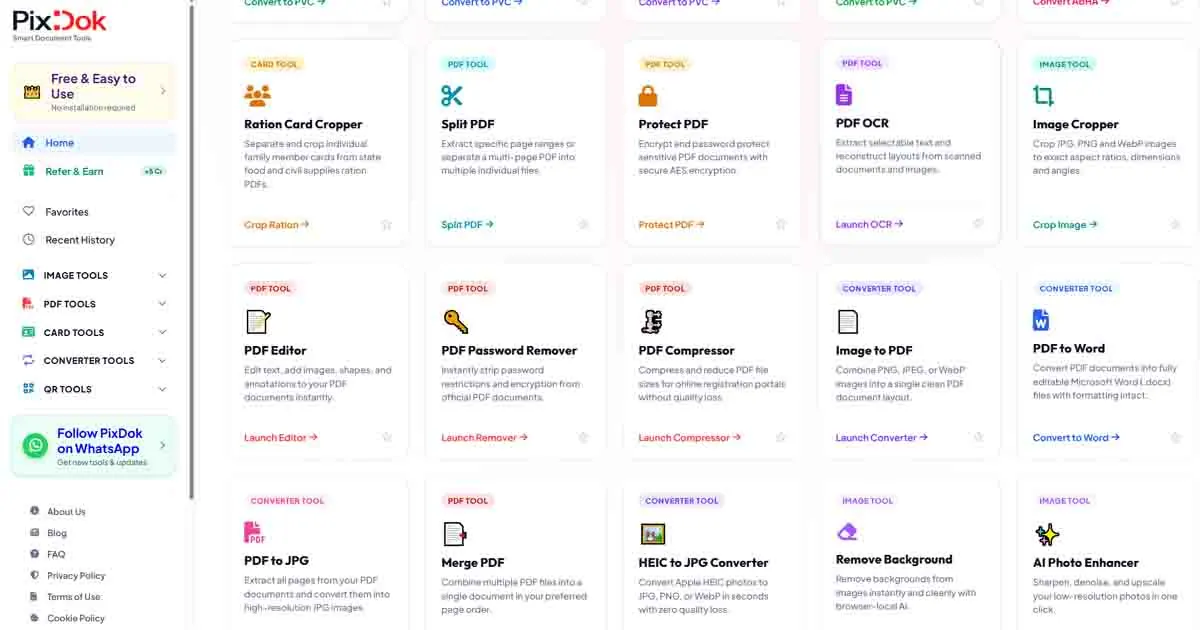
PixDok is a practical, browser-based utility for everyday PDF, image, document, and QR code tasks—no desktop software needed. You can edit, merge, split, and compress PDFs; convert images to PDF; and extract text from scanned documents using OCR.
For images, PixDok includes tools to resize and compress, crop JPG/PNG/WebP files, convert HEIC to JPG, and enhance photos. It also provides AI background removal for one-click subject cutouts, and AI photo enhancement to improve image quality.
If you need print-ready outputs, PixDok offers passport photo makers and card-preparation utilities for standard PVC card sizing. Use its passport and US visa photo tools to create compliant photo sheets, and use document/carding utilities to format front/back e-docs into wallet-size layouts. It also includes a Document Fixer to straighten and improve tilted or scanned documents for cleaner printing.
Privacy and convenience are built in: many core tools run locally in your browser, and server-processed files are encrypted and automatically cleared after 30 minutes. Core everyday tools are free to use without sign-up.
Do I need to install software to use PixDok?
No. PixDok runs directly in your web browser, so you can complete tasks without downloading desktop software, apps, or extensions.
What happens to my uploaded files, and how is privacy handled?
Client-side tools process files in your browser. For tasks that require server processing (like certain AI image features), files are transmitted securely and automatically deleted from servers after 30 minutes.
Can PixDok help me prepare passport or visa photos for printing?
Yes. PixDok includes passport photo tools and a US Visa Photo Maker to generate standard photo sheets ready for printing.
Does PixDok offer PDF editing and file organization tools?
Yes. You can edit PDFs, merge multiple PDFs, split/extract pages, compress PDFs, and use OCR to extract text from scanned documents.
Can PixDok remove backgrounds from photos?
Yes. It includes a one-click AI background removal tool that outputs an image with the background removed.
Are the core PixDok tools free to use?
Yes. Core everyday utilities are available for free and don’t require paid subscriptions or credit card details.
This listing is claimed
Own PixDok? Sign in with the email used to claim it to manage this listing, or upgrade to Pro for featured-first placement and a newsletter feature.