PersonRemover
AI Image Generators from Text Tools
Remove unwanted people from photos online with auto-detection or brush selection—free Standard downloads with no watermark.
- Pricing
- Free
- Category
- Image
- Listed
- Sep 27, 2026
- Updated
- Sep 30, 2026
Promoted
 AI Checker PlusAI detector that highlights which passages AI wrote. Free check, no sign-up. Plagiarism too.
 RewindType any X/Twitter handle. Get their year back as a narrated video story. Then ask it anything.
 KurodyneSell the tools from your AI side projects. Listing is free.
 Sidrune AI85% off. Stable Claude API for agent developers. Pay as you go. Invoices & refunds available.
 Pixmax.aiPixmax.ai is an all-in-one AI workspace for videos, visual stories, and marketing content.
 SEOify - Improve your SEO & rankingsBuild links to rank in Google. Improve your DR with links you can start building now.Advertise here330,000+ people visit Dang.ai every month.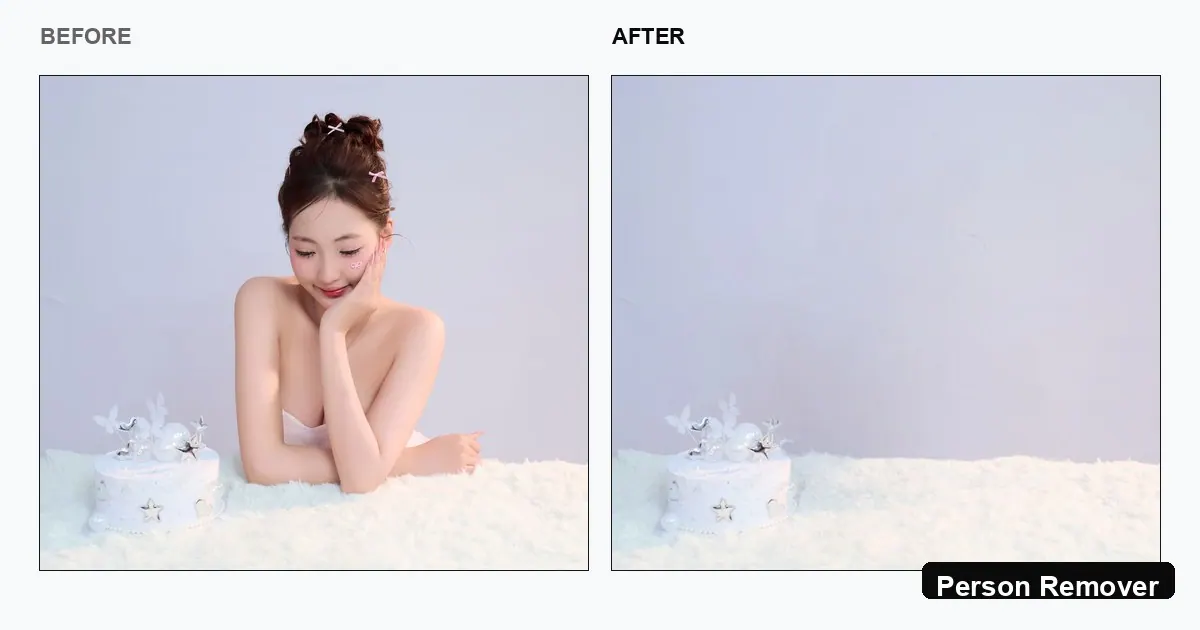
What does PersonRemover do?
PersonRemover is an AI person remover that helps you delete unwanted people from photos and reconstruct the background behind them. Upload a JPG/PNG, then auto-detect people to select what to remove or use brush mode for precise control around faces, hair, and limbs.
Designed for fast cleanup, it’s especially useful for travel photos with passers-by, group shots with photobombers, crowded street scenes, and event or portrait backgrounds that distract from your main subject. Instead of simply blurring or cropping, the tool fills the space using the surrounding visual context so the result looks like the person was never there.
The free workflow supports no-signup editing and provides a Standard, watermark-free download. For eligible photos, a higher-resolution (HD-ready) result may also be available after processing.
How do I remove a person from a photo with PersonRemover?
Upload your JPG/PNG, then either select the detected person(s) automatically or switch to brush mode and paint over the unwanted person. After you remove, download the cleaned image.
Is PersonRemover free to use?
Yes—Standard removal and download are free, with no signup required and no watermark on the Standard result.
Do I need to create an account to download my edited photo?
No. You can upload, remove, and download the free Standard result without signing up.
What photo formats are supported, and are there size limits?
You can upload JPG/PNG (and WebP is also mentioned in the upload step). Files up to about ~10 MB are supported.
Can PersonRemover remove multiple people at once?
Yes. It supports removing multiple people—such as crowds or several tourists in one pass—though for dense scenes you may get cleaner results by removing people in separate passes.
Will it work well on complex backgrounds?
It works best when there’s enough background context for the AI to reconstruct what was behind the person. With highly complex textured scenes, you may notice artifacts, and a second pass or more precise brushing can help.
This listing is claimed
Own PersonRemover? Sign in with the email used to claim it to manage this listing, or upgrade to Pro for featured-first placement and a newsletter feature.