
PdfToLaTeX
AI PDF to LaTeX
Transform PDFs and images into LaTeX code instantly. Real-time streaming, and handwritten formula recognition.
- Pricing
- Free
- Category
- Productivity
- Listed
- Dec 3, 2025
- Updated
- May 25, 2026
Promoted
 Sidrune AI85% off. Stable Claude API for agent developers. Pay as you go. Invoices & refunds available.
 Pixmax.aiPixmax.ai is an all-in-one AI workspace for videos, visual stories, and marketing content.
 SEOify - Improve your SEO & rankingsBuild links to rank in Google. Improve your DR with links you can start building now.Advertise here270,000+ people visit Dang.ai every month.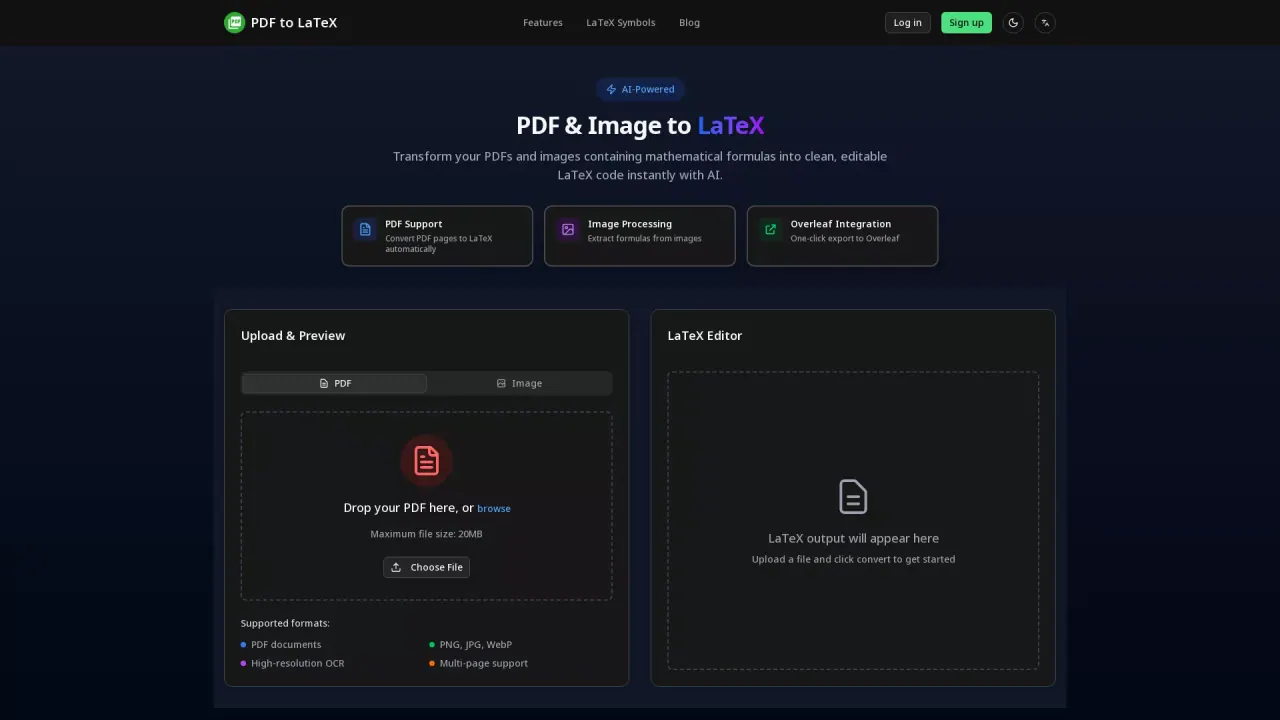
What does PdfToLaTeX do?
What is the main use case for PDF To LaTex?
For Researchers who lost original .tex file but still have the PDF. Instead of manually recreating the paper from scratch, reverse-engineer it back to editable source code in seconds. Perfect for revising old manuscripts or updating thesis chapters.
Who is the target audience of pdftolatex.org?
Researchers,Students
Can a user use PDF To LaTex for free?
Completely free! All users can use the PDF to LaTeX conversion service without any limitations or charges.
How do I convert a PDF to LaTeX using PdfToLaTeX?
To convert a PDF to LaTeX using PdfToLaTeX, simply drag and drop your PDF document into the upload area on the tool’s main page, or click the "Choose File" button to browse and select the file. Once uploaded, click the "Convert" button to begin the transformation. The tool will automatically process your document, and the converted LaTeX code will appear in the built-in editor, allowing you to preview and make modifications if needed.
What are the supported file formats for PdfToLaTeX conversion?
PdfToLaTeX supports conversion of PDF documents as well as image files in PNG, JPG, and WebP formats. The tool is equipped with high-resolution OCR technology which enables it to accurately extract content from multiple pages, including complex mathematical formulas and symbols.
How can I integrate PdfToLaTeX results with Overleaf?
PdfToLaTeX offers seamless integration with Overleaf. Once you have converted your PDF or image into LaTeX using the tool, you will find an option for "One-click Export" which allows you to directly export the LaTeX output to Overleaf. This feature simplifies the process of continuing your document editing on Overleaf, providing a streamlined workflow for LaTeX users.
This listing is claimed
Own PdfToLaTeX? Sign in with the email used to claim it to manage this listing, or upgrade to Pro for featured-first placement and a newsletter feature.