OLOCR
AI OCR Tool
Extract text from images and PDFs with AI OCR, right in your browser.
- Pricing
- Freemium
- Category
- Productivity
- Listed
- Mar 28, 2026
- Updated
- May 25, 2026
What does OLOCR do?
What does OLOCR do?
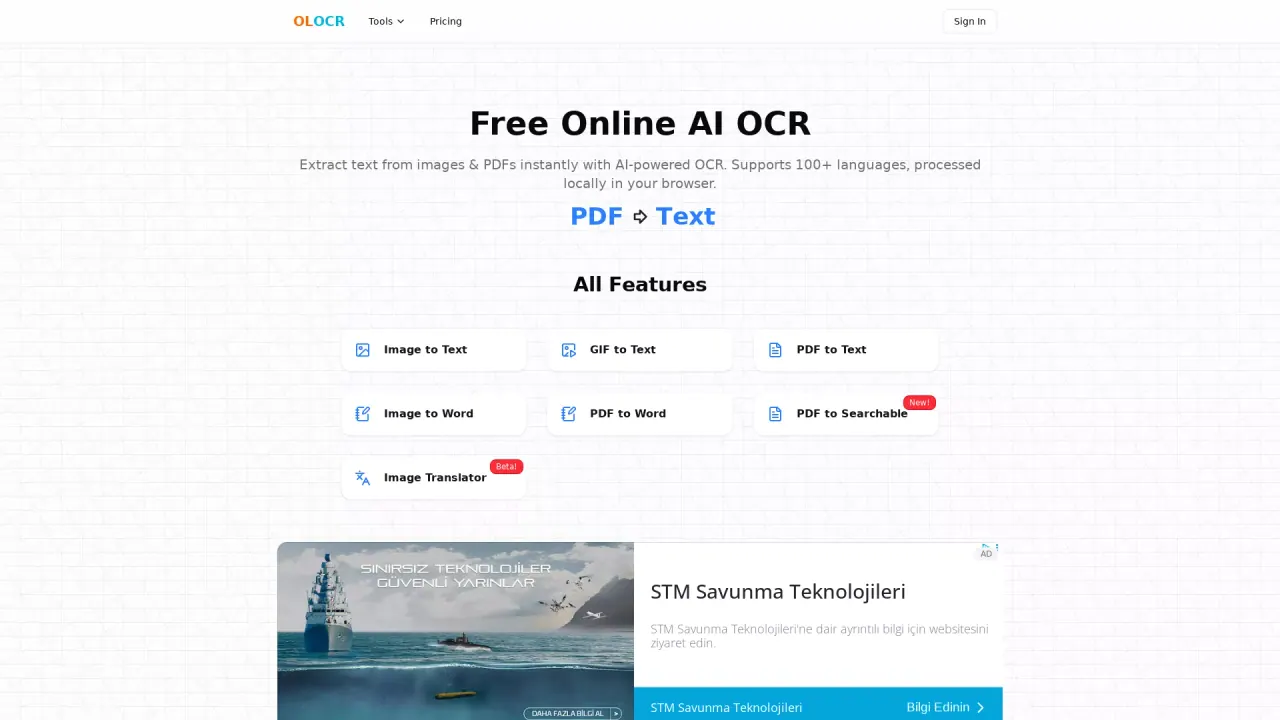
OLOCR is a free online AI OCR that runs in your browser. It extracts text from images (JPG, PNG, WEBP, BMP, TIFF, and more), PDFs (including scanned PDFs), and animated GIF/WebP. You can copy plain text, export to Word (.docx), or build searchable PDFs. Optional AI Text Enhancement helps fix recognition errors after extraction. It supports batch processing, 100+ languages, and includes an image translation workflow. Core OCR features are available without signup.
Who is the target audience of olocr.com?
OLOCR is built for anyone who regularly turns images, scans, or PDFs into usable text: students and educators digitizing notes and handouts; office workers handling screenshots, forms, and business cards; researchers and archivists working with scanned materials; finance and operations teams processing invoices and contracts; and creators who need text from screenshots, memes, or GIF/WebP frames. It fits people who want browser-based, batch-friendly OCR across many languages without installing desktop software.
Can a user use OLOCR for free?
Yes. Core OCR—including batch processing, many export options, and 100+ languages—is free to use, with no signup required for the core workflow. Optional AI Text Enhancement is available to registered users through a shared daily credit channel at no cost; paid plans add a dedicated monthly credit allowance and access to more advanced AI models for stronger error correction. Paid plans also remove ads.
This listing is claimed
Own OLOCR? Sign in with the email used to claim it to manage this listing, or upgrade to Pro for featured-first placement and a newsletter feature.