CleanMyPrompt
AI Data Privacy Tool
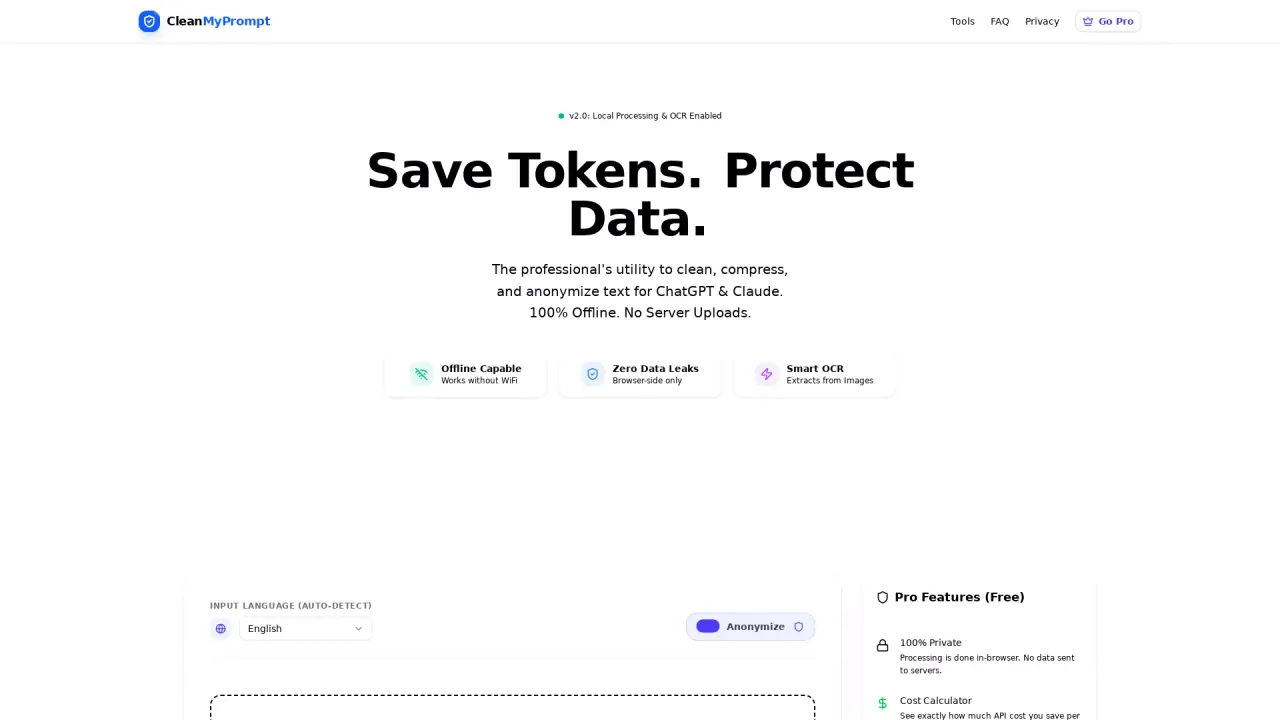
A privacy-first, offline utility that scrubs PII and API keys from text before sending it to ChatGPT or Claude.
What does CleanMyPrompt do?
What is the main use case for CleanMyPrompt?
- Secure Code Debugging: Developers can paste server logs or code snippets containing sensitive API keys (AWS, Stripe, OpenAI) and internal IP addresses. CleanMyPrompt automatically redacts these secrets locally, allowing the developer to safely paste the error into ChatGPT for debugging without leaking credentials.
- Anonymizing Business Documents: HR professionals, medical staff, and legal teams can scrub PII (emails, phone numbers, names) from documents before using LLMs to draft summaries or performance reviews. This ensures compliance with data privacy standards while leveraging AI.
- Token Optimization: Power users working with limited context windows can use the "Token Squeeze" feature to strip unnecessary stop-words and formatting, reducing token costs by ~30% while keeping the semantic meaning intact.
What are some unique features of cleanmyprompt.io?
100% Client-Side Architecture: Unlike most tools that process text via an API, CleanMyPrompt runs entirely in the browser using WebAssembly. This means you can physically disconnect from the internet and the tool still works—guaranteeing zero data leaks.
Developer-First Regex Engine: Features specialized patterns to detect and scrub technical secrets, including AWS Access Keys, Stripe Secret Keys, Google Cloud Credentials, and IPv6 addresses, not just standard PII.
WebAssembly OCR: Includes a built-in optical character recognition engine (Tesseract.js) that runs locally, allowing users to extract and sanitize text from screenshots of error logs without uploading the image to a cloud vision provider.
"Token Squeeze" Algorithm: A proprietary text compression mode that intelligently removes stop-words and "fluff" to reduce token usage by up to 30%, saving money on API costs while preserving the LLM's understanding.
Can a user use CleanMyPrompt for free?
Yes, the tool is 100% free forever. There are no paywalls, no login requirements, and no usage limits. Users can access all features (Redaction, OCR, and Token Squeeze) immediately without signing up.
How does CleanMyPrompt ensure privacy and data protection?
CleanMyPrompt runs 100% in your browser, ensuring that no data is sent to external servers. Unlike other tools that may upload your documents to cloud servers, CleanMyPrompt operates offline, guaranteeing zero data leaks. Users can disconnect from the internet after loading the tool, and it will still function perfectly, providing true offline privacy and protection for sensitive data.
What are the key features of the "Token Squeeze" algorithm in CleanMyPrompt?
The "Token Squeeze" algorithm in CleanMyPrompt is designed to reduce token usage by up to 30%. It does this by removing unnecessary stop-words and verbose text (e.g., replacing "in view of the fact that" with "because"), thus saving on API costs while maintaining the meaning and context of the original text. This feature is particularly valuable for professionals working with limited context windows in LLMs.
Is CleanMyPrompt suitable for OCR tasks with scanned PDFs or images?
Yes, CleanMyPrompt is equipped with Smart OCR capabilities that allow it to extract and sanitize text from scanned PDFs and images. The tool can handle OCR processes entirely offline, making it ideal for converting and anonymizing text from images without the need to upload data to external servers. This feature enhances data security and privacy when dealing with sensitive documents in image formats.
Is this your tool?
Claim CleanMyPrompt to manage this listing, or upgrade to Pro for featured-first placement and a newsletter feature.