
NativeLingo
Educational AI Tools
turns the pages you already read into gentle language practice
Promoted
 AI Checker PlusAI detector that highlights which passages AI wrote. Free check, no sign-up. Plagiarism too.
 RewindType any X/Twitter handle. Get their year back as a narrated video story. Then ask it anything.
 KurodyneSell the tools from your AI side projects. Listing is free.
 Sidrune AI85% off. Stable Claude API for agent developers. Pay as you go. Invoices & refunds available.
 Pixmax.aiPixmax.ai is an all-in-one AI workspace for videos, visual stories, and marketing content.
 SEOify - Improve your SEO & rankingsBuild links to rank in Google. Improve your DR with links you can start building now.Advertise here330,000+ people visit Dang.ai every month.
What does NativeLingo do?
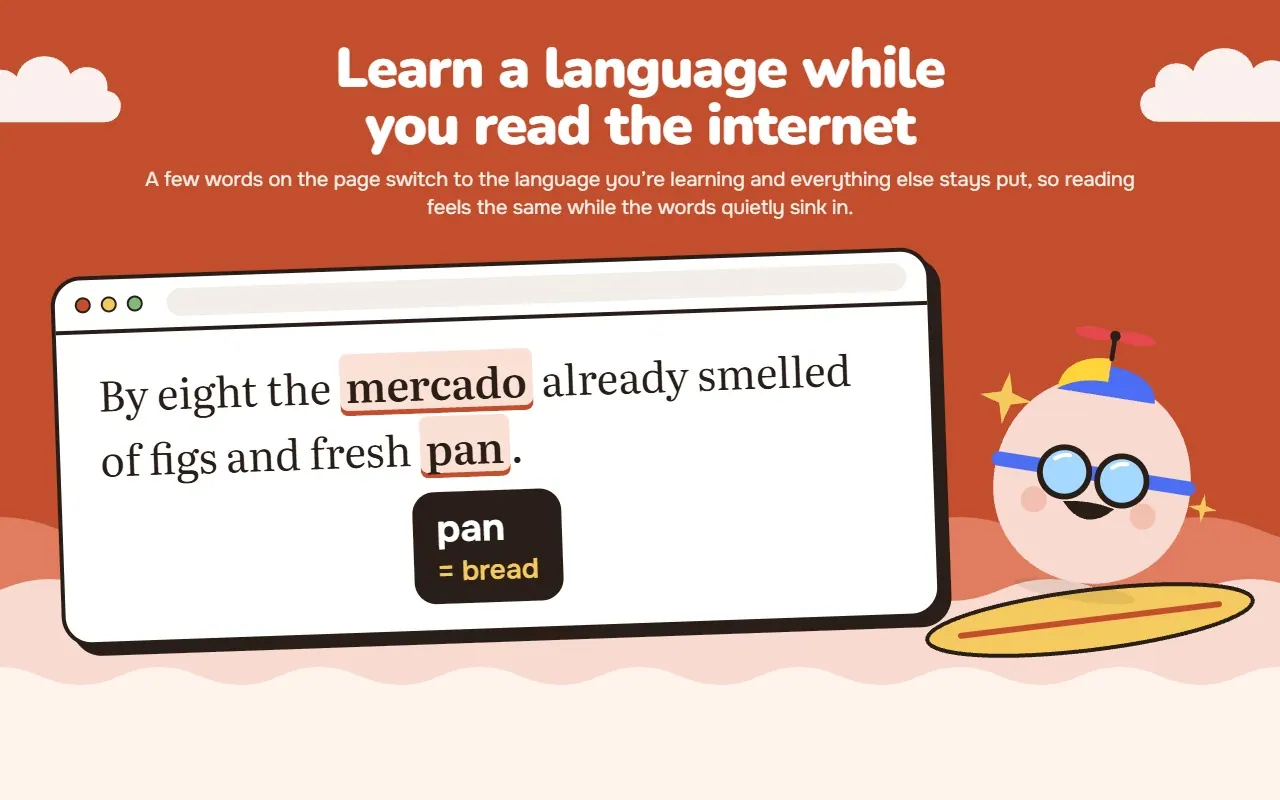
Replaces words on webpages with their translation to help you learn a language passively through daily browsing.
NativeLingo turns the pages you already read into gentle language practice.
Read websites in English, Spanish, Italian, Portuguese, French, German, Dutch, Swedish, Russian or Ukrainian, and NativeLingo swaps a few words for their translation in the language you are learning: Spanish, Italian, Portuguese, French, German, Dutch, Swedish or English. Each word appears in the right form — plural where the original was plural, the verb conjugated to fit the sentence. Hover a word to see the original and, where available, its pronunciation.
HOW IT WORKS • Only a few words per page — never more than about two in a hundred — so the text stays easy to read. • Words are chosen for your level (A1 to C1) and for why you are learning: travel, work, study and more. • Every word you meet is saved to your list in the NativeLingo web app. • Short reviews with spaced repetition (FSRS) help the words stick, a few seconds per word.
VIDEOS ON YOUTUBE AND NETFLIX Turn on subtitles on YouTube or Netflix and NativeLingo swaps a few words in them into the language you’re learning. The rest of the line stays as it was, so you never lose the plot, and because you meet the new word inside a real sentence, with a voice and a scene attached, it sticks far better than it would from a list.
So an evening with a show or a video over lunch quietly counts as practice, even though you never sat down to study.
PRIVATE BY DESIGN • The page is analysed entirely inside your browser. The text you read, page titles and page addresses are never sent to us. • Translations come from a dictionary downloaded to your browser. No AI model or translation service sees what you read. • NativeLingo sends only the words you were shown: which word, the form that appeared, its translation and the time. • Email, banking, payment and sign-in pages, password fields, text fields and code blocks are left alone. • Pause NativeLingo on any site, or everywhere, in one click.
GETTING STARTED
- Install NativeLingo and sign in with Google.
- Choose the language you read in, the language you are learning and your level — or take the short level test.
- Keep browsing. New words come to you.
Word replacement while you browse is free. Reviews in the web app come with a 7-day free trial, no card required, and after that with a NativeLingo subscription.
This listing is claimed
Own NativeLingo? Sign in with the email used to claim it to manage this listing, or upgrade to Pro for featured-first placement and a newsletter feature.